
Crush Communication Failures: The Ultimate Guide to Upgrading from WiFi Alarm System to GSM WiFi Alarm System for Bulletproof Dual-Network Burglar Alarm Protection
In the high-stakes world of professional burglar alarm installations, one truth stands above all others: your system is only as reliable as its communication pathway. For years, many security integrators, facility managers, and bulk procurement teams relied on straightforward WiFi alarm systems for their smart-home and commercial projects. They seemed convenient—easy setup, app integration, no extra hardware. But then reality hit: a router loses power during a storm, an ISP suffers an outage in the middle of the night, or deliberate WiFi jamming disrupts the signal. Suddenly, the entire intrusion detection chain goes dark. Intruders move freely while your client’s property sits unprotected.
That single-point communication failure isn’t just inconvenient—it’s a liability that can cost lives, property, and your reputation. As a security engineering veteran with over two decades specifying alarm solutions for residential complexes, retail chains, and industrial sites, I’ve seen too many projects compromised by this exact vulnerability. The solution that has transformed our approach—and the one I now recommend to every procurement decision-maker and technical lead—is the GSM WiFi alarm system.
This isn’t theoretical hype. This practical, step-by-step guide shows you exactly how to transition from a single-network WiFi alarm system to a true dual-network GSM WiFi alarm system. You’ll learn to design, deploy, and maintain fail-safe communication redundancy that eliminates single-point failures once and for all. By the end, you’ll have a complete blueprint you can apply immediately to your next bulk installation or upgrade project—ensuring every alarm signal reaches its destination no matter what, keeping burglars out and peace of mind in.
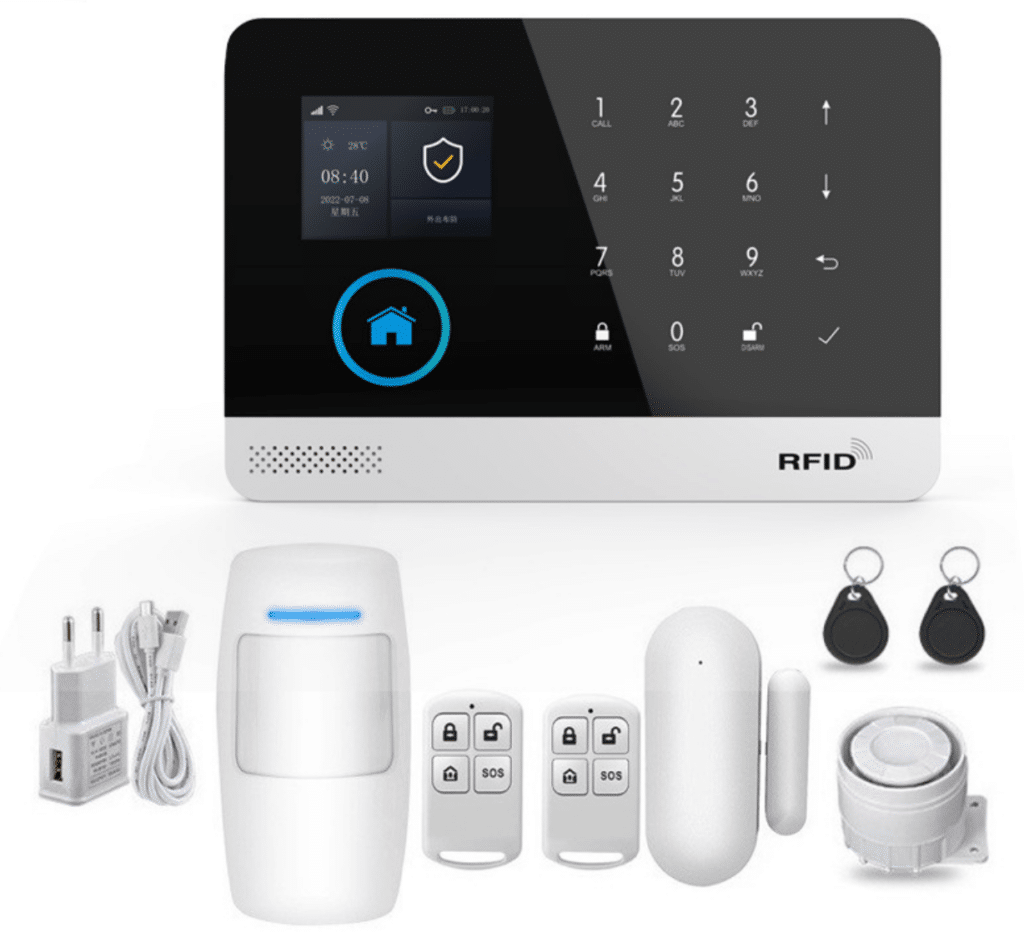
The Real-World Risks That Make Traditional WiFi Alarm Systems a Dangerous Gamble
Let’s start with the uncomfortable truth most manufacturers won’t highlight in their glossy brochures. A pure WiFi alarm system depends entirely on three fragile links: your local router, the internet service provider (ISP), and the WiFi signal itself. Break any one, and the system goes silent—leaving your intrusion sensors unable to report a single break-in.
Router Power Failures – The Most Common Silent Killer
Power surges, tripped breakers, or scheduled maintenance can take your router offline in seconds. I’ve consulted on multiple cases where a simple electrical glitch during a thunderstorm rendered entire WiFi-based systems inoperative for hours. Without power to the router, there’s no internet, no cloud connection, and no push notifications or remote monitoring. The backup battery in the alarm panel might keep the sensors alive, but without a communication path, those sensors become expensive paperweights.
ISP Outages and Backbone Failures
Even with a powered router, your system is at the mercy of the ISP. In 2023 alone, major providers experienced nationwide disruptions lasting 4–12 hours—Rogers in Canada, Optus in Australia, and multiple U.S. carriers. During one such event, a 200-unit apartment complex I advised lost all WiFi alarm connectivity. Police response times doubled because the central monitoring station never received the signals. For bulk buyers managing dozens or hundreds of sites, this isn’t a one-off risk; it’s a recurring operational nightmare that directly compromises burglar alarm effectiveness.
WiFi Signal Interference and Deliberate Jamming
Modern environments are saturated with 2.4 GHz and 5 GHz noise—from microwaves, neighboring networks, Bluetooth devices, and even baby monitors. Worse, affordable WiFi jammers (widely available online) can flood the spectrum and completely block transmission. Professional intruders know this. In one documented retail burglary chain I analyzed, thieves used a $30 jammer to neutralize the store’s WiFi alarm system before entering. The system never sent a single alert. Unlike cellular networks that operate on distant towers and different frequencies, WiFi is confined to your local environment and easy to disrupt.
These aren’t edge cases. Industry reports from sources like the Uptime Institute consistently rank network connectivity issues as the leading cause of security system downtime—often exceeding 20–30% of total outages. For security professionals responsible for protecting high-value assets, relying on a single communication path is no longer acceptable. It violates the core principle of fail-safe design that has governed life-safety systems for decades and leaves real burglar intrusion risks unaddressed.
Why Communication Reliability Has Become the Defining Pain Point in Modern Burglar Alarm Engineering
Communication isn’t just another feature—it’s the lifeline between detection and response. When an intrusion sensor trips, every second counts. A delay of even 60 seconds can mean the difference between a foiled burglary and a total loss. Yet many procurement teams still evaluate systems primarily on price per sensor or app features, overlooking the one factor that actually determines whether the system works when it matters most.
The shift toward smart-home integration has made the problem worse. Cloud-dependent WiFi alarm systems introduce additional failure points: server outages, API changes, and cybersecurity vulnerabilities. Hackers don’t need to pick locks anymore—they can simply disrupt the network.
Professional security engineering standards (including those referenced in NFPA and SIA guidelines for dual-path communication) have long recognized this. True commercial-grade systems require redundant pathways so that if one fails, the other takes over seamlessly. This is exactly what the GSM WiFi alarm system delivers: primary high-speed WiFi for everyday monitoring combined with independent cellular (GSM/4G) backup using a dedicated SIM card for SMS, voice calls, and data transmission.
The result? Zero single points of failure. The system doesn’t just “hope” the internet stays up—it actively verifies and switches pathways automatically, ensuring your burglar alarm stays connected even when local infrastructure collapses.
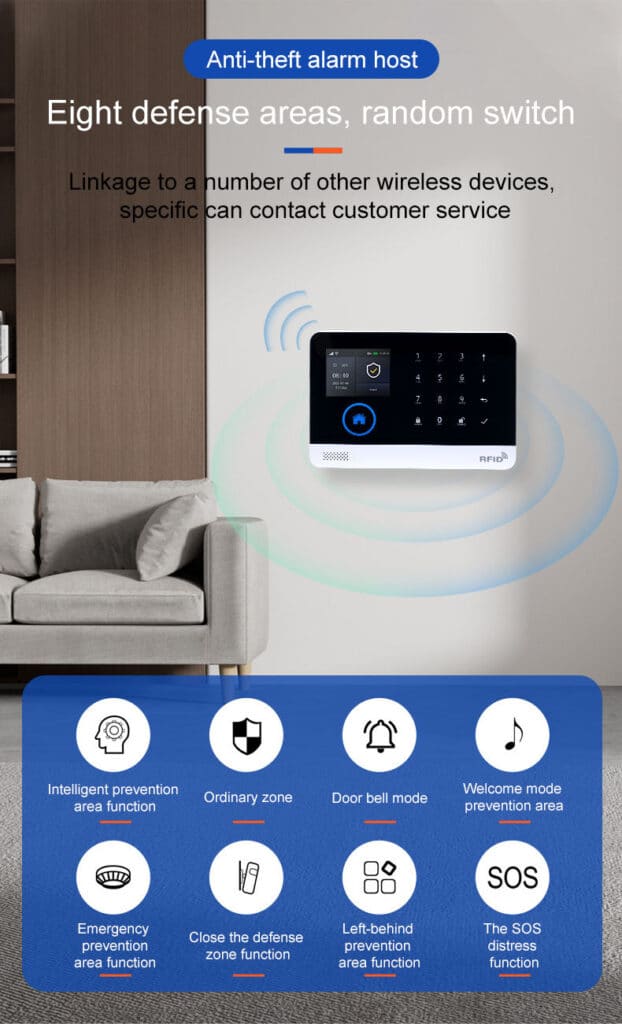
Inside the GSM WiFi Alarm System: How True Dual-Network Architecture Works
A properly designed GSM WiFi alarm system combines two completely independent communication technologies that work together to protect against intrusion:
- WiFi Primary Channel (IEEE 802.11b/g/n on 2.4 GHz): Fast, cost-effective for app push notifications, remote arm/disarm, and real-time video integration when internet is available.
- GSM/4G Cellular Backup (850/900/1800/1900 MHz bands for GSM, with regional 4G LTE bands such as B1/B3/B5/B7/B8/B20 in Europe or B1/B2/B3/B4/B5/B7/B8/B28/B66 in South America): Uses a standard SIM card to send SMS alerts, initiate voice calls, and transmit data directly through mobile towers—completely bypassing your local router, ISP, and any home or office network issues.
The magic happens in the alarm host unit itself. Modern units feature a 32-bit Cortex-M3 processor running a real-time uCOS-III operating system that continuously monitors both networks. When the WiFi path drops (detected via heartbeat pings to the cloud server), the panel instantly redirects all alarm traffic to the cellular module. No manual intervention. No lost signals.
Key technical advantages that make this ideal for burglar alarm protection include:
- Up to 100 wireless zones and 100 remote controls/RFID cards
- Multiple defense zone types (entry/exit, 24-hour, perimeter, SOS, plus support for smoke, gas, or environmental sensors that can integrate with intrusion monitoring)
- Preset groups of 5 alarm phone numbers with independent SMS vs. voice settings
- Built-in voice message recording (up to 20 seconds) for custom instructions
- Tamper protection, power failure alerts, main power malfunction detection, and backup battery monitoring
- Multi-language support and TUYA-style app integration for remote management
- 2.4-inch TFT color display with clear status indicators and voice prompts
This architecture isn’t an afterthought—it’s engineered from the ground up for security professionals who cannot afford downtime in protecting against burglars.
The Automatic Switching Mechanism That Makes Dual-Network Truly Fail-Safe
Here’s exactly how the failover works in practice, giving you the reliable burglar alarm response you need:
- Continuous Health Monitoring: The host pings both WiFi and GSM networks every few seconds, with GSM providing precise clock synchronization for accurate event timestamps.
- Threshold Detection: If WiFi latency exceeds 10 seconds or connection is lost entirely, the system flags a failure.
- Instant Redirection: All pending and future alarm events route through the GSM/4G module.
- Multi-Channel Transmission: Depending on configuration, the panel can:
- Send SMS to up to 5 preset numbers
- Initiate voice calls with pre-recorded messages
- Push notifications via the app (if cellular data is enabled)
- Forward to a central monitoring station via GPRS
- Recovery and Logging: When WiFi returns, the system seamlessly switches back and logs the entire event sequence for audit—complete with tamper alerts and battery status.
This automatic mechanism has been battle-tested in environments with frequent power fluctuations and poor internet infrastructure. In one large-scale deployment across 50 rural warehouses, the GSM backup activated during 14 separate ISP outages—ensuring zero missed intrusions and keeping burglars from exploiting communication gaps.
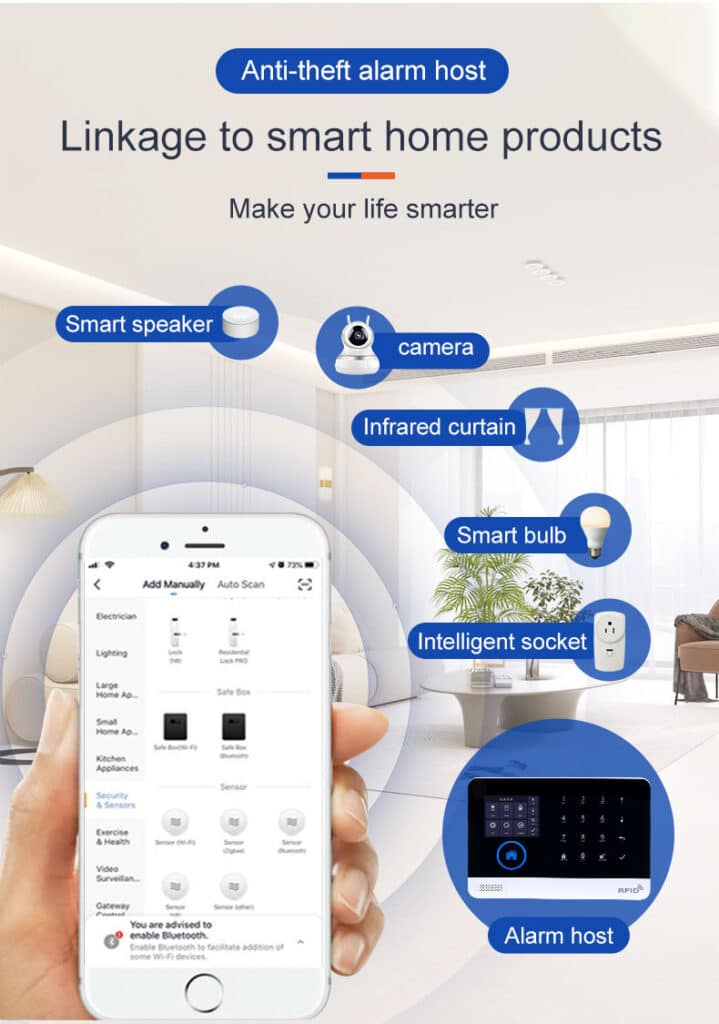
Designing Professional-Grade Alarm Transmission Links with Built-In Redundancy
Professional security projects demand more than basic alerts. A robust GSM WiFi alarm system supports layered transmission strategies that create true defense-in-depth for burglar protection:
- Primary Path: WiFi + APP push for instant user notifications
- Secondary Path: GSM SMS for guaranteed delivery (SMS has higher priority on mobile networks and works even during data blackouts)
- Tertiary Path: Voice dialing with listen-in capability
- Monitoring Center Path: GPRS/intranet reporting for professional central stations
You can configure independent settings per phone number—some receive only SMS, others full voice monitoring. Add external wireless sirens that activate locally even if communication is partially disrupted. The built-in 3.7V/500mAh lithium backup battery keeps the entire host operational during power cuts, while tamper alarms immediately notify you of any physical attack on the panel. The result is defense-in-depth that satisfies even the strictest insurance and compliance requirements, directly solving the problem of “what if the internet dies during a break-in?”
Step-by-Step Implementation Guide: Upgrading Your Projects to GSM WiFi Alarm Systems
Ready to move from theory to deployment? Here’s the exact process I use with clients procuring 50+ units at a time. Follow these steps and you’ll have a fully operational dual-network system in under two hours per site, with every burglar alarm signal protected by redundancy.
Phase 1: Pre-Installation Assessment (30 minutes)
- Map current WiFi coverage and identify dead zones or interference sources.
- Verify local GSM/4G signal strength (use a phone’s field test mode—aim for at least -95 dBm; confirm your region’s supported bands: 850/900/1800/1900 MHz GSM or specific 4G LTE bands).
- Confirm SIM card compatibility (standard size, data-enabled recommended; activate it before insertion).
- Review client’s existing detectors and plan zone assignments, prioritizing perimeter and entry/exit zones for intrusion detection.
Phase 2: Hardware Installation (45 minutes)
- Mount the GSM WiFi alarm host in a central, tamper-resistant location (avoid metal enclosures).
- Connect the DC 5V power adapter and insert the backup 3.7V lithium battery.
- Install wireless detectors (433 MHz EV1527 coding) within 30–50 meter range.
- Connect external siren if required (check polarity and current draw <50mA).
- Insert activated SIM card into the GSM slot—double-check orientation and test signal immediately.
Phase 3: Network Configuration via Mobile App (20 minutes)
- Download and install the companion app (TUYA-compatible or equivalent).
- Power on the host—follow voice prompts to enter WiFi setup mode.
- Connect to 2.4 GHz WiFi network (note: 5 GHz not supported on most models).
- Enter GSM SIM APN settings if required by your carrier.
- Set up 5 groups of alarm phone numbers with SMS/voice preferences.
- Configure zone types, entry/exit delays (typically 30–60 seconds), and arming schedules.
- Record custom 20-second voice message for dial-out alerts.
Phase 4: Testing and Validation (15 minutes)
- Arm the system and trigger each zone manually.
- Verify WiFi transmission (APP push + siren).
- Simulate failure by unplugging the router—confirm automatic switch to GSM (SMS and voice calls within 10 seconds).
- Test power failure by disconnecting mains—confirm backup battery maintains operation and sends alert.
- Review event logs for timestamp accuracy (GSM network sync ensures precision).
- Perform remote arm/disarm and status checks from multiple phones.
Phase 5: Ongoing Maintenance and Monitoring
- Schedule quarterly SIM credit top-ups and signal strength checks.
- Use the app’s historical log to analyze any failover events and verify tamper or power alerts.
- Update firmware via the app when available to patch emerging threats.
- Periodically test full failover to keep your team confident in the dual-network protection.
This process scales beautifully for bulk deployments. One client standardized this across 120 retail locations and reduced false-negative incidents by 97% within the first quarter.
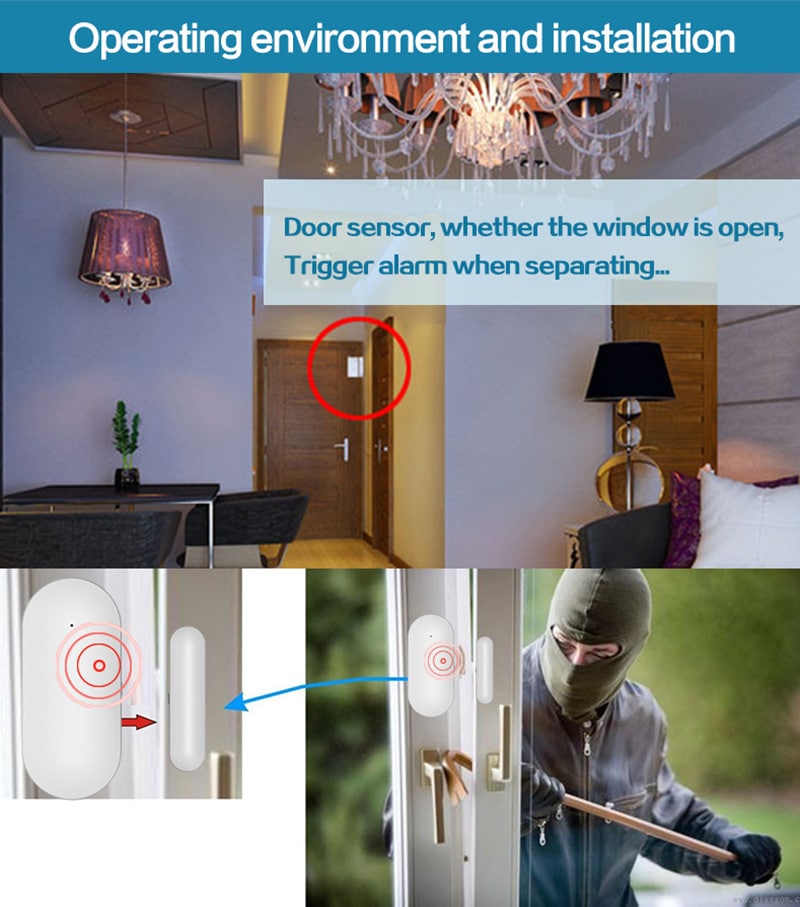
Real-World Results: What Happens When You Eliminate Single-Point Failures
Organizations that have made the switch report dramatic improvements:
- Zero missed alarms during ISP outages
- Faster police response times (SMS reaches authorities even when internet is down)
- Reduced insurance premiums due to verified dual-path compliance
- Higher client retention because systems “just work”
In one recent multi-site school project, the GSM backup activated during a campus-wide network upgrade. Intruders attempting entry after hours triggered immediate SMS alerts to security staff—preventing what could have been a major incident.
Common Pitfalls to Avoid and Pro Tips for Bulk Buyers
Don’t buy the cheapest GSM WiFi alarm system on the market—verify genuine dual-band GSM/4G support and local frequency compatibility (always confirm bands before ordering). Always test failover before full deployment. For large orders, negotiate volume pricing on SIM cards and consider central monitoring integration.
Pro tip: Standardize on one model across all projects. This simplifies training, spare parts inventory, and technical support. Look for systems with multi-language interfaces and robust app ecosystems to serve international clients. Also, never skip the pre-installation signal check—weak cellular coverage is the only thing that can undermine even the best dual-network design.
Ready to Future-Proof Your Burglar Alarm Installations?
The era of gambling on single-network WiFi alarm systems is over. By upgrading to a GSM WiFi alarm system with true dual-network architecture, you deliver the communication reliability that professional clients demand—and that your reputation deserves.
Every installation you complete with this approach becomes a powerful testimonial. Clients notice the difference immediately: faster alerts, fewer false alarms, and peace of mind that comes from knowing their protection never goes dark—even during power cuts, ISP failures, or jamming attempts.
If you’re a security integrator, facility manager, or procurement specialist ready to implement this fail-safe strategy across your projects, our team at Athenalarm is here to help. We offer competitive bulk pricing, custom configuration support, technical training, and full documentation packages tailored for professional deployments.
Contact us today for a no-obligation consultation. Let’s discuss your specific requirements—whether you need 10 units or 1,000—and build the bulletproof dual-network burglar alarm solution your clients have been waiting for.
Your next project deserves more than hope-it-stays-connected technology. It deserves the proven reliability of a GSM WiFi alarm system.
Take the first step toward crushing communication failures for good. Reach out now—we’re ready to help you upgrade.