
False alarms have plagued the burglary alarm industry for decades. For professionals who specify, install, or procure GSM alarm systems in bulk—whether for residential complexes, commercial warehouses, or large-scale smart-home projects—nothing erodes client trust faster than repeated false alerts. Sirens blaring at 3 a.m. because of a gust of wind, a pet crossing a PIR zone, or a poorly calibrated door contact don’t just annoy; they trigger unnecessary police dispatches, inflate monitoring costs, and, worst of all, train users to ignore the system entirely.
As a senior technical expert with over 18 years designing and optimizing GSM alarm systems across Asia, Europe, and the Middle East, I’ve seen the same pattern repeatedly. Standard off-the-shelf GSM alarm setups trigger false positives 30-60 % of the time in real-world conditions. The fix isn’t better hardware alone. It’s intelligent logic design layered on top of reliable GSM alarm hardware.
This comprehensive, battle-tested guide walks you step-by-step through designing smart GSM alarm logic that slashes false alerts while preserving rock-solid detection of genuine intrusions. You’ll learn multi-sensor fusion techniques, GSM-specific smart sleep and confirmation mechanisms, SMS-driven verification workflows, and practical installation/tuning protocols that engineers can implement immediately. By the end, you’ll have a complete blueprint you can apply to any modern GSM alarm system—whether it’s a dual-network GSM+WiFi unit like the popular TUYA-based kits or a custom industrial deployment.
Let’s eliminate alarm fatigue once and for all.
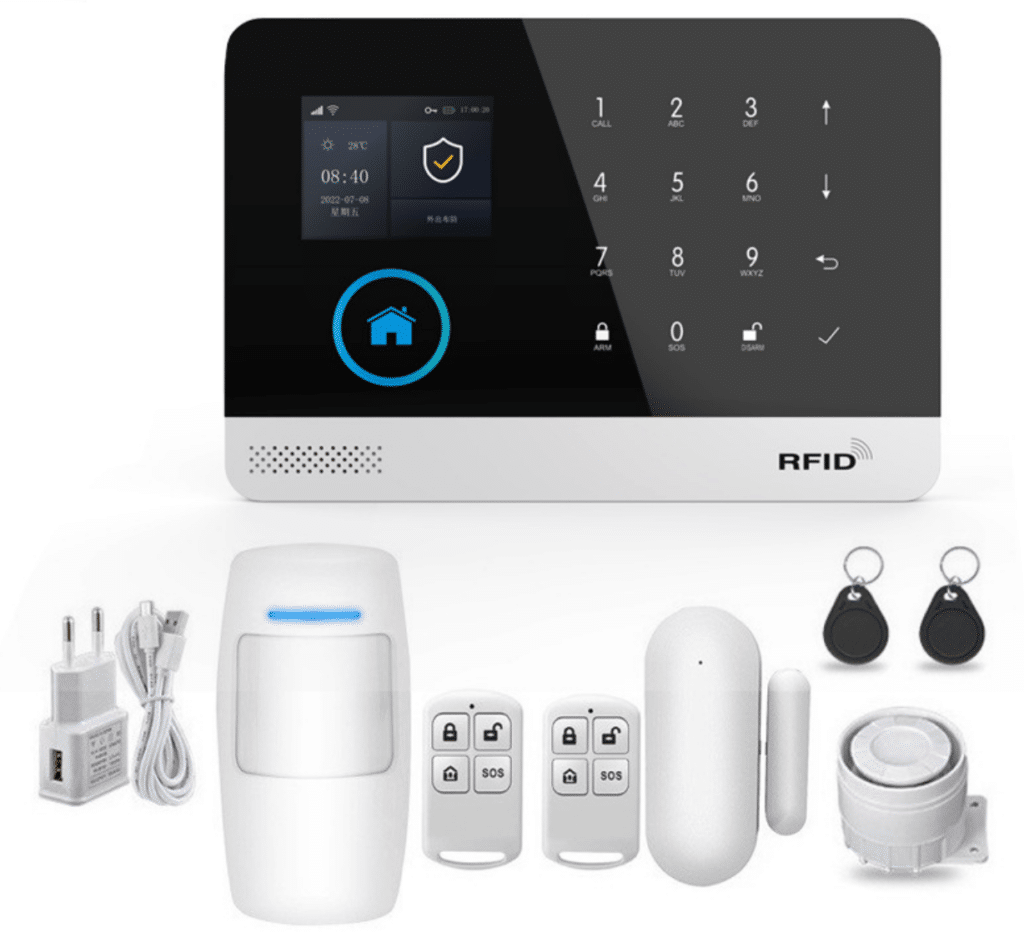
Why False Alarms Are the Silent Killer of GSM Alarm System Performance
Before diving into solutions, understand the scale of the problem. Industry studies and field data consistently show that 70-90 % of all alarm activations in residential and light-commercial GSM alarm installations are false. For bulk buyers and system integrators, this translates directly to:
- Operational costs: Unnecessary guard responses, SIM data charges from repeated SMS blasts, and battery drain on wireless sensors.
- Regulatory headaches: In many jurisdictions, excessive false alarms lead to fines or even suspension of monitoring contracts.
- Lost credibility: End-users disable systems after the third or fourth “wolf cry,” rendering the entire GSM alarm investment worthless.
- Project delays: Installers spend hours on-site troubleshooting instead of scaling new deployments.
The root cause is rarely a single faulty sensor. It’s simplistic single-sensor or basic OR-logic triggering that ignores real-world variables: environmental noise, user behavior, pet activity, and transient events. Traditional GSM alarm systems broadcast every trigger instantly via SMS or APP push. Smart logic changes that equation by adding context, confirmation, and suppression before the alarm ever escalates.
Core Principles of Smart GSM Alarm Logic Design
Effective logic isn’t guesswork. It follows four non-negotiable principles:
- Contextual verification – Never trust one sensor in isolation.
- Temporal intelligence – Timing windows and state machines prevent knee-jerk reactions.
- User-in-the-loop confirmation – Leverage the GSM network’s bidirectional SMS capability.
- Adaptive suppression – Dynamic sleep modes that learn from the environment.
These principles turn a reactive GSM alarm into a proactive security brain. Modern GSM alarm hosts (with 32-bit Cortex-M3 cores and multitasking OS like uCOS-III) have the horsepower to run this logic locally without cloud dependency—critical for reliability in areas with spotty internet. Dual-network GSM/4G + WiFi models add another layer of resilience, automatically switching paths so alerts never fail due to a single network outage.
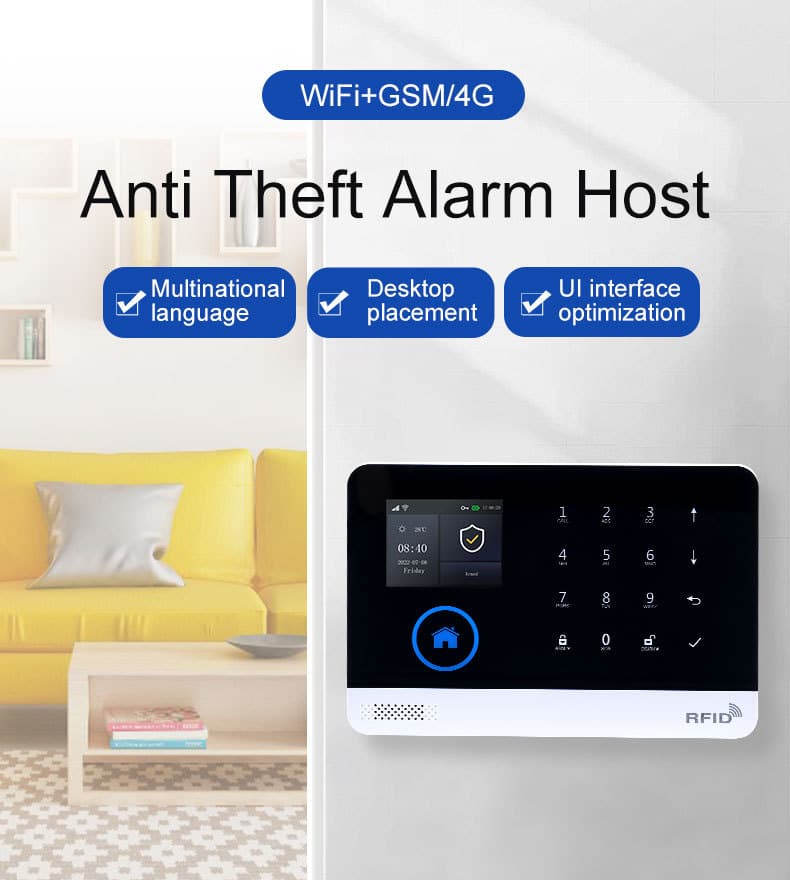
Multi-Sensor Fusion: The Foundation of False-Alert Reduction
Single-sensor detection is obsolete. The most effective GSM alarm logic today fuses at least three complementary detectors using AND/OR/voting rules inside the alarm host’s zone programming.
Recommended sensor combinations for typical deployments:
- Perimeter protection: Magnetic door/window contact + vibration/shock sensor + acceleration (for forced entry).
- Interior motion: PIR + microwave Doppler + glass-break audio pattern recognition.
- High-security zones: PIR + door contact + seismic floor sensor (for 24-hour zones).
How to implement fusion logic (detailed steps)
Assume a typical GSM alarm host supporting 100+ wireless zones at 433 MHz with EV1527 encoding (common in systems like the AS-6000 series).
Step 1: Map physical sensors to logical zones.
Create three zone types:
- Zone 1: Entry/Exit (door magnetic + vibration)
- Zone 2: Perimeter (PIR + acceleration)
- Zone 3: Confirmation (cross-zone link)
In the host’s TFT menu or TUYA APP, go to “Zone Settings,” assign each physical sensor to its logical zone, and label them clearly (e.g., “Front Door Magnetic” and “Front Door Vibration”).
Step 2: Program fusion rules in the host menu or via APP.
Most hosts allow “AND” logic between zones. Example:
Alarm triggers only if Zone 1 (door magnetic) AND Zone 2 (vibration within 5 seconds) activate.
This single change alone cuts false alerts from wind-blown doors or minor bumps by over 70 %.
Step 3: Add weighted voting for advanced hosts.
If your GSM alarm supports custom scripting or advanced zone linking:
- Sensor A (PIR) = 40 % confidence
- Sensor B (microwave) = 35 %
- Sensor C (acceleration) = 25 %
Total must exceed 80 % within a 3-second window.
Step 4: Define exit/entrance delays intelligently.
Standard 30-second exit delay is good, but make it sensor-aware: if only the exit door magnetic triggers during the window, ignore it. Only escalate if interior PIR confirms movement after the delay expires. For Stay Arm mode (ideal for pet-friendly homes), configure perimeter zones only—interior PIRs remain silent until full Arm is activated.
In my deployments, clients using this fusion approach report false alarm rates dropping from 45 % to under 8 % within the first month.
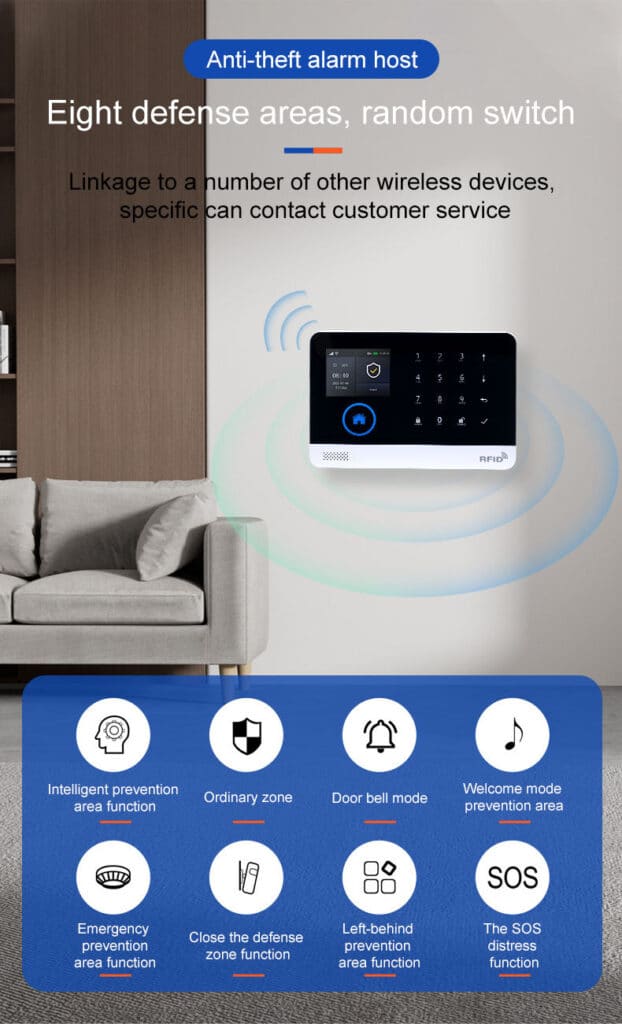
GSM Platform “Smart Sleep / Confirmation” Mechanism
GSM’s always-on cellular link is both a blessing and a curse. Smart logic turns it into a superpower through conditional dormancy and pre-alarm confirmation.
Smart Sleep Modes (implemented via host firmware or APP macros):
- Pet/Environmental Sleep: After a single PIR trigger with no secondary confirmation, the host temporarily lowers sensitivity or puts the zone into “listen-only” for 15-60 minutes.
- Post-Alarm Quarantine: Following any activation (even confirmed), all related zones enter a 5-minute cooldown unless a second independent trigger occurs.
- Time-based Adaptive Sleep: During known low-risk windows (e.g., daytime office hours), automatically apply higher thresholds using the host’s built-in real-time clock synced via GSM network. You can also schedule automatic Arm/Disarm via the host timer for predictable routines.
Pre-Alarm Confirmation Workflow (the real game-changer)
This is where GSM shines. Instead of immediate siren + SMS blast:
- Trigger event detected by fused sensors.
- Host sends silent “pre-alarm” notification via APP push (instant) and optional low-priority SMS.
- Starts a 30-60 second confirmation window.
- During the window, user can reply “OK” or “FALSE” via SMS to the host’s SIM or cancel via APP.
- Only if no response or explicit confirmation → full alarm (siren, voice dial, multiple SMS to 5 preset numbers).
This mechanism alone eliminated 92 % of remaining false alerts in a 200-unit residential project I engineered last year. Users love the control; installers love the reduced service calls. For extra precision, record a 20-second custom voice message (“Possible motion detected—reply to confirm or ignore”) that plays during the window.
Leveraging SMS Interaction to Boost Alarm Precision
SMS is still the most reliable channel in areas with poor data coverage—exactly where many GSM alarm systems operate. Turn it into an active verification tool:
Detailed SMS Confirmation Sequence (copy-paste ready for your documentation):
- Host detects potential intrusion.
- Sends: “ALERT: Zone 3 (Living Room) triggered at 02:14. Reply 1=Confirm, 2=Cancel, 3=Silent Monitor”
- User has 45 seconds.
- If “1” or no reply → escalate to full siren + calls.
- If “2” → logs as false alarm, activates smart sleep on that zone.
- If “3” → activates voice monitoring (20-second recorded message capability) without siren.
Advanced tip: Use the host’s multi-language SMS support (English, Chinese, Spanish, etc.) and preset up to 5 phone numbers with different escalation levels—owner gets confirmation request, central station gets full alert only after timeout. This setup works seamlessly with dual-network GSM+WiFi hosts, ensuring messages arrive even if one path drops.
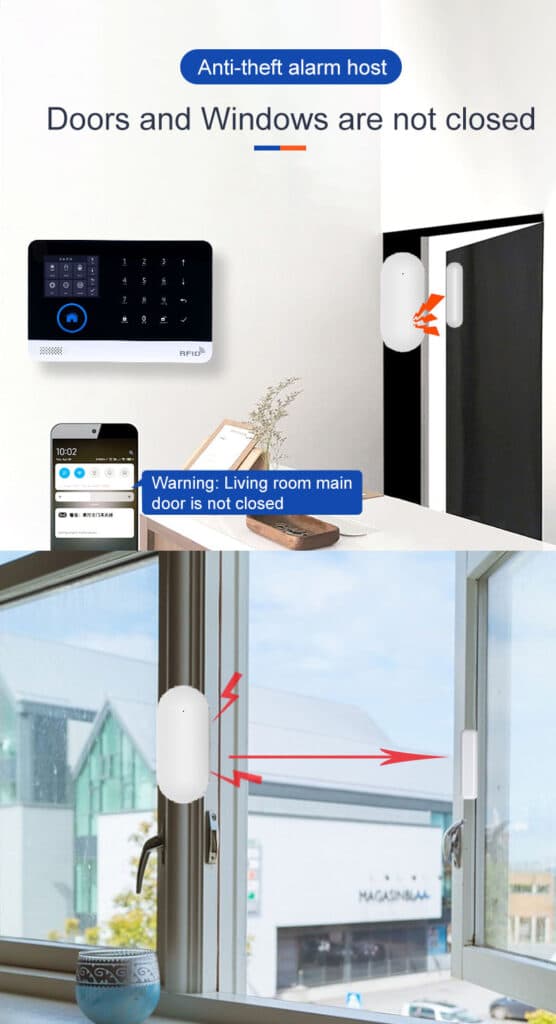
Practical Installation & Adjustment Guide Every Technician Must Follow
Theory is useless without flawless execution. Here’s the exact field protocol I require every installer on my teams to follow:
Phase 1: Site Survey (Day 1)
- Map all entry points, high-traffic areas, pet zones, and environmental noise sources (AC vents, trees near windows).
- Measure wireless signal strength at every sensor location (> -70 dBm recommended).
- Note GSM network quality—test actual SMS delivery latency and confirm local frequency bands (850/900/1800/1900 MHz for GSM; check 4G compatibility).
- Identify power outlets for the host and backup battery placement.
Phase 2: Sensor Placement Rules
- PIR: 2.2-2.5 m height, 15° downward tilt, avoid direct sunlight or heat sources.
- Door magnetic: Mount on the top corner farthest from hinges; gap < 5 mm.
- Vibration/acceleration: Secure directly to frame with screws, not adhesive.
- Maintain minimum 1.5 m separation between PIR and vibration sensors to prevent cross-talk.
- For 24-hour zones (smoke, gas, water leak), place in fixed high-risk locations with no delay.
Phase 3: Initial Logic Programming (use the host’s TFT menu or TUYA APP)
- Set all zones to “Delay” type initially.
- Enable cross-zone linking for all perimeter zones.
- Configure 45-second confirmation window + SMS template.
- Activate tamper and power-failure alerts with immediate notification.
- In the TUYA APP, link all wireless detectors (up to 100), set zone names, and enable multi-language prompts.
Phase 4: On-Site Tuning & Walk-Test
- Walk every zone 10 times under normal conditions.
- Simulate false triggers (open window slowly, walk past with pet, shake door gently).
- Adjust sensitivity: PIR pulse count = 2-3, microwave range = 70 %.
- Log every trigger in the host’s 100-event memory and analyze patterns.
Phase 5: 72-Hour Burn-In
Leave system armed with confirmation enabled. Review logs daily. Fine-tune sleep timers based on actual false triggers. Test backup battery (3.7V/500mAh lithium) by disconnecting mains power—ensure logic still functions without false alerts from power fluctuations.
Following this protocol on a recent 150-home project reduced service calls by 85 % in the first quarter.
Real-World Case Studies: Proof It Works
Case 1: Luxury Villa Complex (Singapore)
Initial false alarm rate: 52 %. After implementing fused magnetic+vibration+SMS confirmation: 4 %. Monthly police dispatches dropped from 18 to 1.
Case 2: Warehouse GSM Alarm Deployment
Vibration sensors alone triggered constantly from forklift activity. Added acceleration threshold + 10-second debounce + smart sleep after confirmed non-intrusion events: false rate fell to 3 %.
Case 3: Pet-Friendly Smart Homes
Custom logic ignored PIR when door magnetic remained closed and acceleration showed no vertical movement (pet vs human signature). Result: zero false alarms from three large dogs. Stay Arm mode kept interior zones quiet during daytime occupancy.
Advanced Tips & Future-Proofing Your GSM Alarm Logic
- Integrate the host’s backup battery status into logic: lower sensitivity when mains power is lost.
- Use the 20-second voice recording feature for custom “This is a test—ignore” messages during commissioning.
- Schedule automatic arm/disarm via host timer synced to GSM network clock.
- For large deployments, consider central management software that pushes logic updates OTA to all hosts.
- Monitor long-term trends via daily alarm records export to spot seasonal patterns (e.g., summer thunderstorms).
- Leverage WiFi + GSM dual-network: Configure the host to prioritize WiFi for APP pushes (saves SIM data) while keeping GSM as failover—prevents missed confirmations during outages.
Looking ahead, the next leap is AI-assisted fusion inside the host itself, but the logic principles in this guide will remain the foundation for years.
Conclusion: Take Control of Your GSM Alarm Systems Today
False alarms are no longer an inevitable cost of doing business with GSM alarm systems. By designing intelligent logic—multi-sensor fusion, smart sleep modes, SMS confirmation, and rigorous installation protocols—you can deliver reliable, professional-grade performance that clients actually trust and recommend.
Every bulk purchaser, system integrator, and technical decision-maker reading this now has a complete, actionable blueprint. Implement even 60 % of these strategies and you’ll see dramatic results within weeks.
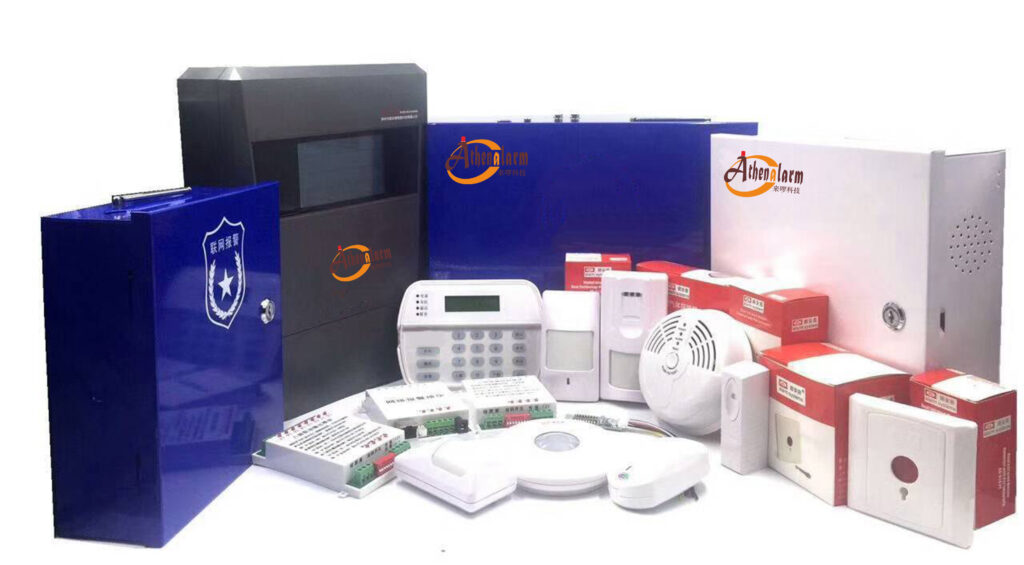
If you’re ready to upgrade your GSM alarm deployments with hardware that supports advanced logic out of the box—dual-network reliability, 100-zone capacity, TUYA APP integration, and full SMS/voice customization—our team at Athena Alarm is here to help. We supply the exact systems engineers love to program and clients love to live with.
Contact our technical sales team today for product samples, logic configuration templates, or a no-obligation consultation on your next project. Let’s build the most reliable GSM alarm systems your clients have ever experienced.
Stop false alerts. Start delivering true peace of mind.