
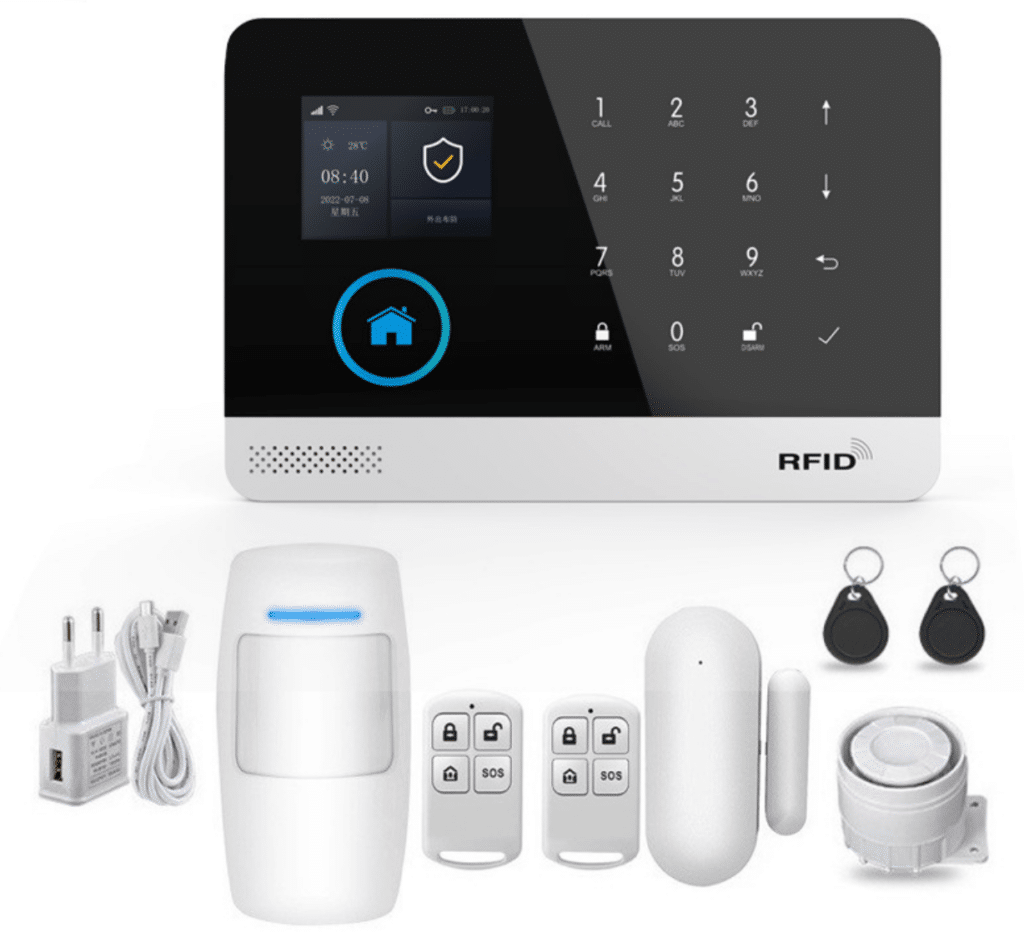
Introduction: Why Zero-Downtime Alarm Architecture Matters in Modern Intrusion Protection
In professional security deployments, the difference between a reliable intrusion alarm system and a failed one often comes down to a single factor: system architecture. Many alarm systems appear feature-rich on the surface—supporting mobile apps, wireless sensors, and remote notifications—but fail at the moment they are needed most due to communication breakdowns, power interruptions, or poorly designed system structures.
For organizations responsible for protecting valuable assets—commercial facilities, warehouses, banks, retail stores, and critical infrastructure—downtime is unacceptable. If a security system goes offline during a burglary attempt, the damage is already done before any response can occur.
This is where the GSM WiFi alarm system architecture becomes particularly powerful. By combining dual communication channels (WiFi + GSM/4G), intelligent control panels, and resilient sensor networks, modern alarm systems can maintain continuous protection even when individual components fail.
A well-designed WiFi alarm system with GSM backup provides several critical advantages:
- Continuous alarm communication even during internet outages
- Redundant alert delivery via APP, SMS, and voice calls
- Scalable wireless sensor networks
- Real-time remote monitoring
- Autonomous operation during power failures
However, achieving these benefits requires intentional system design. Simply installing sensors and connecting a panel to the internet is not enough.
This guide explores the professional architecture behind a zero-downtime GSM WiFi alarm system, explaining how each layer of the system works and how integrators, distributors, and security professionals can design reliable intrusion detection networks for modern security deployments.
Understanding the Architecture of a GSM WiFi Alarm System
A professional GSM WiFi alarm system consists of multiple integrated layers. Each layer contributes to system reliability, communication redundancy, and operational stability.
A typical architecture includes:
- Alarm control panel (system brain)
- Wireless sensor network
- WiFi cloud communication layer
- GSM SMS and voice communication layer
- Backup power infrastructure
- Alarm management via CMS or mobile apps
Rather than functioning independently, these components operate together as a coordinated security ecosystem.
If one channel fails, another immediately takes over, ensuring zero interruption in alarm delivery.
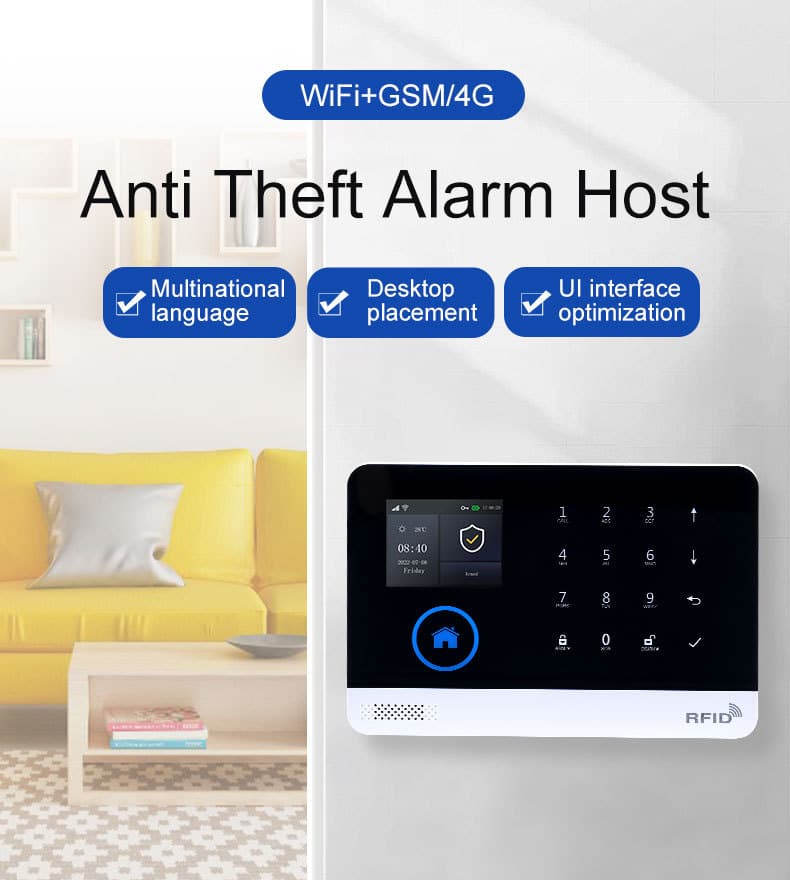
Core System Component 1: The Alarm Control Panel (The System Brain)
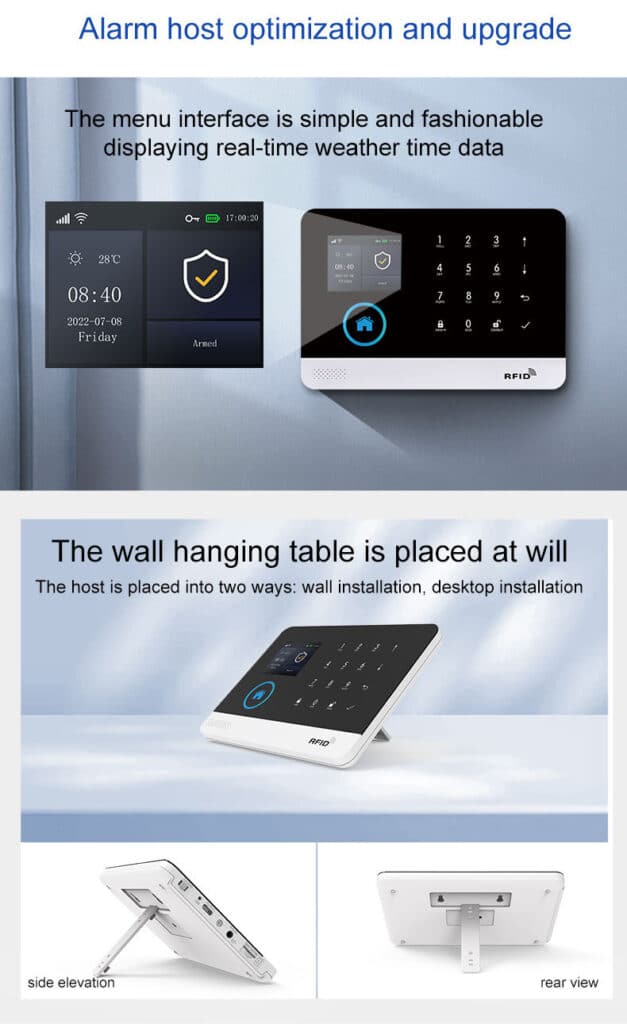
At the center of every GSM WiFi alarm system is the alarm control panel, often referred to as the alarm host or alarm hub.
This device acts as the central intelligence of the entire security network.
Key Functions of the Alarm Panel
A professional alarm panel performs several critical functions:
- Sensor data processing
- Alarm verification logic
- Communication routing
- System status monitoring
- User authentication and access control
- Event logging and history tracking
The panel continuously listens for signals from all connected sensors. When a trigger occurs, it evaluates the signal using pre-defined alarm rules and then initiates the appropriate response.
Professional Alarm Panel Architecture
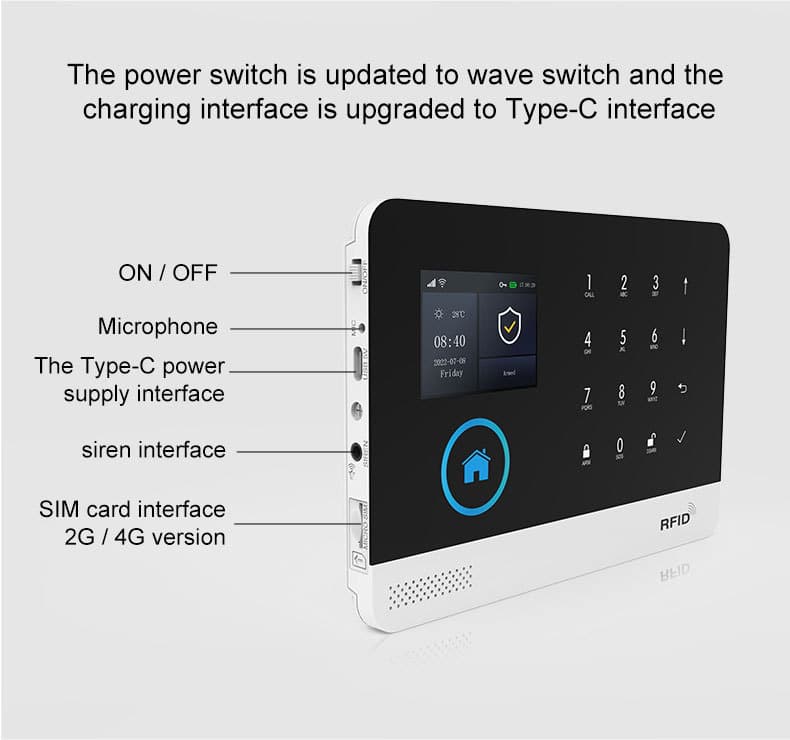
A modern GSM WiFi alarm system panel typically contains the following internal modules:
- Microcontroller / Embedded Processor
Responsible for system logic, rule processing, and device management. Professional panels use a powerful 32-bit Cortex-M3 core running a multitasking uCOS-III operating system, ensuring smooth operation even when handling dozens of sensors, simultaneous communications, and event logging. - Wireless RF Receiver
Communicates with wireless detectors such as:
- PIR motion sensors
- door/window contacts
- glass break detectors
- smoke detectors
- panic buttons
- WiFi Communication Module
Connects the alarm panel to the internet and cloud servers. - GSM Communication Module
Handles:
- SMS alerts
- voice dial alerts
- cellular network backup
- Local User Interface
Includes:
- 2.4-inch TFT color display
- keypad or touch panel
- status indicators
- Backup Battery System
Ensures operation during power failure.
Why Panel Reliability Is Critical
The alarm panel determines:
- how sensors communicate
- how alarms are verified
- how alerts are delivered
- how the system remains online
A poorly designed panel becomes a single point of failure. Professional systems therefore integrate redundant communication and fault detection mechanisms, including tamper alarms that trigger instantly if the panel cover is removed.
Quick operation tip for installers: To enter programming mode on most professional panels, press and hold the designated key (usually marked “Program” or “Setup”) for 3–5 seconds, then use the menu to set arming modes, delays, and phone numbers. Always save changes and test immediately.
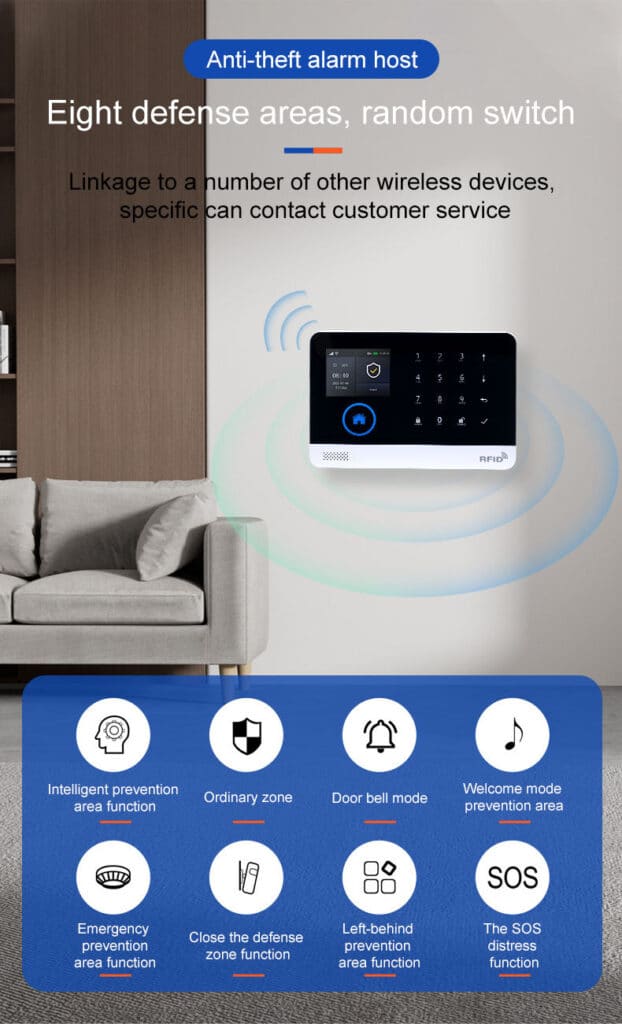
Core System Component 2: Wireless Sensor Network
A WiFi alarm system relies heavily on wireless detection devices distributed throughout the protected property.
These sensors serve as the eyes and ears of the security system.
Common Types of Alarm Sensors
A professional intrusion system may include:
- Motion Detectors (PIR) – Detect human movement using infrared radiation (many models are pet-immune to reduce false alarms).
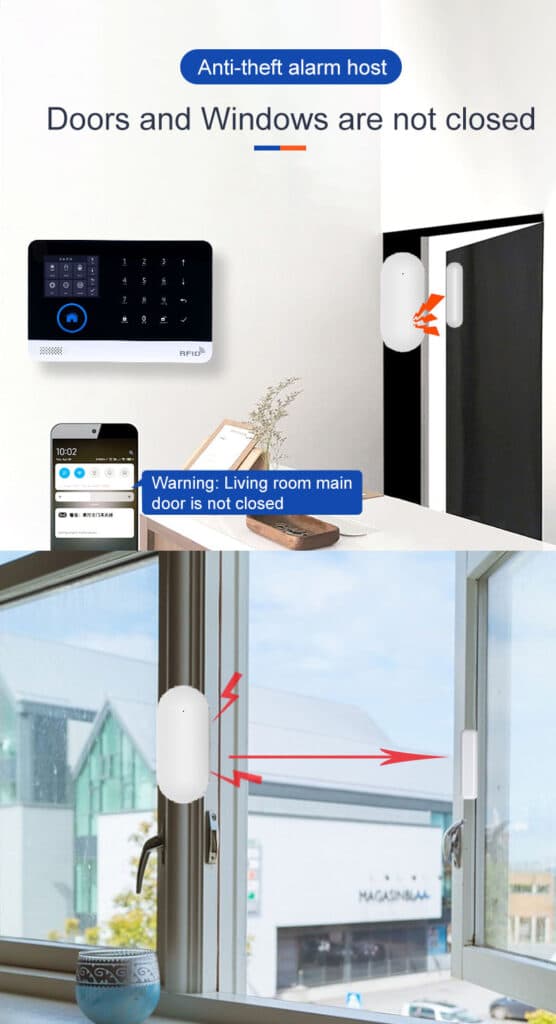
- Door/Window Sensors – Detect unauthorized opening of entry points.
- Glass Break Sensors – Identify acoustic patterns associated with broken glass.
- Vibration Sensors – Detect forced entry attempts on doors, safes, or walls.
- Smoke and Gas Sensors – Provide integrated fire and environmental protection.
- Emergency Panic Buttons – Allow occupants to manually trigger alarms.
- Additional specialized detectors for water leaks, carbon monoxide, and perimeter gates.
Wireless Communication Protocol
Most professional GSM WiFi alarm systems use RF wireless communication between sensors and the control panel.
Typical characteristics include:
- Frequency: 433 MHz (widely used for excellent penetration through walls)
- Coding: EV1527 for secure, low-power, anti-interference transmission
- Encrypted signal transmission
- Anti-jamming design
Sensor Capacity
A modern alarm system may support:
- 50 sensors
- 100 sensors (common in professional-grade systems)
- 200+ sensors in large installations with repeaters
Each sensor is assigned a zone ID, allowing the panel to identify exactly where an intrusion occurs. Professional panels support up to 100 learning/storage locations for sensors, remote controls, and RFID cards.
Zone Types
Professional alarm systems allow configuration of different zone behaviors:
| Zone Type | Function | Typical Use Case |
|---|---|---|
| Instant Zone | Alarm triggers immediately | Windows, interior rooms |
| Delay Zone | Allows entry/exit delay | Main doors |
| Stay Zone | Active during partial arming | Perimeter doors when occupants home |
| 24-Hour Zone | Always active (fire/panic) | Smoke detectors, panic buttons |
| Bypass Zone | Temporarily disabled | During maintenance |
Proper zone planning is essential for both security and usability.
How to add and configure a sensor (step-by-step):
- Put the panel into “Learning” or “Pairing” mode via the menu.
- Trigger the sensor (open door, walk past PIR, etc.).
- The panel beeps and displays the new device ID.
- Assign the zone type and name (e.g., “Front Door – Delay”).
- Test by arming the system and triggering the sensor.
This process takes under 30 seconds per device and ensures every sensor reports its exact location.
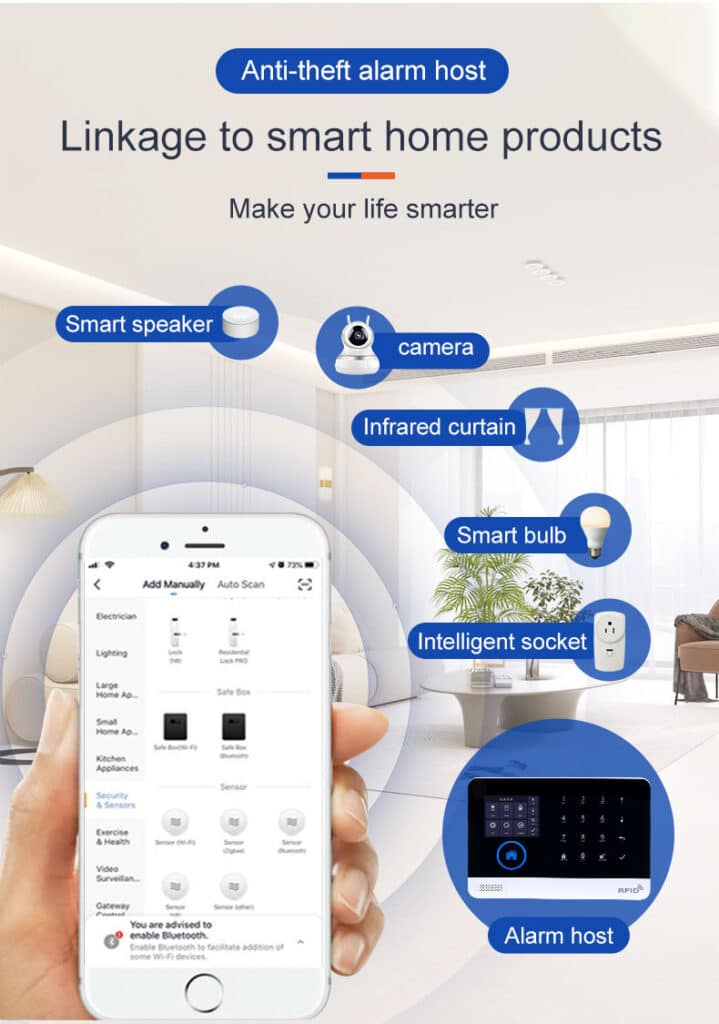
Core System Component 3: WiFi Cloud Communication Layer
The WiFi communication channel is responsible for connecting the alarm system to modern cloud-based management platforms.
This enables remote control and real-time monitoring.
Key WiFi Alarm System Functions
When connected to the cloud, the system can provide:
- real-time push notifications
- remote arm/disarm control
- event log access
- sensor status monitoring
- firmware updates
Users can manage their entire system from a mobile application anywhere in the world.
Typical Communication Workflow
- Sensor triggers alarm
- Alarm panel processes event
- WiFi module sends encrypted signal to cloud server
- Cloud server pushes notification to mobile app
- User receives real-time alert
The entire process often occurs within 1–3 seconds.
Security Considerations
A professional WiFi alarm system must implement:
- encrypted communication
- secure cloud authentication
- anti-hacking protection
- device binding mechanisms
Without proper security design, cloud-connected systems could become vulnerable to cyber threats.

Core System Component 4: GSM SMS and Voice Alarm Communication
While WiFi communication provides convenience, it also introduces dependency on internet infrastructure.
A GSM module ensures the alarm system continues functioning even when internet connectivity fails.
GSM Alarm Functions
The GSM component enables:
- SMS alarm alerts
- automatic voice dialing
- remote control via SMS commands
- cellular network communication (850/900/1800/1900 MHz and 4G bands)
- voice listen-in monitoring
This redundancy dramatically increases system reliability.
Alarm Notification Process
When a security event occurs:
- Alarm panel detects intrusion
- WiFi alert is sent to cloud server
- GSM module simultaneously sends SMS alerts
- System automatically dials preset phone numbers (up to 5 groups, each configurable independently for SMS or voice)
Even if WiFi fails, SMS and voice calls still deliver the alarm. Many systems also support voice monitoring so operators can listen in remotely.
Advantages of GSM Backup
- Internet outage protection
- Router failure protection
- ISP downtime resilience
- Independent communication path
For professional security installations, dual communication channels are essential.
Pro tip: Always program at least three phone numbers in priority order and test each one monthly by simulating an alarm.
Core System Component 5: Backup Battery and Power Failure Protection
Power outages are one of the most common causes of security system failure.
A professionally designed GSM WiFi alarm system must include power redundancy.
Backup Battery Architecture
Most alarm panels include a rechargeable lithium or sealed lead-acid battery.
Typical backup duration:
- 8 hours
- 12 hours
- 24 hours depending on battery capacity
During power loss:
- System automatically switches to battery mode
- Sensors continue transmitting
- Alarm panel remains fully operational
- GSM alerts notify users of power failure
Advanced panels feature ultra-low standby current (<80 μA) for maximum runtime and automatically report AC power failure, low battery voltage, and replacement needs.
Power Fault Notifications
These alerts help maintain system reliability over time and prevent silent failures.
Core System Component 6: Alarm Management via CMS or Mobile App
A modern WiFi alarm system is not just hardware—it is a complete security management platform.
Users and security operators interact with the system through mobile apps or monitoring centers.
Mobile Application Features
Professional alarm apps typically provide:
- arm / disarm control (including Stay Arm for home mode)
- device management and parameter setting
- alarm notifications
- system health monitoring
- event history and 20-second voice message recording
- sensor status display
This allows property owners to manage security remotely.
Central Monitoring Station (CMS)
For commercial deployments, alarms can also be connected to a central monitoring station via intranet protocols.
CMS operators receive alerts and dispatch:
- security personnel
- police response
- emergency services
This transforms the alarm system into a professional monitored security service.
Additional Critical Elements for Professional Reliability: Tamper Protection and Fault Monitoring
Zero-downtime requires more than basic components. Every professional GSM WiFi alarm system includes tamper switches on the panel, sensors, and sirens. If anyone tries to open the panel or remove a detector, an immediate tamper alarm is sent via all channels.
Self-diagnostics continuously monitor:
- RF signal strength
- battery health
- communication status
The panel logs all events (up to thousands of records) and allows users to review arm/disarm history and alarm details directly on the TFT display or via the app.
How to test tamper protection:
- Arm the system.
- Gently open the panel cover or sensor case.
- Confirm instant alarm delivery via APP, SMS, and siren.
This simple test takes 60 seconds and eliminates a common vulnerability.
Designing a Zero-Downtime GSM WiFi Alarm System
Designing a professional alarm system requires more than installing hardware. It requires system planning and architecture design.
Below is a structured approach used by professional integrators.
Step-by-Step Architecture Design Process
Step 1: Conduct a Security Risk Assessment
Begin by evaluating the protected environment.
Key questions include:
- What assets require protection?
- What are the likely intrusion points?
- What is the facility size?
- What communication infrastructure exists?
The answers determine system scale and sensor placement.
Step 2: Design Sensor Layout
Identify strategic locations for detection devices.
Typical placement includes:
- entrances and exits
- corridors
- storage areas
- perimeter doors
- windows
- sensitive rooms
For large properties, add wireless repeaters to maintain strong 433 MHz signal coverage. The goal is to create layered detection coverage.
Step 3: Define Alarm Zones
Each sensor should be assigned a zone type (see table above).
Proper zone configuration improves both usability and security response. Use entry/exit delays to avoid false alarms during normal movement.
Step 4: Plan Communication Redundancy
A reliable system must include multiple communication paths.
Recommended architecture:
Primary channel: WiFi cloud communication
Secondary channel: GSM/4G SMS / voice alerts
Configure failover priority in the panel menu and test by unplugging the router.
Step 5: Configure Alarm Notification Logic
Define how alarms will be delivered.
Typical sequence:
- Push notification via mobile app
- SMS alert
- automated phone call
Multiple recipients can receive alerts simultaneously. Enable voice listen-in for faster verification.
Step 6: Implement Power Backup Strategy
Ensure the system remains operational during outages.
Recommendations:
- high-capacity backup battery
- low-power sensors
- battery health monitoring
Step 7: Configure Remote Management
Install and configure the system mobile app.
Key tasks include:
- device registration
- user account setup
- notification preferences
- firmware updates
Remote management significantly improves operational efficiency.
Step 8: Commissioning and Testing
Simulate every failure scenario:
- Trigger sensors while WiFi is disconnected
- Cut main power
- Remove panel cover
Verify all alerts arrive within seconds. Document test results for your records.
Best Practices for Professional Alarm System Architecture
Security professionals follow several principles when designing GSM WiFi alarm systems.
- Redundant Communication – Always combine WiFi + GSM/4G communication channels.
- Layered Detection – Use multiple sensor types to eliminate blind spots.
- Fail-Safe Design – Ensure system functionality during power outages, internet outages, and hardware failures.
- Scalable Architecture – Choose systems capable of supporting future expansion (100+ zones).
- Secure Communication – Use encrypted protocols and secure authentication mechanisms.
- Tamper-First Mindset – Enable and test tamper protection on every device.
- Regular Maintenance Schedule – Monthly battery and communication tests keep the system bulletproof.
Why Distributors and Integrators Prefer GSM WiFi Alarm Systems
From a commercial perspective, GSM WiFi alarm systems offer several advantages.
Flexible deployment
Systems can be installed in:
- homes
- offices
- retail stores
- warehouses
- banks
Lower installation cost
Wireless sensors reduce wiring complexity.
Easy scalability
New sensors can be added easily.
Strong market demand
Consumers increasingly demand smart security systems with mobile apps.
For distributors, these systems represent a high-growth product category.
Common Mistakes in Alarm System Architecture
Even experienced installers sometimes make design mistakes.
Common problems include:
- Single communication channel – Relying only on WiFi creates vulnerability.
- Poor sensor placement – Incorrect positioning leads to false alarms or blind spots.
- No battery backup or unmonitored batteries – Systems fail during power outages.
- Weak wireless coverage – Large properties require signal repeaters.
- Disabled or ignored tamper protection – Allows silent sabotage.
- No regular failover testing – GSM backup may fail when you need it most.
Avoiding these mistakes is essential for reliable system performance.
The Future of GSM WiFi Alarm Systems
The next generation of WiFi alarm systems will integrate additional technologies:
- AI-based intrusion detection
- edge computing
- video verification
- smart home integration
- IoT device ecosystems
These innovations will transform alarm systems from simple alert devices into intelligent security platforms.

Conclusion: Building a Reliable Intrusion Alarm Architecture
Designing a zero-downtime GSM WiFi alarm system requires careful architectural planning.
A professional system integrates multiple components:
- intelligent alarm control panels
- scalable wireless sensor networks
- WiFi cloud communication
- GSM SMS and voice alerts
- backup power infrastructure
- mobile and monitoring center management
When these elements are properly designed and integrated, the result is a high-reliability intrusion protection system capable of continuous operation under real-world conditions.
For security distributors, system integrators, and professional buyers, understanding this architecture is essential for delivering reliable, scalable, and future-ready alarm solutions.
Organizations that invest in well-designed GSM WiFi alarm systems not only improve physical security—they also gain the operational confidence that their security infrastructure will remain active when it matters most.