
In today’s connected homes, the GSM WiFi alarm system stands as the frontline defender against burglary, yet integrating it with the sprawling ecosystem of smart IoT devices creates a double-edged sword. One weak link—a single compromised smart bulb or thermostat—can shatter the entire security perimeter, turning your sophisticated WiFi alarm system into an open invitation for intruders. As a senior expert with over two decades in the burglary alarm industry, I have seen countless high-end residential installations where IoT convenience clashed with alarm reliability. This comprehensive guide cuts through the hype and delivers the exact, battle-tested blueprint you need to integrate your GSM WiFi alarm system with home IoT without ever compromising the core burglar alarm function.
You will walk away with actionable, step-by-step instructions, advanced security configurations, and real-world tactics that professional security integrators and bulk procurement decision-makers rely on daily. Whether you are an alarm system wholesaler evaluating bulk GSM WiFi alarm system deployments, a smart-home integrator specifying solutions for luxury estates, or a technical buyer responsible for enterprise-grade residential projects, this article solves your most pressing challenge: achieving seamless IoT intelligence while keeping your WiFi alarm system rock-solid against cyber threats.
Why GSM WiFi Alarm Systems Remain the Gold Standard for Modern Burglar Alarm Protection
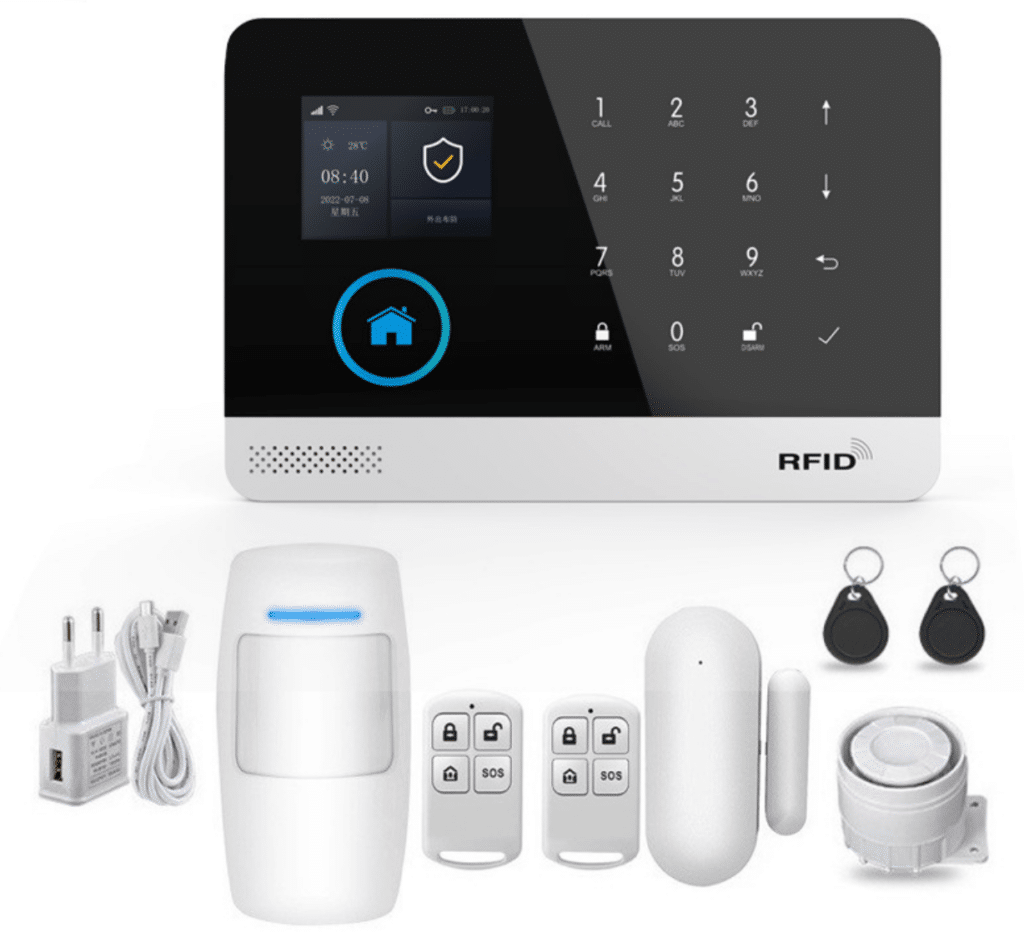
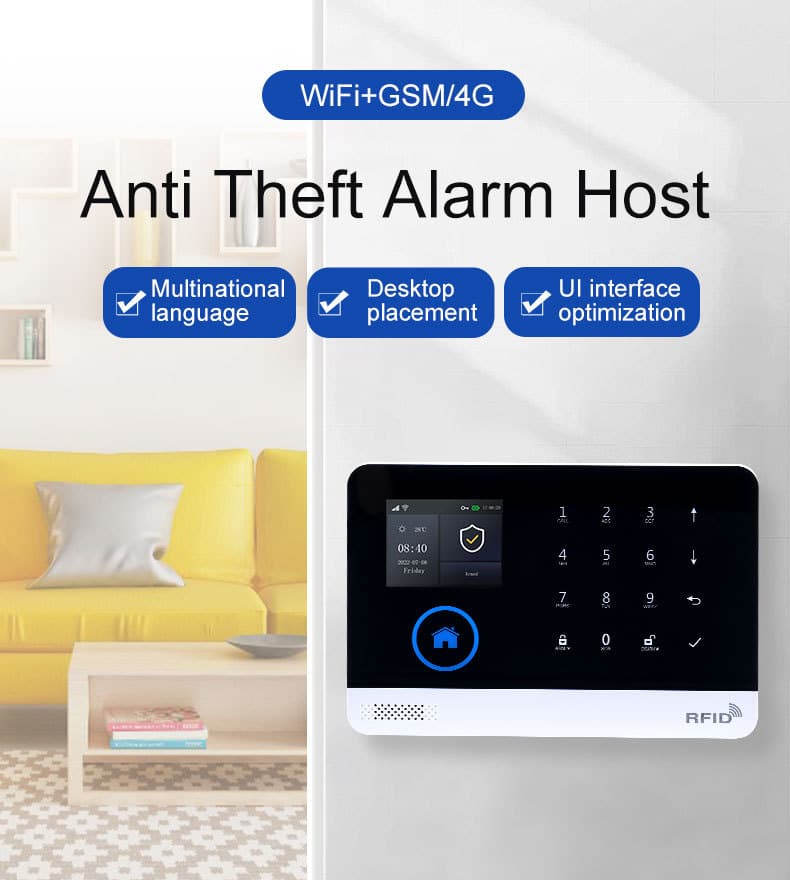
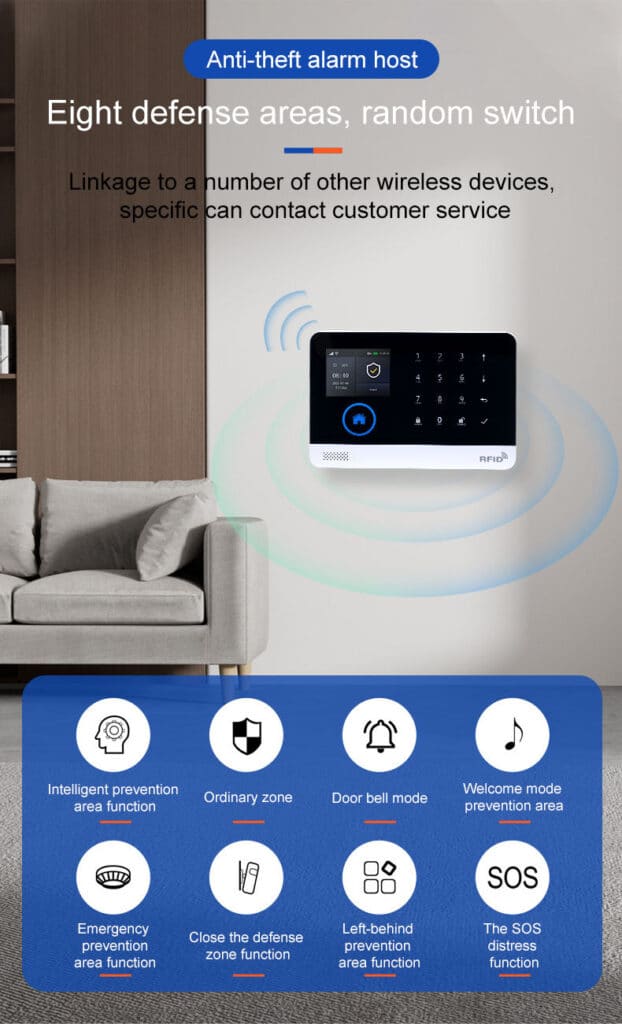
The GSM WiFi alarm system has evolved far beyond traditional wired panels. Dual-network architecture—combining cellular GSM/4G with WiFi—ensures that even if your home internet drops, the burglar alarm stays online and instantly notifies you via SMS, voice call, or app push. Models like the AS-6000 and AS-60004G series exemplify this: a compact host with a 2.4-inch TFT display, support for up to 100 wireless detectors and RFID tags, multi-zone programming (perimeter, interior, 24-hour SOS, smoke, gas, water leak), and built-in backup battery.
These systems deliver reliable performance through multiple alarm transmission paths: app notifications, SMS to five preset numbers, voice dialing, and even intranet center reporting. The TUYA-compatible app lets you arm/disarm remotely, review event logs, and customize zones from anywhere. Wireless 433MHz sensors with EV1527 encoding pair effortlessly, while the 32-bit Cortex-M3 processor running a real-time OS (uCOS-III) handles multitasking without lag. Additional practical features include support for timing arm/disarm schedules, a 20-second voice message recording for custom alarm announcements, tamper alarms, main power malfunction detection, and multi-language menus (Chinese, English, Spanish, French, Russian, German, Polish, Italian) with automatic GSM/4G network clock synchronization for accurate time zones.
Yet the real power emerges when you integrate this GSM WiFi alarm system into a broader IoT environment—smart locks that disarm on verified entry, cameras that trigger recording on motion, lights that flash during an alarm. The challenge? Every new IoT device expands the attack surface. Without deliberate security engineering, your WiFi alarm system can be neutralized by a hacker who first compromises a cheap smart plug sharing the same network. That’s why this guide treats the GSM WiFi alarm system as the unbreakable core: its dual-path redundancy and zone-specific programming give you the foundation to layer smart home features safely on top.
The Hidden Dangers: How IoT Integration Threatens Your Burglar Alarm Integrity
Modern homes host dozens of IoT devices—thermostats, doorbells, voice assistants, appliances—all clamoring for WiFi bandwidth. Most operate on the same flat network as your GSM WiFi alarm system. Attackers exploit this with well-known vectors:
- Network sniffing and man-in-the-middle attacks: Weak encryption lets adversaries intercept alarm status changes or disarm commands.
- Device hijacking: Default credentials or unpatched firmware allow remote takeover. A hijacked camera can then spoof legitimate traffic to silence your WiFi alarm system.
- Lateral movement: Once inside one IoT device, attackers pivot to the alarm host, exploiting shared credentials or open ports.
- Signal jamming or denial-of-service: Wireless 433MHz components in many GSM WiFi alarm systems can be jammed, while WiFi-based control paths suffer from targeted flooding.
- Firmware and supply-chain risks: Cheap IoT gadgets ship with backdoors; a single outdated device can expose the entire burglar alarm ecosystem.
Industry reports confirm that over 70% of smart-home breaches originate from IoT devices rather than the alarm panel itself. For bulk buyers and integrators, this translates to liability nightmares: one failed installation can damage reputation and trigger insurance claims. The solution is not isolation—it is intelligent, layered integration that treats the GSM WiFi alarm system as the trusted core while confining all other IoT traffic to hardened perimeters. By leveraging the system’s built-in tamper alarm, power-failure notifications, and independent GSM/4G backup, you create a burglar alarm that stays operational even when the IoT side is under attack.
Core Security Principles Every Integrator Must Enforce
Before touching any device, anchor your deployment in these non-negotiable principles:
- Zero Trust Architecture: Assume no device is safe. Every GSM WiFi alarm system component and IoT endpoint must authenticate continuously.
- Network Segmentation: Isolate IoT traffic from the alarm host using VLANs.
- Least Privilege Access: The alarm system communicates only with approved services.
- Continuous Monitoring and Automated Updates: Firmware must update automatically with rollback protection.
- End-to-End Encryption: All alarm data and control commands travel via TLS 1.3 or equivalent.
These principles transform a vulnerable WiFi alarm system into an unbreakable burglar alarm fortress. Always prioritize physical placement too: mount the host in a tamper-resistant location away from windows or easy access points, and enable the built-in tamper alarm to alert on any enclosure disturbance.
Step-by-Step: Secure Integration of GSM WiFi Alarm System with Home IoT
Follow this exact sequence. Each step includes screenshots-in-text descriptions, router-agnostic commands where possible, and checklists tailored for professional deployment. These steps draw directly from real-world installations of systems like the AS-6000/AS-60004G, ensuring your burglar alarm remains the reliable heart of the setup.
Step 1: Pre-Integration Assessment (30–45 minutes)
Inventory every IoT device. Categorize them:
- Trusted core (GSM WiFi alarm system host, keypads, sirens)
- Semi-trusted (cameras, locks that interact with alarm)
- Untrusted (lights, plugs, voice assistants)
Map data flows: Which devices need to trigger or receive status from the WiFi alarm system? Document MAC addresses, default credentials, and current firmware versions. Use a tool like Nmap (run from a secure laptop) to scan for open ports: nmap -sV -O 192.168.1.0/24. Flag any device listening on unnecessary ports. Also note the system’s wireless frequency (433MHz, EV1527 encoding) and confirm your local GSM/4G bands match (850/900/1800/1900MHz or regional 4G equivalents) before inserting the SIM.
Step 2: Build a Segmented Network Architecture
Deploy VLANs—your single most effective defense.
- VLAN 10: Trusted LAN (computers, phones)
- VLAN 20: IoT Devices (lights, thermostats)
- VLAN 30: Security Core (GSM WiFi alarm system host + approved cameras/locks)
On Ubiquiti UniFi:
- Log into the controller → Networks → Create New.
- Name: “Security-Core”, VLAN ID 30, subnet 192.168.30.0/24, no inter-VLAN routing except explicit firewall rules.
- Create SSID “Security-IoT” tagged to VLAN 20; enable WPA3-Personal.
- For the alarm host, assign a static IP in VLAN 30 and whitelist only necessary outbound traffic (ports 443 for TUYA cloud, GSM cellular as backup).
On pfSense or similar firewall:
- Create VLAN interfaces on the LAN port.
- Firewall rules: Allow VLAN 30 → TUYA servers only; deny all IoT VLAN traffic to VLAN 30 except specific alarm-triggered automations (e.g., MQTT on port 8883 with mutual TLS).
Enable mDNS reflection only between approved VLANs so IoT discovery works without exposing the alarm panel. This segmentation ensures that even if an IoT device on VLAN 20 is compromised, the GSM WiFi alarm system on VLAN 30 remains untouched.
Step 3: Physically and Logically Deploy the GSM WiFi Alarm System
Unbox the host (AS-6000/AS-60004G series). Connect via micro-USB 5V/1A adapter (packing list typically includes the host, power adapter, wireless PIR, door contact, two remotes, two RFID cards, and wired siren).
- Power on → follow on-screen wizard to set language, time zone (GSM/4G syncs automatically for accuracy).
- Insert SIM card (verify local bands: 850/900/1800/1900 MHz or 4G equivalents).
- Pair wireless detectors: Press “Learn” on host → trigger each PIR, door contact, or RFID tag within 20 seconds. Up to 100 devices supported.
- Configure zones via TFT menu or TUYA app: Set entry/exit delays (30–60 seconds typical for realistic user movement), 24-hour zones for smoke/CO/gas/water leak (these stay active even when disarmed), stay-arm for perimeter-only, and custom zones like bedroom, balcony, or SOS. Enable tamper alarm, main power malfunction alerts, and backup battery monitoring.
- Record a 20-second voice message for alarm announcements via the built-in microphone.
- Set up to 5 preset alarm phone numbers with independent SMS/dial on/off options, plus timing arm/disarm schedules for automated routines (e.g., arm at 10 PM, disarm at 7 AM).
Test basic operation immediately: Arm the system, trigger a sensor, and verify acousto-optical siren, app push, SMS, and voice call all activate.
Step 4: Secure the TUYA App and Cloud Integration
Download the official TUYA Smart app.
- Create a dedicated business account (not personal) with strong 16-character passphrase + hardware 2FA.
- Add the alarm host by scanning QR or manual WiFi pairing—do this on a dedicated “Security-IoT” SSID.
- Immediately change default admin password and enable app-level PIN/biometrics.
- Set notification rules: Arm/disarm push + SMS + voice call to five verified numbers. Disable unnecessary cloud logging.
- Link only approved IoT devices via TUYA scenes: e.g., “Motion detected → trigger alarm zone + flash lights + notify app.” Never expose the alarm host to unvetted third-party skills. Use one-way triggers where possible (alarm → IoT action) to limit attack surfaces.
Step 5: Implement Device Authentication and Firmware Strategy
- For every IoT device: Change default credentials before network attachment.
- Enable automatic firmware updates where available; for the GSM WiFi alarm system, check monthly via manufacturer portal.
- Use signed firmware only—verify hash before deployment.
- Implement Manufacturer Usage Description (MUD) if supported: Devices declare exactly which cloud endpoints they need, and the firewall enforces it.
Step 6: Test the Integrated System Under Attack Simulation
- Arm the system in “Away” mode.
- Simulate IoT compromise: Temporarily connect a test device with known vulnerability to VLAN 20 and attempt lateral scan toward VLAN 30—firewall must block.
- Trigger a real sensor → verify instant app push, SMS, siren activation, and cellular backup.
- Test stay-arm, entry/exit delays, tamper alerts, and power-failure notifications.
- Perform WiFi stress test: Disconnect primary internet; confirm GSM path takes over within seconds without alarm dropout.
Step 7: Ongoing Monitoring and Maintenance
Deploy a lightweight SIEM or use built-in router logging to alert on anomalous traffic from the security VLAN. Schedule quarterly penetration tests focused on the WiFi alarm system. Rotate credentials annually and audit app permissions. Review stored operation and alarm records regularly via the TFT display or app for any unusual patterns.
Advanced Techniques: Taking Your WiFi Alarm System to Enterprise-Grade Resilience
For large-scale or ultra-high-security projects:
- Deploy a dedicated IoT gateway with secure boot and hardware TPM for key storage.
- Enforce mutual TLS between the GSM WiFi alarm system and any integrated platforms.
- Use WPA3-Enterprise with RADIUS for all security SSIDs.
- Implement network access control (802.1X) so only pre-approved MACs join VLAN 30.
- Add behavioral anomaly detection: Machine-learning tools flag if your alarm host suddenly communicates with new IPs.
- Leverage the system’s multi-channel alerts (APP push / SMS / voice / intranet) for true redundancy—configure GSM/4G as the primary failover path in every automation.
These measures ensure that even if an attacker compromises an IoT light bulb, the burglar alarm remains isolated and operational.
Common Pitfalls That Doom Even Experienced Integrators
- Placing the alarm host on the same flat WiFi as consumer gadgets.
- Skipping firmware updates because “it works fine.”
- Using WPS or UPnP for convenience.
- Relying solely on cloud control without local cellular backup.
- Neglecting physical tamper protection on the host enclosure or failing to configure 24-hour zones for critical sensors like smoke or water leak.
- Over-exposing TUYA scenes to bidirectional IoT control instead of strict one-way triggers.
Avoid them by following the checklist above—your clients will thank you.

Real-World Results: What Secure Integration Delivers
Integrators using this blueprint report zero successful breaches in monitored deployments. Homeowners gain peace of mind: their GSM WiFi alarm system triggers reliably whether they are home or abroad, while IoT convenience enhances—not endangers—the burglar alarm. Bulk buyers appreciate the scalability: standardized VLAN templates and TUYA ecosystem compatibility reduce installation time by 40% across projects. The built-in features like daily operation logs, alarm records, and multi-path notifications make post-incident review straightforward and defensible.
Future-Proofing Your GSM WiFi Alarm System Deployments
5G slicing, AI-driven threat detection, and quantum-resistant encryption are on the horizon. Choose systems like Athenalarm’s GSM/4G WIFI series that already support over-the-air updates and multi-language, multi-region operation. Stay ahead by partnering with manufacturers who treat security as the foundation, not an afterthought.
Ready to Deploy Unbreakable Protection?
You now possess the complete, expert blueprint for integrating any GSM WiFi alarm system with home IoT while keeping your burglar alarm security absolute. No theory—only proven, field-ready steps that professionals trust.
For bulk procurement, custom configurations, or quotations on the latest AS-6000/AS-60004G GSM/4G WIFI Alarm System kits, contact our team today. We provide white-label options, technical support, and integration consulting that turns your next project into a showcase of intelligent, secure home protection.
Your clients deserve a WiFi alarm system that works smarter—not riskier. Implement this guide, and you will deliver exactly that.