

Introduction: Why the Commercial Intrusion Alarm Control Panel Is the Real Brain of Business Security
In commercial security, cameras get attention, access control gets budget, and cloud dashboards get marketing headlines. Yet in real-world intrusion protection, there is one component that determines whether a system detects, decides, and reacts correctly under pressure: the commercial intrusion alarm control panel.
As someone who has spent decades working with installers, system integrators, manufacturers, and enterprise buyers across retail chains, logistics facilities, factories, data centers, and office campuses, I can say this plainly:
Most intrusion alarm failures in commercial environments are not caused by sensors — they are caused by poor control panel selection, configuration, or operational logic.
This article is written for professional buyers and decision-makers:
- Security directors
- System integrators
- Alarm product managers
- Large-scale commercial purchasers
- Technical procurement teams
If you are responsible for deploying intrusion alarms at scale, maintaining uptime, reducing false alarms, and ensuring compliance while controlling cost, this guide is for you.
We will focus exclusively on the commercial intrusion alarm control panel — not residential systems, not consumer hubs, not marketing fluff.
1. Defining the Commercial Intrusion Alarm Control Panel
A commercial intrusion alarm control panel is not simply a box that triggers sirens. In professional deployments, it functions as:
- A real-time decision engine
- A sensor fusion hub
- A communications gateway
- A compliance and audit controller
- A life-cycle management platform
Unlike residential panels, commercial panels must handle:
- Hundreds to thousands of zones
- Multiple partitions and authority levels
- Redundant communication paths
- Complex arming logic and schedules
- Integration with access control, video, BMS, and SOC workflows
A panel that cannot scale or remain stable under these conditions is not commercial — regardless of how it is marketed.
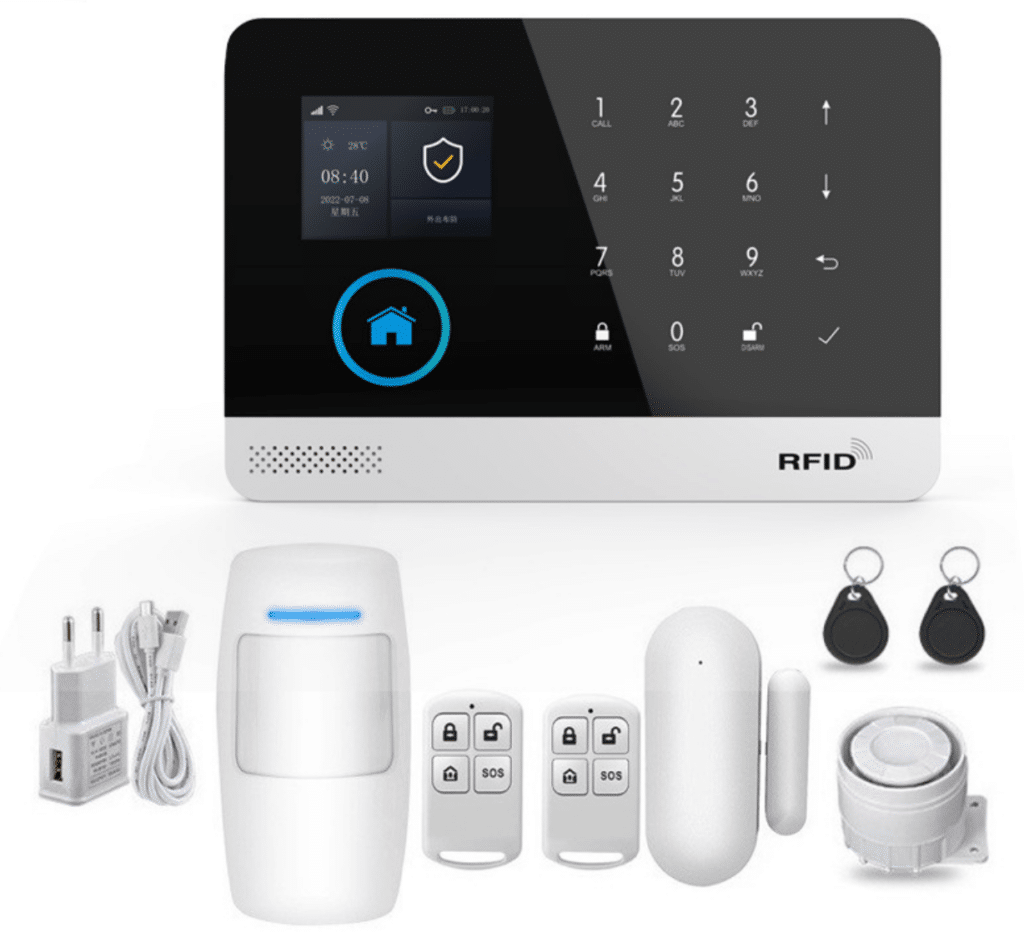
To clarify further, consider the panel’s role in a multi-site retail operation: it must coordinate sensors across store floors, stockrooms, and loading docks, while distinguishing between legitimate employee access during off-hours and unauthorized entry. This requires robust hardware capable of processing inputs from diverse devices like PIR motion detectors, glass-break sensors, and door contacts, all while logging events for post-incident review.
2. Why Commercial Intrusion Alarm Panels Fail in the Real World
Before discussing selection and deployment, it is critical to understand why so many commercial alarm systems underperform.
2.1 Misclassification: Residential DNA in Commercial Environments
One of the most common procurement mistakes is selecting a panel originally designed for:
- Homes
- Small shops
- Single-site offices
These panels fail when exposed to:
- Long cable runs
- Electrical noise
- Multiple shift schedules
- High user turnover
- Integration demands
For instance, a residential panel might overload in a warehouse with conveyor belt noise interfering with sensor signals, leading to intermittent faults that go undetected until a real breach occurs.
2.2 Poor Partition and User Logic Design
Commercial sites require:
- Area-based arming
- Role-based access
- Time-based exceptions
Panels with weak partition architecture create:
- Security gaps
- Operator confusion
- Frequent false alarms
A common error here is assuming all users need full access; instead, limit janitorial staff to arming specific zones after hours, preventing accidental triggers during cleaning.
2.3 Inadequate Supervision and Diagnostics
In enterprise environments, knowing that something failed is as important as detecting intrusion. Many panels lack:
- Granular fault reporting
- Predictive maintenance indicators
- Remote diagnostics
Without these, a low battery in a remote sensor might go unnoticed for weeks, compromising the entire system. Look for panels that send proactive alerts via email or app notifications for issues like loop resistance changes or communication drops.
2.4 Overlooked Environmental Factors
Commercial spaces often face harsh conditions not considered in panel selection, such as extreme temperatures in unheated warehouses or humidity in food processing plants. Panels without IP-rated enclosures or temperature-compensated components can malfunction, leading to false alarms or missed detections. Always verify the panel’s operating range (e.g., -10°C to 50°C) and ensure it includes environmental monitoring features.
2.5 Insufficient Power Management
Power outages or surges are frequent in commercial settings. Panels without built-in battery backups, surge protection, or automatic switchover to generators can leave systems vulnerable during critical times, like overnight blackouts.

3. Core Architecture of a Professional Commercial Intrusion Alarm Control Panel
Understanding architecture is essential for buyers who want long-term stability.
3.1 Processing and Memory Architecture
A true commercial panel must support:
- Event buffering during network outages
- Non-volatile memory for configuration retention
- Deterministic processing (not consumer-grade SoCs)
This means the panel can store up to thousands of events offline and resume seamlessly once connectivity returns, preventing data loss in remote or unstable network areas.
3.2 Zone Expansion Strategy
Commercial panels rarely operate standalone.
Key expansion methods:
- Hardwired zone expanders
- Addressable bus modules
- Wireless zone gateways (for retrofits)
Critical buyer question:
How many zones can the system support without performance degradation?
For example, a panel might claim 1,000 zones, but test it under load—does response time lag when all zones report simultaneously? Plan for 20-30% headroom for future expansions.
3.3 Input/Output Capabilities
Beyond zones, evaluate relay outputs for controlling sirens, lights, or doors, and inputs for integrating fire alarms or environmental sensors. A robust panel should offer at least 8-16 programmable I/Os, with options for expansion modules.
3.4 Software and Firmware Foundations
The panel’s OS should be hardened against cyber threats, with regular updates. Avoid panels reliant on outdated protocols; prioritize those with secure boot and encrypted communications to protect against hacking attempts.
4. Wired vs Hybrid vs Wireless Commercial Panels (A Practical Buyer’s View)
4.1 Fully Wired Commercial Panels
Best for:
- New construction
- High-security sites
- EMI-heavy environments
Advantages:
- Maximum reliability
- Lowest false alarm rates
- Predictable maintenance
In practice, wired panels excel in banks or data centers where signal interference from machinery could disrupt wireless signals. Installation involves running supervised loops with end-of-line resistors to detect tampering.
4.2 Hybrid Commercial Panels
Best for:
- Phased upgrades
- Multi-building campuses
Hybrid systems allow:
- Legacy wired sensors
- Selective wireless deployment
This flexibility is key for retrofitting older buildings; start with wired perimeters and add wireless internals as budgets allow.
4.3 Wireless-Centric Commercial Panels (When They Actually Make Sense)
Wireless has a place — but only when:
- Spectrum management is understood
- Battery lifecycle is controlled
- Redundancy is planned
Use wireless for hard-to-reach areas like high ceilings, but implement frequency hopping to avoid interference. Monitor battery levels remotely and schedule replacements every 3-5 years to prevent failures.
4.4 Key Considerations for All Types
Regardless of type, ensure the panel supports encryption (e.g., AES-128) for data transmission and has anti-jamming features. Test for range in your specific environment—walls, metal shelving, or Wi-Fi networks can reduce effectiveness.

5. Communication Paths: The Difference Between Alarm Delivery and Alarm Survival
A commercial intrusion alarm control panel is only as reliable as its communications.
5.1 Primary and Secondary Paths
Professional systems should support:
- Ethernet/IP
- Cellular (LTE/5G)
- Optional PSTN (legacy compliance)
Dual-path setups ensure alarms reach monitoring centers even if one path fails; for example, IP as primary with cellular backup.
5.2 Supervision Intervals and Failover Logic
Buyers should demand:
- Configurable heartbeat intervals
- Automatic failover
- Event prioritization
Set heartbeats to 60-300 seconds based on risk level—shorter for high-value sites. In failover, the panel should retry the primary path periodically while using the secondary.
5.3 Advanced Communication Features
Include support for SIA or Contact ID protocols for compatibility with central stations. For global operations, ensure multi-SIM capabilities for roaming cellular coverage.
5.4 Troubleshooting Communication Issues
If signals fail, check for IP conflicts or SIM card expirations. Step-by-step: 1) Verify power and connections; 2) Ping the panel’s IP; 3) Test cellular signal strength using built-in diagnostics; 4) Simulate failures to confirm failover.
6. Partitioning, Areas, and Authority Levels: Where Commercial Panels Prove Their Value
A warehouse is not a home. A hospital is not a shop.
Commercial panels must support:
- Dozens or hundreds of partitions
- Nested areas
- Shared zones with conditional logic
Poor partitioning equals:
- Alarm fatigue
- Operator errors
- Security loopholes
For a hospital, partition patient wards separately from administrative offices, with shared zones like hallways armed only after visiting hours. Use conditional logic: if a door is opened with a valid badge, suppress the alarm.
6.1 Setting Up Partitions Step-by-Step
- Map site layout: Identify distinct areas (e.g., front office, warehouse).
- Assign zones: Group sensors by area.
- Define arming modes: Full arm, stay arm, night mode.
- Set authority levels: Admin (full access), user (limited), guest (temporary).
- Test: Arm/disarm each partition independently, noting any overlaps.
Common mistake: Overlapping zones without rules, leading to false alarms when one area disarms while another remains armed.
7. Alarm Logic That Reduces False Alarms
False alarms are not just annoying — they are expensive and reputation-damaging.
7.1 Cross-Zone Verification
Trigger logic such as:
- Motion + door contact
- Sequential detection
This requires two related zones to activate within a set time (e.g., 30 seconds) before alarming, filtering out isolated triggers like animals or drafts.
7.2 Time-of-Day and Schedule Logic
Different rules for:
- Business hours
- Cleaning crews
- Night shifts
Program schedules via the panel’s interface: 1) Access programming mode with master code; 2) Select schedule menu; 3) Input times (e.g., auto-arm at 8 PM); 4) Assign exceptions for holidays; 5) Verify with simulated events.
7.3 Advanced Logic Features
Incorporate entry/exit delays (10-60 seconds) to allow authorized access without immediate alarms. Use swinger shutdown to limit repeated alarms from faulty sensors, resetting after a cooldown.
7.4 Common Errors and Fixes
Easy mistake: Setting delays too short, causing rushes and errors. Solution: Base delays on site traffic—longer for large facilities. Always log and review false alarms to refine logic.
8. Step-by-Step: Deploying a Commercial Intrusion Alarm Control Panel Correctly
Step 1: Site Risk and Operational Analysis
- Threat vectors
- Traffic patterns
- Business hours
Conduct a walkthrough: Identify high-risk entry points (doors, windows), peak activity times, and potential vulnerabilities like blind spots. Document with diagrams for reference.
Step 2: Panel Capacity Planning
- Zone count (current + future)
- User count
- Integration endpoints
Calculate: Current zones x 1.5 for growth. Ensure panel supports at least 500 users for large teams. List integrations (e.g., API for VMS).
Step 3: Hardware Installation
- Power redundancy
- Tamper protection
- Secure enclosure placement
Detailed steps: 1) Mount in a locked, climate-controlled room away from public access; 2) Connect to UPS battery backup (at least 24-hour runtime); 3) Install tamper switches on enclosure; 4) Wire zones with shielded cable to reduce noise; 5) Ground properly to prevent surges.
Step 4: Logical Configuration
- Partition mapping
- User roles
- Alarm response rules
Steps: 1) Enter programming mode; 2) Define partitions and assign zones; 3) Create user codes with permissions; 4) Set alarm types (e.g., silent panic, audible burglary); 5) Configure notifications (SMS/email).
Step 5: Testing and Commissioning
- Walk tests
- Communication failure tests
- Power loss simulations
Full process: 1) Arm system and trigger each zone individually; 2) Disconnect primary comms to test failover; 3) Unplug power to verify battery operation; 4) Simulate end-user scenarios like shift changes; 5) Document results and retrain if issues arise.
Step 6: Post-Deployment Training
Train staff: Hold sessions on arming/disarming, code management, and response protocols. Provide quick-reference guides to minimize user errors.
9. Integration with Video, Access Control, and SOC Platforms
Modern commercial panels must integrate cleanly with:
- VMS platforms
- Access control systems
- Monitoring centers
The panel should be the decision trigger, not just a relay.
9.1 Integration Methods
Use APIs, relays, or protocols like ONVIF for video linkage—e.g., alarm triggers camera zoom. For access control, sync with systems like HID or Lenel to correlate badge swipes with zone status.
9.2 Step-by-Step Integration
- Verify compatibility: Check panel docs for supported integrations.
- Configure endpoints: Input IP addresses and credentials.
- Map events: Link alarm zones to camera presets or door locks.
- Test: Trigger alarm and confirm video popup or door lockdown.
9.3 Common Pitfalls
Mismatch in protocols can cause delays; always use certified integrations. Over-integration leads to complexity—start simple and scale.
10. Compliance, Auditability, and Enterprise Governance
Commercial buyers often overlook:
- Event log retention
- Exportable audit trails
- Regulatory compliance (EN, UL, local codes)
A commercial intrusion alarm control panel must support:
- Forensic review
- Incident reconstruction
- Internal audits
Ensure logs store at least 1 year of data, exportable in CSV/PDF. Comply with standards like UL 681 for installation or EN 50131 for European sites.
10.1 Maintaining Compliance
Steps: 1) Audit logs monthly; 2) Update firmware for security patches; 3) Conduct annual certifications with inspectors.
11. Lifecycle Cost: Why the Cheapest Panel Is Often the Most Expensive
Cost is not hardware price alone.
Consider:
- Installation labor
- False alarm penalties
- Maintenance overhead
- Upgrade limitations
Professional buyers evaluate total cost of ownership, not unit price.
For example, a low-cost panel might save $500 upfront but cost $5,000 yearly in false alarm fines from poor logic.
11.1 Calculating TCO
- List upfront costs (panel, install).
- Estimate ongoing (monitoring fees, batteries).
- Factor risks (downtime losses).
Aim for panels with modular designs for easy upgrades, reducing long-term expenses.
12. How Professional Buyers Evaluate Commercial Intrusion Alarm Control Panels
Experienced buyers ask:
- Can this panel scale for 5–10 years?
- Is the firmware actively maintained?
- Does the manufacturer understand commercial operations?
Request demos, references from similar sites, and warranty details (at least 3-5 years).
12.1 Evaluation Checklist
- Performance benchmarks
- User interface intuitiveness
- Support response times
- Customization options
13. Common Procurement Mistakes (And How to Avoid Them)
- Over-reliance on brand names
- Ignoring installer feedback
- Underestimating operational complexity
Additional mistakes: Skipping pilot tests—always deploy in one site first. Not budgeting for training—user errors account for 40% of issues.
Avoid by: Involving end-users in selection, reviewing case studies, and prioritizing vendors with proven commercial track records.
14. The Future of Commercial Intrusion Alarm Control Panels
Expect evolution in:
- Edge intelligence
- AI-assisted alarm verification
- Deeper SOC integration
But the fundamentals remain:
Detection, decision, communication, reliability.
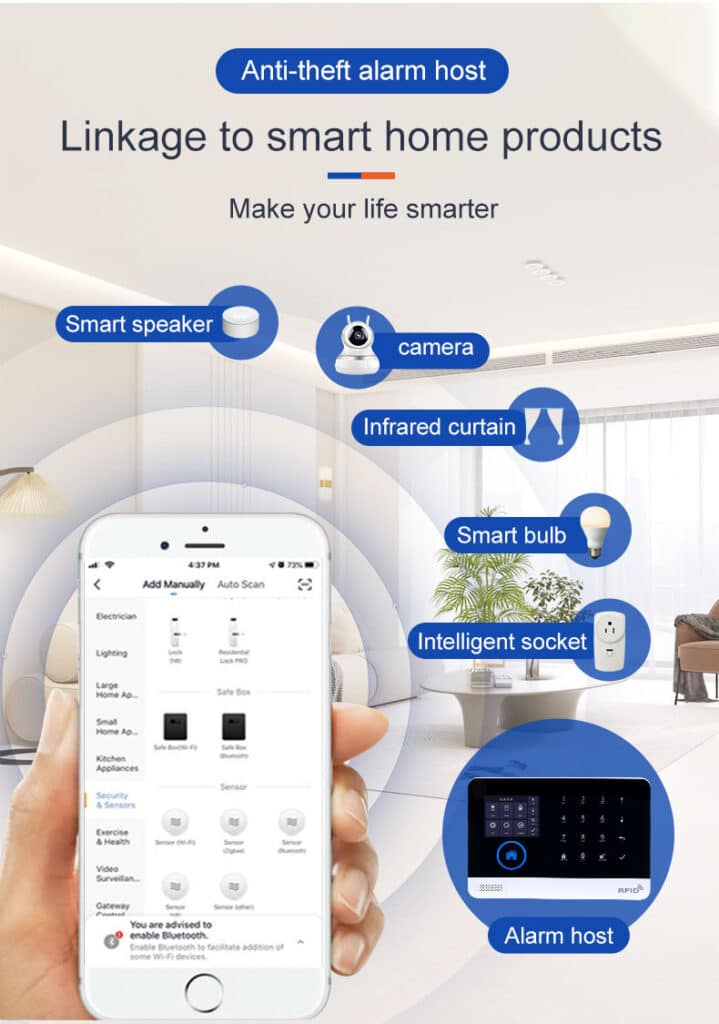
Emerging trends include IoT integration for predictive analytics (e.g., alerting on unusual patterns) and cloud-hybrid models for remote management, but always with on-premise fallbacks for security.
Conclusion: The Control Panel Is Where Commercial Security Succeeds or Fails
A commercial intrusion alarm control panel is not a commodity. It is a mission-critical control system.
Organizations that treat it as such:
- Reduce risk
- Lower operational cost
- Improve response outcomes
- Build scalable security architectures
If you are evaluating, upgrading, or standardizing commercial intrusion alarm systems across sites, the control panel deserves strategic attention, not checkbox procurement.
To get started, assess your current setup against this guide and consult a certified integrator for tailored advice.