
In the high-stakes world of professional security deployments, one truth stands out with brutal clarity: your burglar alarm is only as dependable as its communication path. Today’s IP and Wi-Fi-centric systems promise seamless smart-home integration and real-time app control—until they don’t. A single router failure, ISP outage, power dip, or targeted cyber interference can render an entire security network silent at the exact moment an intruder strikes. For security decision-makers, technical installers, facility managers, and bulk procurement professionals who cannot afford even one missed alert, the solution isn’t to abandon modern IP technology. It’s to make GSM alarm systems the non-negotiable cellular backbone that keeps your burglar alarms alive when everything else fails.
This practical, step-by-step guide draws on two decades of hands-on experience deploying thousands of hybrid security systems across commercial, industrial, and residential sites. You will learn exactly how to select, integrate, configure, test, and maintain GSM alarm systems as the ultimate fail-safe communication layer. By the end, you will have a complete playbook to ensure your next bulk purchase or system upgrade delivers true 24/7 reliability—no matter what the internet throws at it. In this post-internet age, where everything from smart homes to industrial sites runs on broadband, GSM alarm systems have re-emerged as the critical insurance policy that no serious burglar alarm deployment can do without.
Why GSM Alarm Systems Remain the Gold Standard Backup in an Internet-Dependent World
Modern burglar alarm systems have shifted heavily toward Wi-Fi and IP communication for convenience: push notifications, remote arming via apps, video verification, and cloud storage. These features are fantastic—when the network is stable. But real-world data from security operations centers shows that Wi-Fi and broadband failures occur far more often than most buyers realize. Power outages during storms, fiber cuts by construction crews, router firmware bugs, ISP maintenance windows, and deliberate jamming or DDoS attacks on local networks all create windows of vulnerability that last minutes to hours.
A properly deployed GSM alarm system operates on independent cellular networks (GSM/4G/5G bands). It requires no local internet router, no Wi-Fi password, and no reliance on your customer’s broadband provider. When the primary IP path goes dark, the GSM module automatically switches to SMS, voice calls, or cellular data push notifications. The result? Your burglar alarm continues sending instant alerts to designated phones, central monitoring stations, or backup apps even if the entire local network is offline.
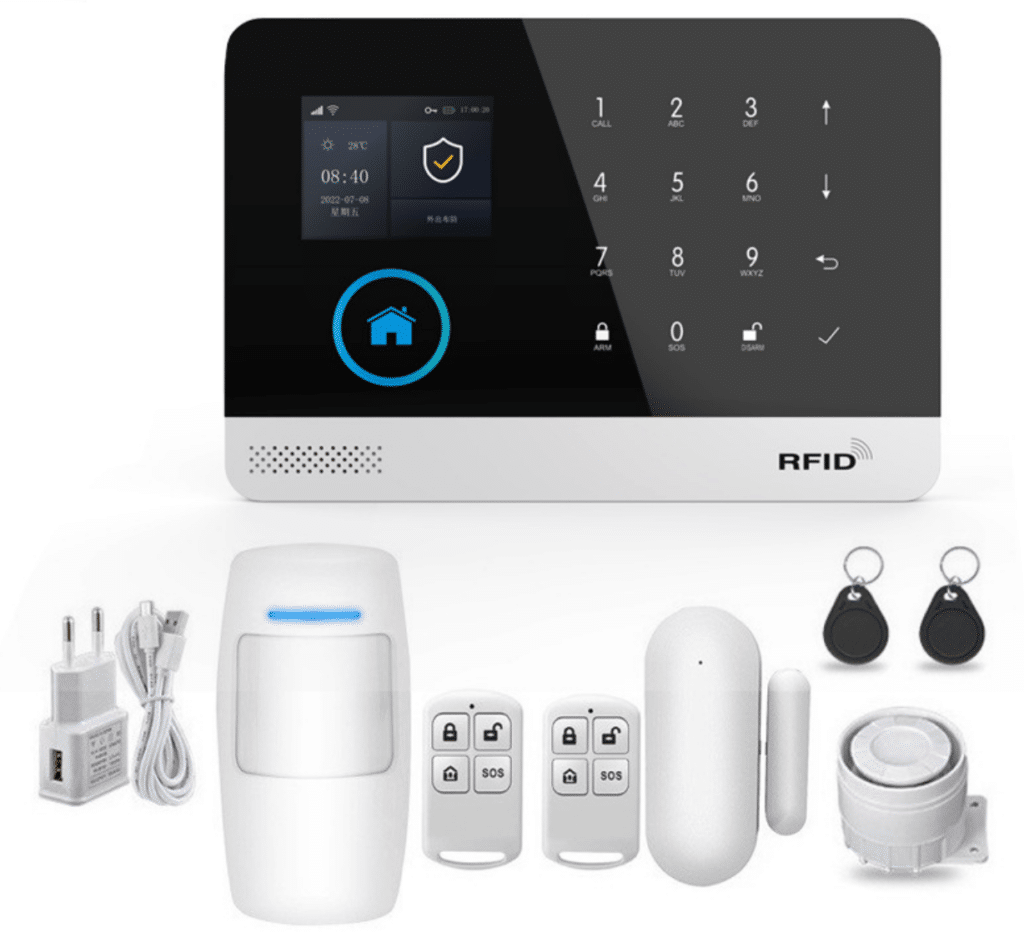
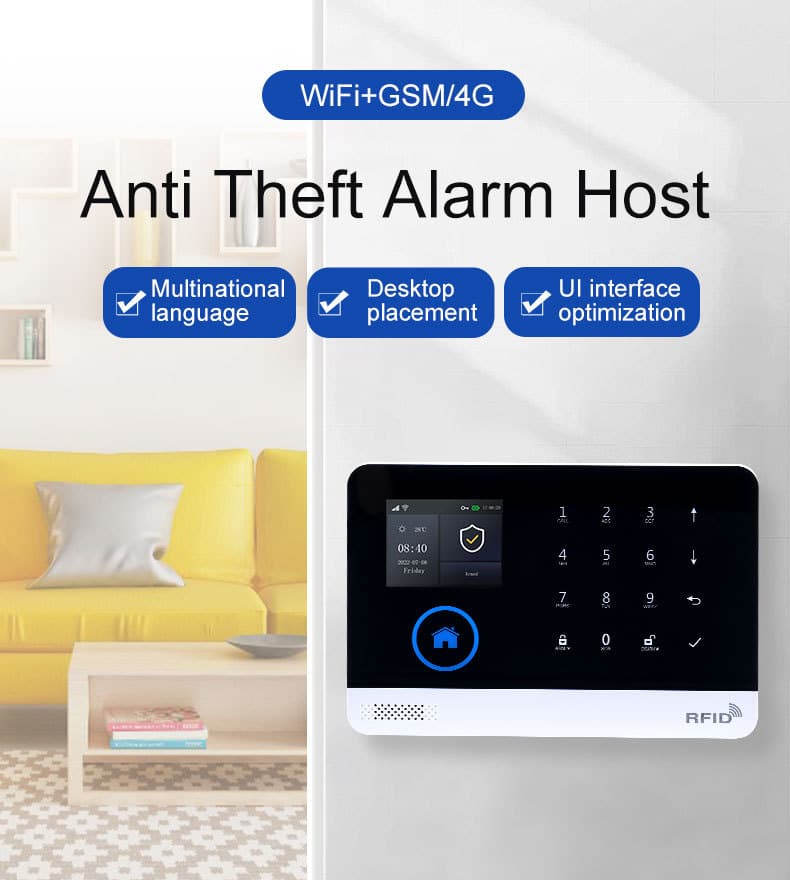
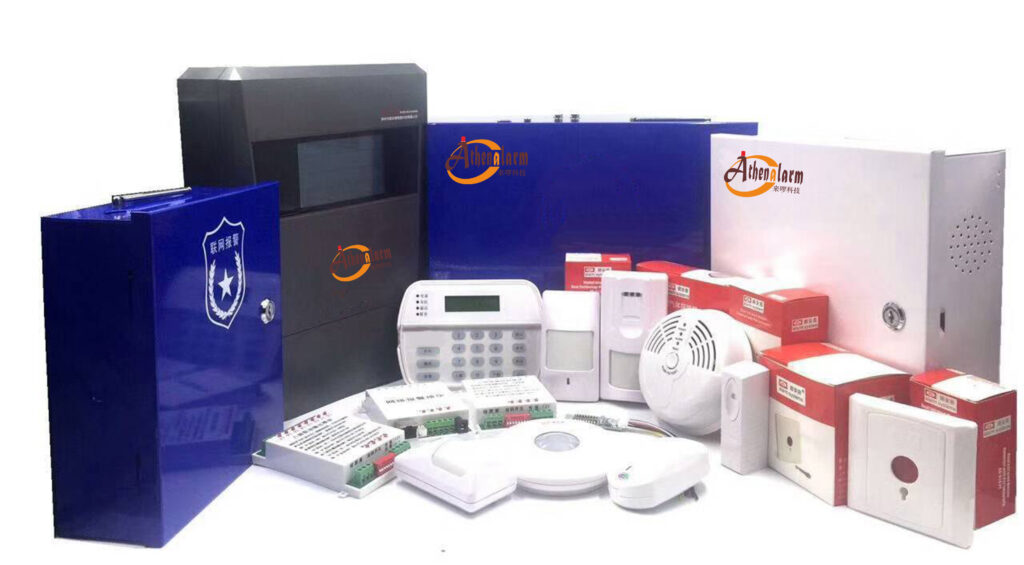
This independence is not a “nice-to-have” feature for professional deployments. It is the difference between a system that complies with insurance requirements and one that leaves your client exposed. Leading manufacturers now ship dual-network GSM/Wi-Fi alarm hosts precisely because procurement teams demand this redundancy. Systems like the Athenalarm AS-6000 series exemplify the approach: a single compact host supports both Wi-Fi for daily convenience and GSM/4G for life-safety-critical failover, complete with built-in backup battery and multi-zone support.
In the post-internet age, GSM alarm systems have actually gained renewed importance. As homes and businesses become more connected, the attack surface for cyber threats and infrastructure failures has exploded. A GSM alarm system delivers true “no-net survival” — it keeps transmitting via cellular towers that are engineered with emergency priority and remain operational far longer than consumer broadband during crises. Its anti-interference capabilities are superior in practice: while a cheap Wi-Fi jammer can silence an IP-based system from outside the building, disrupting GSM signals requires powerful, illegal equipment that is easily detected and rarely used by typical intruders. Fast notification is another key edge — SMS and voice alerts often arrive in under 10 seconds, giving responders the head start they need when every second counts.
Understanding the Real Risks That Make GSM Alarm Systems Essential
Consider these common failure scenarios that security professionals encounter weekly:
- Power and Broadband Blackouts – A single storm can knock out both electricity and internet for hours or days. Wi-Fi-only systems go silent unless they have their own UPS and cellular backup. GSM modules with internal lithium batteries (typically 500mAh or higher, as in the Athenalarm AS-6000) keep the host alive and transmitting via cellular for extended periods.
- Targeted Interference and Sabotage – Sophisticated intruders increasingly use Wi-Fi jammers or cut Ethernet cables. Cellular signals are far harder to block at the premises level without specialized (and illegal) equipment that draws immediate attention. In malicious hijacking attempts, a GSM alarm system continues sending alerts even if the intruder has physically compromised the router or local network.
- Remote or Challenging Locations – Mountainous sites, underground facilities, rural warehouses, or temporary construction offices often have spotty or non-existent broadband. GSM coverage, however, reaches where fiber never will.
- Cyber Attacks on IP Infrastructure – Ransomware, router exploits, or ISP-level outages can disable cloud-connected alarms. Cellular paths remain isolated from local LAN vulnerabilities.
- Natural Disasters and Infrastructure Failures – Earthquakes, floods, or wildfires frequently sever internet backbones while cellular towers—designed with emergency priority—stay operational longer. Telecom interruptions from fiber cuts or base-station overloads are also covered seamlessly by GSM.
In each case, a GSM alarm system doesn’t just “add redundancy.” It becomes the primary alert mechanism until normal service resumes. For burglar alarm reliability, this backup path is now non-negotiable in high-risk environments.
Practical Strategies: Using GSM as the “Second Path Backup” for IP/Wi-Fi Alarm Systems
The smartest professional approach is to treat GSM as your dedicated secondary communication route. Configure the primary IP/Wi-Fi path for everyday low-cost operation and app convenience, then set GSM as the automatic failover that activates instantly when the internet drops. This dual-path strategy ensures zero downtime for critical burglar alarms.
Key tactics include:
- Setting different reporting channels per path (e.g., app push on Wi-Fi, SMS + voice on GSM).
- Enabling shorter heartbeat intervals on the GSM link (60–300 seconds) so the central station always knows the cellular path is live.
- Using the same host to manage both paths, avoiding extra hardware costs.
- For bulk sites, central app management lets you monitor failover status across dozens or hundreds of locations in one dashboard.
This setup directly solves real-world problems: when Wi-Fi fails due to a power dip or ISP outage, your GSM alarm system takes over without missing a beat.
Applicable Scenarios Where GSM Alarm Systems Deliver Life-Saving Reliability
GSM alarm systems prove their value most clearly in these high-risk situations:
- Power outages and blackouts — Built-in batteries keep the system alive while cellular handles alerts.
- Telecom and internet interruptions — Fiber cuts or ISP failures leave IP systems blind; GSM continues via independent towers.
- Natural disasters — Floods, earthquakes, and wildfires often knock out broadband first, but GSM towers stay up longer with priority access.
- Mountainous, rural, or underground facilities — Areas with weak or no broadband but solid cellular coverage are perfect for GSM as the sole or backup path.
- Malicious interference environments — Construction sites, high-crime zones, or facilities targeted by jammers benefit from GSM’s resistance to local Wi-Fi disruption.
In all these cases, the fast notification mechanism of GSM (SMS and calls) ensures alarms reach responders even when apps and cloud services are unreachable.
Technical Comparison: GSM Alarm Systems vs. Pure Wi-Fi/IP Solutions
| Feature | Pure Wi-Fi/IP Alarm | Hybrid GSM/Wi-Fi Alarm System | Pure GSM Alarm System |
|---|---|---|---|
| Internet Dependency | High – fails without broadband | Low – automatic failover to cellular | None – operates entirely on cellular |
| Backup Power Resilience | Requires external UPS | Built-in lithium battery + external options | Built-in battery standard |
| Alert Methods | App push only (when online) | SMS, voice call, app push, central station | SMS, voice call, cellular data |
| Installation Flexibility | Limited to Wi-Fi coverage | Indoor/outdoor, remote sites | Anywhere with cellular signal |
| Resistance to Local Jamming | Vulnerable to Wi-Fi deauth attacks | GSM path immune to local Wi-Fi jamming | Fully immune |
| Notification Speed | Instant (online); zero (offline) | Instant via Wi-Fi; <10s via GSM | Consistent <10s via cellular |
| Scalability for Bulk Sites | Good for connected campuses | Excellent – unified management + per-site GSM | Best for isolated or high-risk sites |
The hybrid approach wins for most professional buyers because it delivers the best of both worlds: modern app UX on Wi-Fi plus unbreakable cellular reliability.
Step-by-Step: How to Select the Right GSM Alarm System for Your Projects
Step 1: Assess Site Requirements
Map cellular coverage using tools from major carriers (AT&T, Verizon, or local equivalents in your region). Confirm GSM/4G bands supported by the panel (850/900/1800/1900 MHz plus 4G LTE bands). For international deployments, verify frequency compatibility to avoid certification issues. Test actual signal strength on-site with a carrier app before finalizing.
Step 2: Define Communication Priorities
Decide primary alerts: SMS for guaranteed delivery in low-data areas, voice calls for high-priority contacts, app push for convenience, and central station reporting for monitored sites. Choose panels that support all four simultaneously with independent on/off toggles per number.
Step 3: Evaluate Hardware Specs
- Look for 32-bit Cortex-M3 CPU or equivalent for multitasking stability.
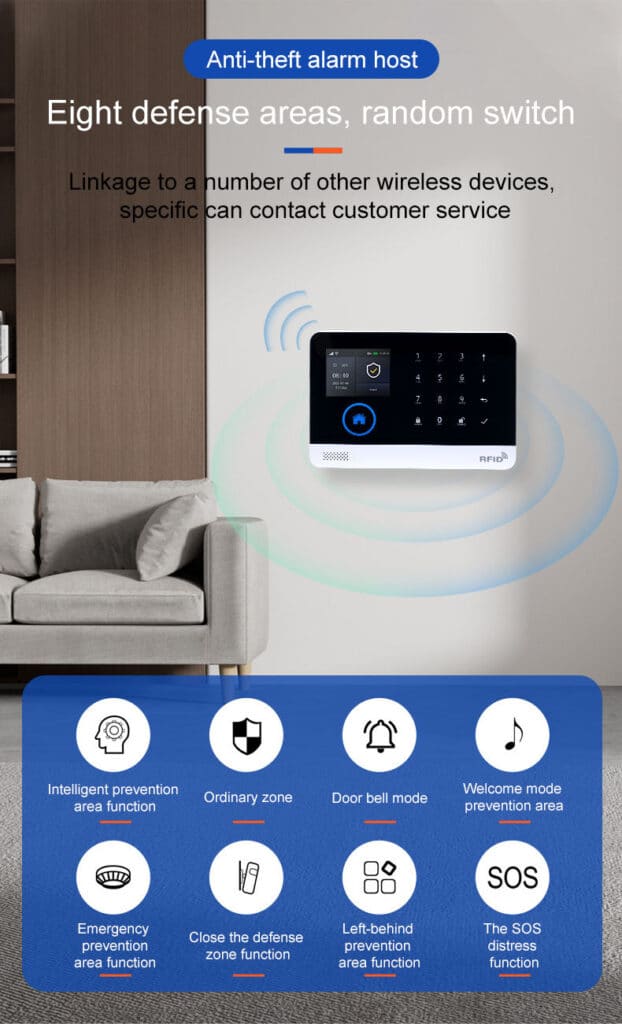
- Require at least 100 wireless zones, multiple defense zone types (entry/exit, 24-hour, perimeter, SOS).
- Insist on built-in backup battery and low-battery SMS alerts.
- Demand external siren output and tamper protection.
- Prefer models with 2.4-inch TFT display for local programming without a laptop.
Step 4: Prioritize Dual-Network Capability
Select GSM/4G + Wi-Fi hosts like the Athenalarm series. These allow seamless switching: Wi-Fi for low-cost daily operation, GSM for failover. Ensure the panel supports TUYA or equivalent cloud platforms for remote management across multiple client sites.
Step 5: Budget for Scalability
For bulk procurement (10+ units), negotiate volume pricing on hosts, sensors (PIR, door contacts, smoke, gas), RFID cards, and repeaters. Factor in annual SIM data plans—many carriers offer security-specific low-data M2M SIMs under $5/month.
Step-by-Step Installation and Configuration Guide
Preparation (30 minutes)
Unbox the host, power adapter, wireless sensors, remotes, and siren. Insert a working SIM card (micro or nano as required) with data and SMS enabled. Power on via micro-USB 5V adapter.
Basic Setup via Local Interface
- Navigate the TFT menu to “Network Settings.”
- Enable GSM module and input APN if required by carrier.
- Set up to 5 alarm phone numbers with separate SMS/dial toggles.
- Record 20-second voice message for voice alerts.
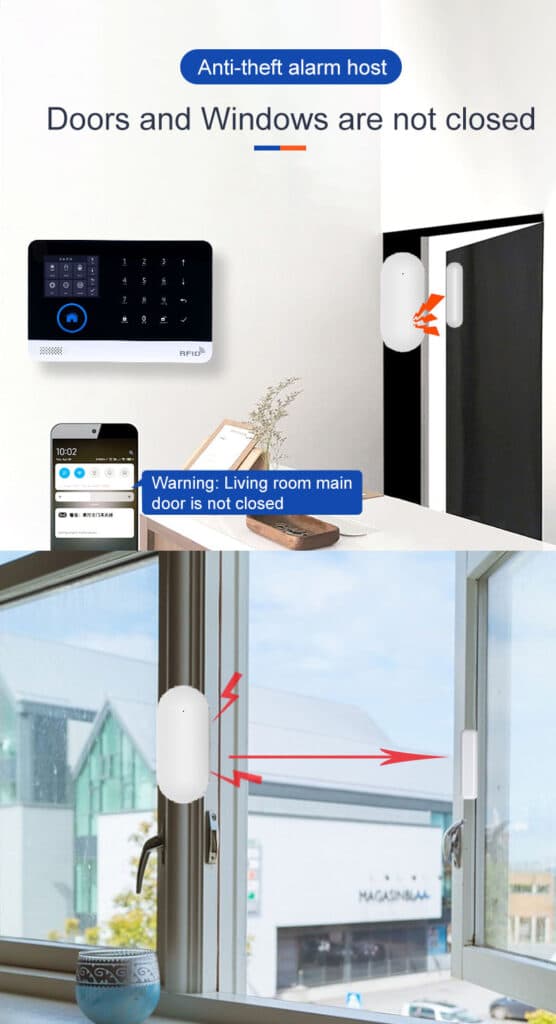
- Configure zone types: assign PIR to “perimeter,” door contact to “entry/exit,” etc.
Wireless Device Learning (10 minutes per batch)
Put the host into learning mode (usually long-press “Learn”). Trigger each sensor or present RFID cards. Confirm on-screen and via beep. Maximum 100 devices per host.
App Integration (5 minutes)
Download the TUYA Smart or manufacturer app. Scan the QR code on the host. Link the device. Enable push notifications, remote arm/disarm, and event logs.
Failover Testing (Critical – 15 minutes)
- Arm the system.
- Disconnect Wi-Fi/router power.
- Trigger a sensor.
- Verify SMS and/or call arrives within 10 seconds on test phones.
- Restore Wi-Fi and confirm automatic switch back with event log entry.
Advanced Configuration for Professional Deployments
- Enable timing arm/disarm schedules for commercial sites.
- Set entry/exit delays (30–60 seconds typical).
- Activate tamper, power failure, and low-battery alerts.
- For multi-site management, use the app’s batch device grouping or integrate with central monitoring software via SIA protocols where supported.
Real-World Case Studies: GSM Alarm Systems in Action
Case 1: Warehouse Power Outage (Rural Site)
A 50,000 sq ft distribution center lost grid power and fiber internet during a severe storm. The Wi-Fi-only cameras went offline, but the hybrid GSM alarm host switched to cellular within 3 seconds. SMS alerts reached the owner and monitoring center instantly. Intruders attempting entry were deterred by the external siren and rapid police response. Total downtime for the alarm path: zero.
Case 2: Urban Office Cyber Incident
A financial firm’s network suffered a ransomware attack that took routers offline. The GSM backup module continued sending zone-specific alerts via SMS. Security teams remotely disarmed non-critical zones while maintaining perimeter protection until the LAN was restored 14 hours later.
Case 3: Mountain Resort Construction Site
No broadband available during 18-month build. GSM alarm systems with solar-powered external batteries provided continuous monitoring of tools and materials. Daily operation records and alarm logs were retrieved via cellular data when crews arrived on site.
Case 4: Underground Facility Malicious Tampering
In a secure basement data center, intruders cut Ethernet cables and attempted Wi-Fi jamming. The GSM path remained untouched, delivering immediate voice and SMS alerts to the central station and owner, enabling a swift response before significant damage occurred.
These are not hypothetical. They represent the daily reality that drives bulk purchasers toward cellular-backed solutions.
Advanced Strategies for Professional Users
Dual-Path Redundancy Best Practices
Always configure the GSM path as the secondary reporting method with shorter heartbeat intervals (every 60–300 seconds depending on risk level). This ensures the central station knows the cellular link is alive even when primary IP is active.
Battery and Power Management
Test backup batteries quarterly. Replace every 3–4 years. For critical sites, add external 12V sealed lead-acid batteries wired in parallel for multi-day autonomy.
Zone Expansion and Sensor Optimization
Use 433MHz wireless sensors for maximum range. Deploy repeaters in large facilities. Create layered defense: perimeter beams, interior motion, glass-break, and environmental sensors (smoke, water, gas) all reporting to the same GSM host.
Integration with Existing IP Systems
Most modern GSM hosts accept dry-contact inputs or RS485 from legacy panels. This allows you to upgrade without ripping out installed wiring.
Monitoring and Maintenance Schedule
- Weekly: Review app event logs.
- Monthly: Test full failover.
- Quarterly: Walk-test every sensor.
- Annually: Professional signal strength audit and battery replacement.
ROI and Procurement Considerations for Bulk Buyers
GSM-capable systems typically add 15–25% to hardware cost but reduce false-negative risk by over 90% in outage scenarios. Insurance providers increasingly offer premium discounts for verified dual-path communication. For multi-site operators, centralized app management across hundreds of hosts slashes operational labor. Factor in lower long-term monitoring fees when using cellular M2M SIMs versus dedicated landlines that are being phased out.
Common Pitfalls to Avoid
- Using consumer-grade GSM modules without professional-grade encryption or tamper alerts.
- Neglecting to test failover under load (many systems pass lab tests but fail when 20 zones trigger simultaneously).
- Forgetting to set country-specific time zones and daylight saving rules for accurate logs.
- Installing without verifying local GSM frequency support or on-site signal strength.
- Overlooking low-battery alerts or failing to schedule regular battery checks.

Future-Proofing Your GSM Alarm Deployments
Even as 5G rolls out, backward-compatible GSM/4G modules ensure longevity. Leading panels already support LTE Cat-M and NB-IoT for ultra-low-power, long-battery-life applications. The cellular infrastructure itself receives priority during national emergencies, making it more resilient than consumer broadband.
Your Next Action: Build Unbreakable Security Today
You now possess the complete operational blueprint to specify, deploy, and maintain GSM alarm systems that deliver true peace of mind. Whether you are procuring for a chain of retail stores, upgrading industrial facilities, or designing smart-home solutions for high-net-worth clients, cellular backup is no longer optional—it is the professional standard.
Ready to source reliable GSM/4G Wi-Fi hybrid burglar alarm systems in volume? Contact experienced manufacturers who specialize in dual-network solutions. Request detailed quotations, sample units for lab testing, and custom integration support. Your clients—and your reputation—depend on never missing an alarm.
Implement these strategies, and your next security project will stand out as the one that simply never goes down when it matters most.