
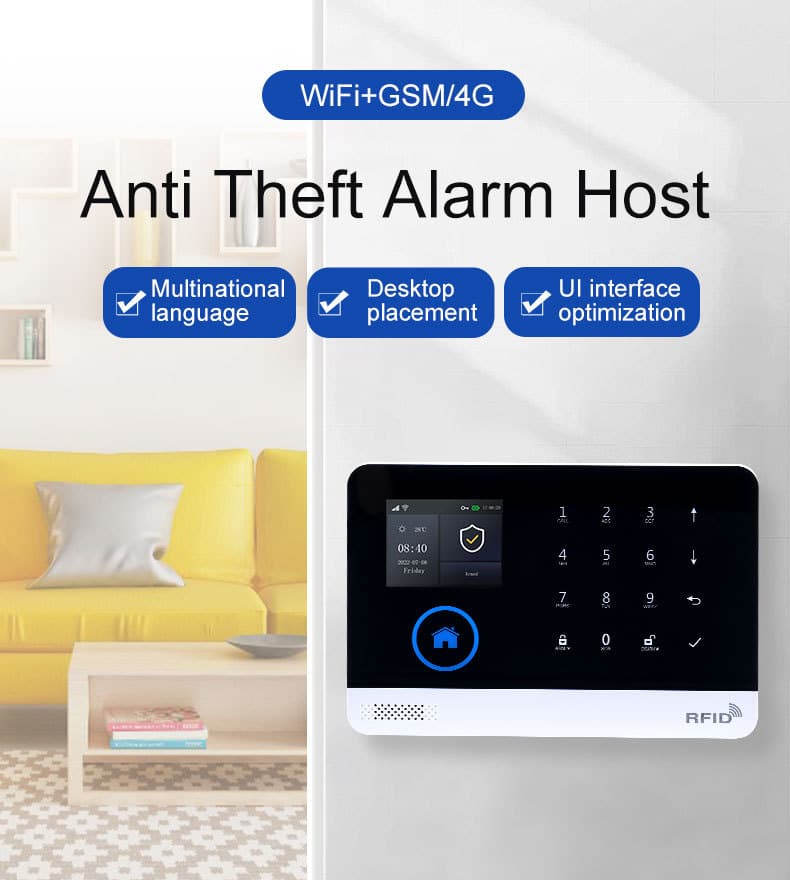
Introduction: Why the Smart Hub Control Panel Is Now the Core of Modern Intrusion Alarm Systems
In the professional intrusion alarm industry, technology cycles come and go—but architecture decisions stay with you for years. Among all components in a modern burglar alarm system, the smart hub control panel has quietly become the single most critical element determining system reliability, operational efficiency, and long‑term return on investment.
For bulk purchasers, system integrators, distributors, and security decision‑makers, choosing or deploying a smart hub control panel is no longer a simple hardware selection. It is a strategic decision that directly affects:
- Alarm response speed and accuracy
- False alarm rates and compliance exposure
- System scalability across multi‑site deployments
- Ongoing operational cost and maintenance burden
- End‑user satisfaction and retention
This article is written from the perspective of a senior intrusion alarm industry professional who has designed, deployed, audited, and optimized thousands of alarm systems across residential, commercial, and light‑industrial environments. It is not a marketing brochure. It is a practical, implementation‑focused guide intended for professionals who purchase, specify, or deploy burglar alarm systems at scale.
If your goal is to reduce operational risk, increase deployment consistency, and future‑proof your alarm offerings, this guide will give you a clear, actionable framework for mastering the smart hub control panel.
To set the stage, let’s consider the evolving demands on intrusion systems. With rising threats from sophisticated burglars and the integration of IoT devices, a smart hub control panel isn’t just a processor—it’s the brain that ensures seamless coordination. Without it, even the best sensors can falter, leading to gaps in protection that expose properties to real risks.
1. What a Smart Hub Control Panel Really Is (and What It Is Not)
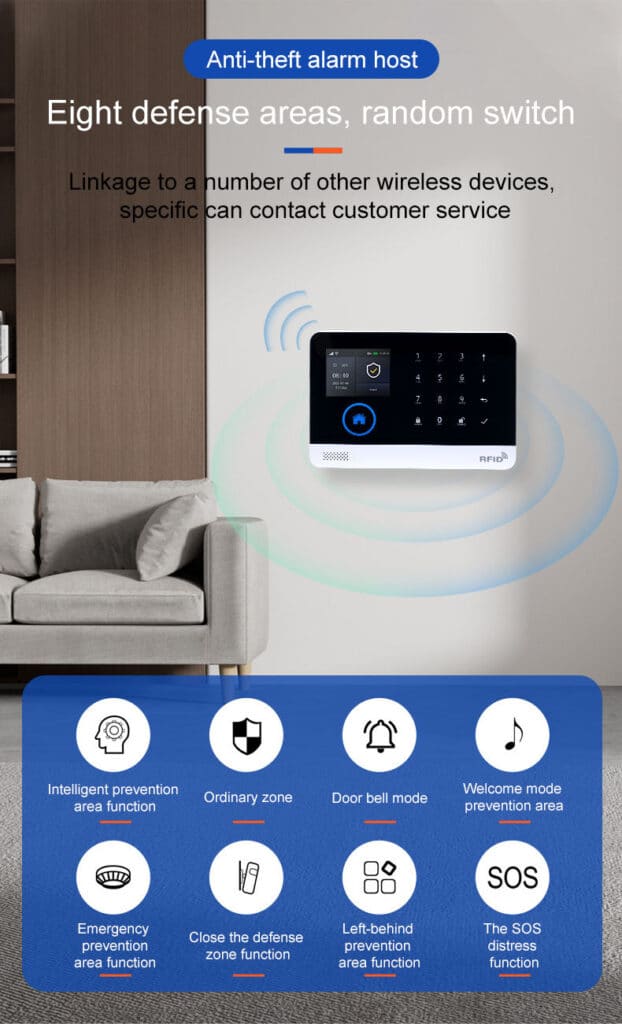
In professional intrusion alarm terminology, a smart hub control panel is the centralized command, processing, and communication core of an alarm system. It consolidates functions that were historically distributed across multiple standalone modules.
A true smart hub control panel performs five non‑negotiable roles:
- Sensor data aggregation – receiving signals from wired and wireless intrusion detectors, including motion sensors, door contacts, glass breaks, and environmental monitors like smoke or flood detectors for hybrid systems.
- Decision logic execution – applying arming states, zones, rules, and alarm logic, such as distinguishing between perimeter breaches and interior movements.
- Event communication – transmitting alarms, faults, and status updates via multiple channels, ensuring notifications reach monitoring centers, users’ apps, or emergency responders promptly.
- User interaction – enabling configuration, arming/disarming, and status monitoring through keypads, mobile apps, or voice commands.
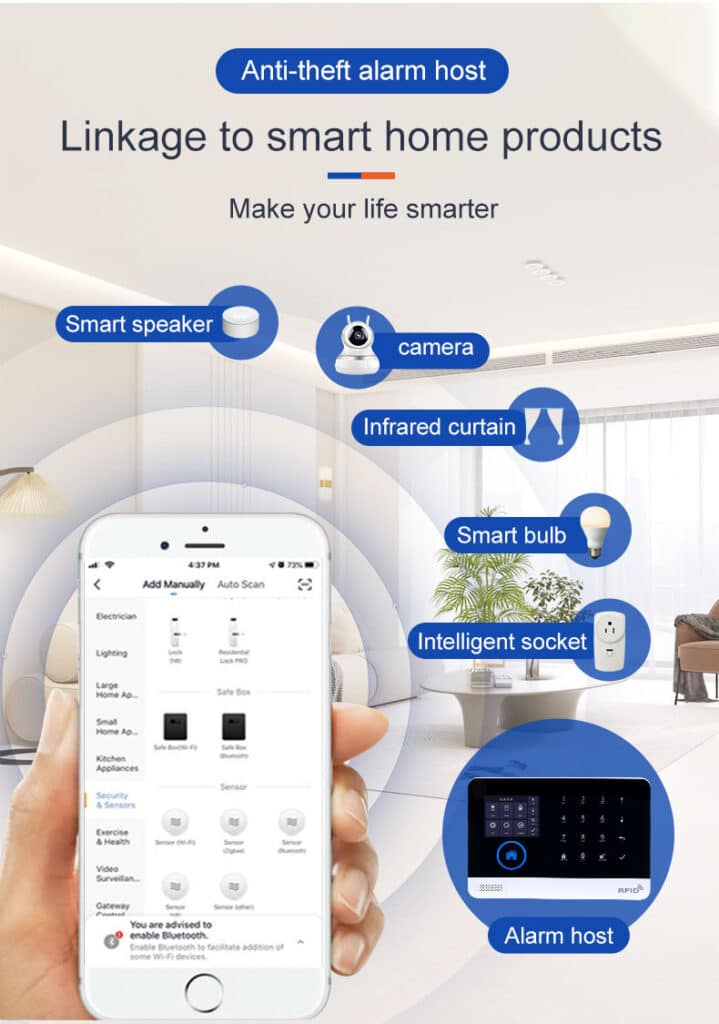
- System orchestration – coordinating peripherals, automation, and integrations, like linking with smart locks or lights for automated responses.
What it is not:
- Not merely a touchscreen keypad with cloud branding
- Not a Wi‑Fi gateway with basic alarm functions
- Not a consumer smart home hub repurposed for security
Professionals should be cautious of vendors that label any connected panel as a “smart hub” without meeting enterprise‑grade intrusion requirements. For instance, consumer-grade hubs often lack robust encryption or failover mechanisms, making them unsuitable for high-stakes environments where downtime could mean vulnerability.
To illustrate, a genuine smart hub might integrate with up to 128 zones, support hybrid wired/wireless setups, and include built-in diagnostics to flag issues like low battery in sensors before they cause failures.

2. Why Traditional Alarm Panels Are Failing Modern Security Operations
Legacy intrusion panels were designed for a different world:
- Single‑site installations
- Fixed landline communication
- Minimal integration requirements
- Technician‑only configuration
Today’s operating reality includes:
- Multi‑site portfolios
- Cellular‑first communication
- Remote diagnostics and updates
- Integration with access control, video, and automation
Traditional panels fail in several predictable ways:
- Limited communication redundancy, increasing alarm transmission failure— for example, if a landline cuts out, there’s no automatic switch to cellular, leading to silent alarms.
- Rigid zone architecture, making expansion costly or impossible; adding zones often requires hardware swaps or rewiring.
- Manual maintenance models, driving truck rolls and downtime, as updates can’t be pushed remotely.
- Poor data visibility, preventing operational optimization, such as analyzing event logs to spot patterns in false triggers.
The smart hub control panel emerged specifically to address these structural limitations. By incorporating modular designs and cloud connectivity, it allows for dynamic scaling, like adding video verification without overhauling the system, ultimately cutting costs and boosting reliability.
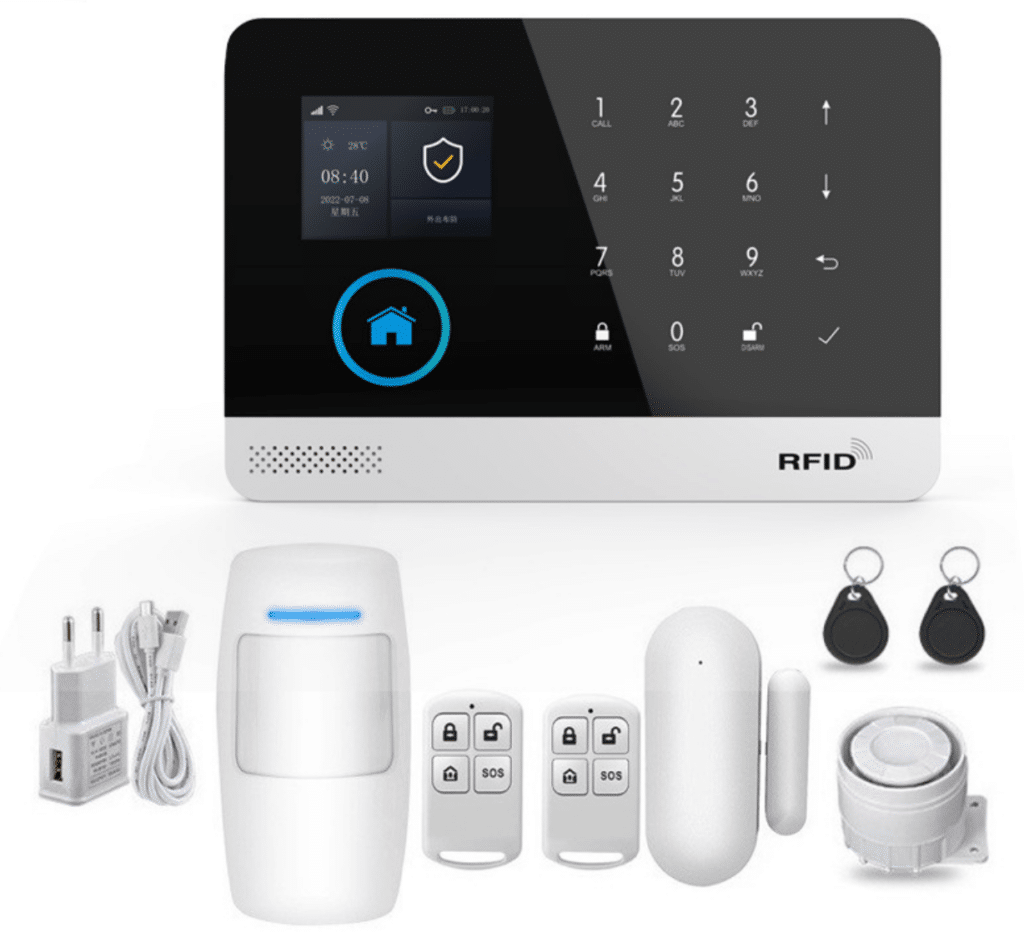
3. Core Architecture of a Professional Smart Hub Control Panel
Understanding architecture is essential for evaluating quality. A well-architected panel ensures longevity and adaptability, avoiding the pitfalls of proprietary lock-ins.
3.1 Hardware Layer
A professional‑grade smart hub control panel typically includes:
- High‑reliability MCU or SoC for processing complex logic without lag.
- Secure memory for configuration and event logs, often with capacities up to 1,000 events to support forensic reviews.
- Supervised power input and battery management, including low-voltage alerts and automatic switchover to prevent blackouts.
- Tamper detection (case open, wall removal), with immediate alerts to deter sabotage.
3.2 Sensor Interface Layer
- Multi‑zone wired inputs (balanced, double‑balanced) to resist tampering like short-circuiting.
- Encrypted wireless transceivers (433MHz / 868MHz / 915MHz / proprietary), supporting ranges up to 1,000 feet with repeaters.
- Peripheral bus (RS‑485, CAN, proprietary) for connecting expanders or keypads.
Key consideration: Ensure compatibility with legacy sensors to ease migrations from old systems.
3.3 Communication Layer
Redundancy is mandatory:
- Ethernet for stable, high-speed connections.
- Wi‑Fi (secondary, not primary) as a backup, with WPA3 encryption.
- LTE / 4G / LTE‑M / NB‑IoT for cellular reliability in remote areas.
- Automatic failover logic, which switches paths in under 10 seconds if one fails.
Test failover during setup to avoid surprises—many systems claim redundancy but falter in real-world interference.
3.4 Application & Logic Layer
- Zone logic and partitioning, allowing up to 8 partitions for multi-tenant buildings.
- User roles and permissions, such as admin for full access and guest for arm/disarm only.
- Alarm verification workflows, including cross-zone confirmation to reduce false positives.
- Event prioritization, escalating critical breaches over minor faults.
3.5 Cloud & Integration Layer
- Secure API endpoints for third-party apps or monitoring software.
- OTA firmware update capability, scheduled during off-hours to minimize disruption.
- Monitoring center integration (CID, SIA, IP formats), ensuring compatibility with services like Rapid Response or Central Station.
Additionally, look for open protocols like Z-Wave or Zigbee for broader smart home integrations, enhancing the panel’s role in comprehensive security ecosystems.
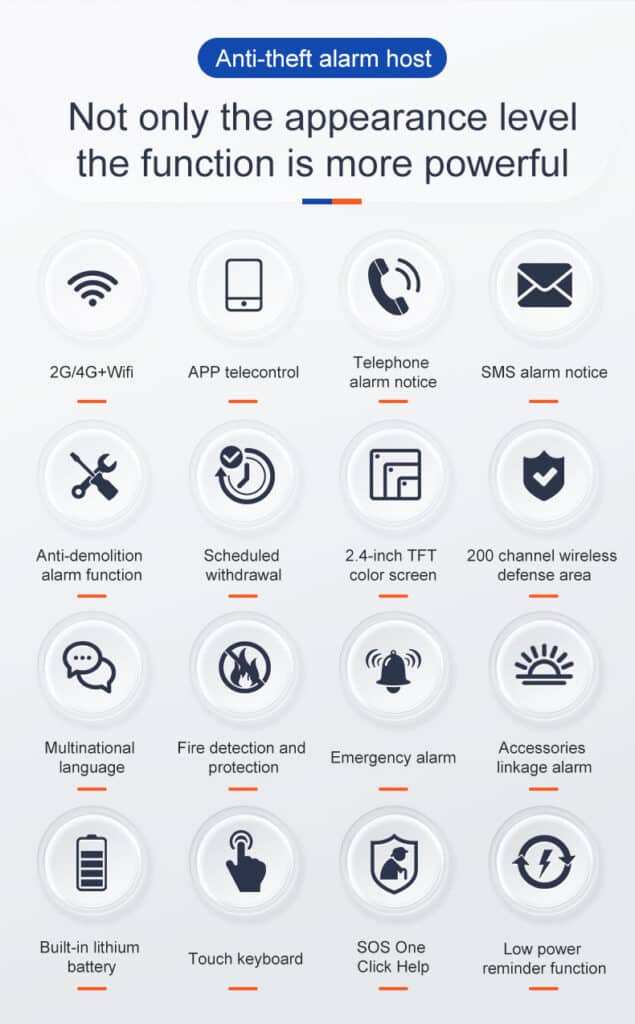
4. Security‑Critical Design Principles You Should Never Compromise On
From an intrusion alarm perspective, smart must never come at the expense of secure. Compromising here can lead to breaches that undermine trust and invite legal issues.
Key non‑negotiables:
- End‑to‑end encryption for sensor and cloud communication, using AES-256 to protect against eavesdropping.
- Secure boot and firmware signing to prevent malware injection.
- Physical tamper supervision, with sensors detecting even subtle vibrations.
- Anti‑jamming and signal supervision, alerting on frequency interference.
- Local alarm logic independent of cloud availability, ensuring the system functions offline.
Any smart hub control panel that fails these principles is a liability, not an upgrade. For example, if cloud dependency is total, a simple internet outage could disable arming—always verify offline capabilities through vendor demos.
Common pitfall: Overlooking firmware vulnerabilities. Insist on vendors with a track record of prompt patches, as unaddressed exploits have led to widespread hacks in the past.
5. Deployment Scenarios: Residential vs Commercial vs Multi‑Site
The versatility of a smart hub control panel shines in tailored deployments. Adapting configurations prevents overkill in small setups or inadequacies in large ones.
5.1 Residential Deployments
- Emphasis on ease of use, with intuitive apps for family members.
- Lower zone counts (typically 8-32), focusing on doors, windows, and motion.
- App‑centric interaction, including geofencing for auto-arming when leaving home.
Tip: Integrate with smart assistants like Alexa for voice control, but ensure security overrides convenience.
5.2 Commercial Deployments
- Partitioned arming for areas like offices vs warehouses.
- Time‑based schedules, automating arm/disarm during business hours.
- Higher supervision requirements, such as daily sensor polls to catch failures early.
In retail settings, link to POS systems for after-hours monitoring.
5.3 Multi‑Site Enterprise Deployments
- Centralized fleet management via dashboards tracking hundreds of panels.
- Role‑based access, with IT admins overseeing updates.
- Data analytics and reporting, generating insights on breach patterns across sites.
For chains like restaurants, use APIs to sync with inventory systems for theft prevention.
The same smart hub control panel platform must adapt across all three without architectural compromise. Scalability means starting small and expanding seamlessly, avoiding forklift upgrades.
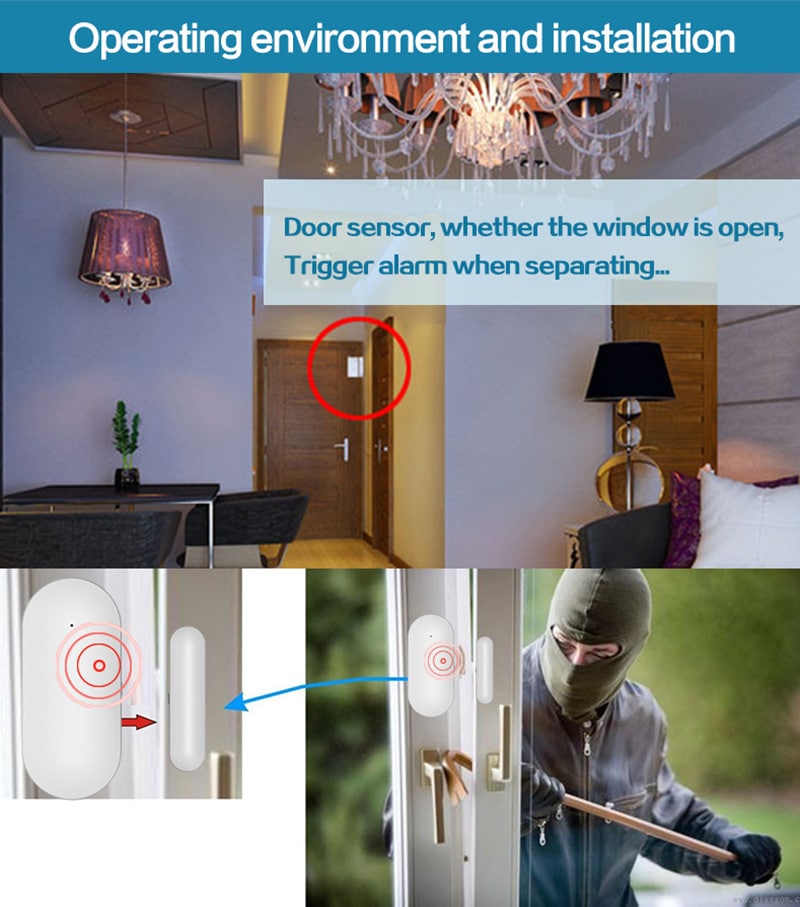
6. Step‑by‑Step: Professional Installation Workflow
Proper installation is the foundation of reliability. Rushing this leads to chronic issues like weak signals or false alarms.
Step 1: Pre‑Deployment Planning
- Site risk assessment: Survey entry points, identify high-risk zones (e.g., back doors), and note environmental factors like humidity that could affect sensors.
- Zone mapping: Draw a floor plan, assign zones (e.g., Zone 1: Front Door), and plan wiring routes.
- Communication path verification: Test cellular signal strength using a meter; ensure at least -85 dBm for reliability.
Step 2: Physical Installation
- Secure mounting location: Choose a central, concealed spot like a utility closet, at least 5 feet off the ground to avoid tampering.
- Tamper‑protected power routing: Use conduit for cables, connect to a dedicated circuit, and install a backup battery rated for 24+ hours.
- Antenna placement optimization: Position external antennas high and away from metal for maximum range; test with a signal analyzer.
Common error: Poor grounding—always ground the panel to prevent electrical noise.
Step 3: Sensor Enrollment
- Wired zone balancing: Connect sensors with end-of-line resistors (e.g., 1k ohm), test continuity with a multimeter.
- Wireless pairing and supervision: Enter pairing mode on the panel, activate each sensor, and confirm enrollment; set supervision intervals to 4 hours.
- Signal strength validation: Walk-test each sensor, ensuring RSSI above -90 dBm; relocate if needed.
Step 4: System Configuration
- Zone naming and logic: Label zones descriptively (e.g., “Garage Door”), set types (instant, delay), and define responses (siren, notification).
- User role assignment: Create PINs or app accounts, assign permissions (e.g., master user can add others).
- Alarm response rules: Set entry delays (30-60 seconds), cross-zone verification for motion.
Step 5: Communication Testing
- Primary path verification: Send a test alarm via Ethernet, confirm receipt at the monitoring center.
- Failover testing: Disconnect primary, trigger an alarm, verify switch to cellular in under 30 seconds.
- Monitoring center handshake: Exchange account codes, test formats like Contact ID.
Step 6: Commissioning & Documentation
- End‑user training: Demonstrate arm/disarm, app usage, and what to do during an alarm (e.g., verify via camera before dispatch).
- Configuration backup: Export settings to USB or cloud, store securely.
- Compliance documentation: Log tests, note standards met (e.g., UL 1023), and provide certificates.
Follow-up: Schedule a 30-day check-in to address any teething issues.
7. Operational Best Practices for Bulk Deployments
Professional buyers must think beyond installation. Scaling requires processes that minimize variability.
Best practices include:
- Standardized configuration templates: Create presets for common setups (e.g., residential base), load via software to speed deployments.
- Remote diagnostics and alerts: Monitor battery levels and faults via app, addressing issues proactively to avoid site visits.
- Scheduled firmware lifecycle management: Plan quarterly updates, testing in a lab first to prevent bugs.
- Centralized audit logging: Aggregate logs from all panels for compliance audits and trend analysis.
These practices dramatically reduce total cost of ownership. For example, remote updates can cut service calls by 40%, based on field data from large integrators.
Additional tip: Implement user training programs with videos or QR codes linking to guides, ensuring end-users operate systems correctly.
8. Reducing False Alarms Through Smart Hub Logic
False alarms are not a sensor problem—they are a control panel logic problem. They waste resources, erode trust, and can lead to fines or ignored responses.
Smart hub strategies:
- Multi‑sensor confirmation: Require two sensors (e.g., motion + door) to trigger before alarming.
- Entry/exit behavior modeling: Use delays and paths to differentiate legitimate entry from breaches.
- Adaptive sensitivity profiles: Adjust based on time (e.g., lower at night for pets) or environment.
- User behavior analytics: Track patterns like frequent disarms to flag anomalies.
Well‑configured smart hub control panels consistently outperform legacy systems in real‑world false alarm metrics. To implement:
- Assess causes: Review logs for patterns (e.g., drafts triggering motion).
- Configure rules: In the panel software, enable verification modes.
- Test scenarios: Simulate pets, wind, or users to fine-tune.
- Maintain: Clean sensors annually, replace batteries every 2-3 years.
Key error: Ignoring pets—use pet-immune sensors (up to 80 lbs) and test with actual animals. Integrating AI video analytics can further drop rates by 50%, confirming visuals before dispatch.
9. Compliance, Standards, and Regulatory Considerations
Compliance isn’t optional—it’s a safeguard against liability and ensures insurability.
Depending on region:
- EN 50131 (Europe): Grades 1-4, with Grade 3 common for commercial; requires features like tamper detection and encryption.
- UL 1023 / UL 1610 (US): For household/commercial units, emphasizing reliability; recent updates focus on cybersecurity.
- PD 6662 (UK): Aligns with EN standards, mandating professional installation.
- Local police response ordinances: Many require verified alarms to avoid fines.
A professional smart hub control panel must support compliance by design, not by workaround. For 2026, anticipate tighter cybersecurity mandates, like mandatory vulnerability reporting. Verify vendor certifications annually, and document all installations to meet audits.
10. Evaluating Vendors: A Professional Buyer’s Checklist
Ask hard questions:
- How is encryption implemented? (Seek AES-256 with key rotation.)
- What happens when the cloud is unreachable? (Demand full local functionality.)
- How are firmware vulnerabilities handled? (Expect a 72-hour patch policy.)
- What is the roadmap for cellular sunset events? (Plan for 5G upgrades.)
Vendors who cannot answer clearly should not be shortlisted. Expand this with RFPs requesting demos, references, and cost breakdowns. Compare at least three, focusing on TCO over upfront price.
11. Commercial Value: Why the Smart Hub Control Panel Drives Long‑Term ROI
From a business perspective, the right smart hub control panel:
- Reduces service calls through remote management.
- Increases customer retention with reliable, user-friendly features.
- Enables recurring revenue models, like monitoring subscriptions.
- Scales without re‑engineering, supporting add-ons like video.
This is why experienced buyers evaluate control panels as platforms, not products. Calculate ROI: A panel cutting false alarms by 30% can save $500/site/year in fines and dispatches.
12. Future‑Proofing Your Intrusion Alarm Portfolio
The next five years will bring:
- AI‑assisted alarm verification, using machine learning for contextual analysis.
- Deeper video integration, with real-time analytics for threat assessment.
- Stricter regulatory scrutiny on data privacy and cybersecurity.
- Network technology shifts, like 5G for faster responses.
- Biometric integrations for touchless access, reducing physical keys.
A professionally designed smart hub control panel is your only realistic defense against forced system obsolescence. Choose modular platforms with open APIs to adopt these without replacements.
13. Troubleshooting Common Issues in Smart Hub Control Panels
Even robust systems encounter hiccups. Quick resolution keeps operations smooth.
Common problems and fixes:
- No Communication: Check power, then paths—reset modem, test SIM. If persistent, inspect antennas for damage.
- False Alarms: Review logs for triggers; adjust sensitivities or add verification. Clean sensors if dusty.
- Sensor Failures: Test batteries (replace if below 3V), check signals. Re-enroll if unpaired.
- Firmware Glitches: Roll back via USB if update fails; contact support with error codes.
Step-by-step for a no-response panel:
- Verify power LED.
- Cycle power, wait 2 minutes.
- Check app for faults.
- Run self-diagnostics (hold * and # on keypad).
- Escalate to vendor if unresolved.
Pro tip: Keep a spare panel for swaps in critical sites.
14. Maintenance and Upgrade Strategies
Ongoing care extends lifespan and adapts to threats.
- Routine Checks: Monthly: Inspect logs, test alarms. Annually: Professional audit, battery swaps.
- Upgrades: Assess every 3 years; add modules for AI or 5G. Budget 10-15% of initial cost yearly.
- Cost Savings: Preventive maintenance cuts downtime by 60%.
Document everything for warranties and compliance.
15. Real-World Case Studies: Lessons from the Field
Case 1: A retail chain deployed smart hubs across 50 sites, reducing false alarms 45% via AI verification, saving $100K in fines.
Case 2: Residential integrator switched to modular panels, scaling from 100 to 1,000 homes without rework, boosting retention 20%.
These highlight the value of robust selection and setup.
Conclusion: The Smart Hub Control Panel Is the Alarm System
In modern intrusion protection, sensors detect—but the smart hub control panel decides.
For professional buyers and security operators, mastering the selection, deployment, and operation of smart hub control panels is no longer optional. It is the difference between scalable, compliant, profitable alarm operations and fragile systems that collapse under real‑world pressure.
If your organization is serious about delivering dependable burglar alarm protection at scale, the smart hub control panel should be the first component you evaluate—and the last one you compromise on.
For organizations seeking professional consultation, bulk procurement guidance, or custom alarm architecture design based on smart hub control panel platforms, our technical team is available to support serious security deployments.