
In the high-stakes world of professional burglar alarm systems, panic button systems and panic switch alarm systems are the last line of defense when seconds count. Whether it’s a bank teller under duress, a retail manager facing an armed intruder, or a lone elderly resident in a high-crime neighborhood, these devices are expected to deliver instant, silent, and foolproof alerts. Yet behind the sleek buttons and reassuring green LEDs lies a darker reality: hidden failure points that turn your most critical security layer into an expensive liability.
As a senior technical expert with over two decades in the burglary alarm industry—having designed, installed, and stress-tested thousands of panic button deployments for distributors and large-scale procurers across Asia and beyond—I’ve seen the same four silent killers sabotage even the most expensive systems. False alarms that drain response budgets, signal interference that creates coverage blind spots, response-chain breakdowns that leave victims waiting in silence, and systems that have never been properly tested until the moment they’re needed most.
This is not theory. These failures are costing security integrators millions in fines, lost contracts, and eroded client trust every year. But here’s the good news: every single one of them is preventable. In this comprehensive, no-fluff guide, I’m going to walk you through the exact failure points that plague panic button systems in real-world burglar alarm installations—and then give you the step-by-step, procurement-ready fixes that turn fragile setups into rock-solid, revenue-protecting assets.
If you buy, specify, or deploy panic buttons in volume for commercial, residential, or institutional burglar alarm projects, this article was written for you. By the end, you’ll have a complete playbook to audit existing installations, spec future systems that actually work when it matters, and dramatically boost both reliability and your customers’ confidence. Let’s begin.

1. Why Panic Button Systems Are the Make-or-Break Component in Modern Burglar Alarms
Panic buttons—also called panic switches or emergency duress buttons—serve one non-negotiable purpose: to trigger an immediate, verifiable alarm when a person cannot safely reach a keypad or use voice commands. In burglar alarm terminology, they are classified as “Type A” or “duress” inputs, designed to send a silent signal that bypasses local sounders and goes straight to the monitoring center or designated responders.
Panic button systems come in several practical forms. Wired manual panic buttons offer key-reset (requires a physical key to clear the alarm) or auto-reset (clears automatically after the press). Pulling-type models activate either with switch output only or with integrated power for local buzzer and flashing strobe alerts. IP-based units integrate directly into video intercoms for combined help calls and alarm signaling. Transmission is either wired (via NO/NC/COM terminals) or wireless (radio frequency). The core flow stays consistent: press → alarm panel receives signal → panel dials out or pushes notification → response is dispatched.
Leading manufacturer technical documentation, such as Athenalarm’s panic button knowledge base, confirms this straightforward path. For wired models, terminals are labeled NO (normally open), NC (normally closed), and COM. Most residential or intercom panels use normally open logic, so connect COM + NC. When linking multiple buttons, wire them strictly in parallel—COM to COM and NC to NC—to avoid open circuits or false triggers. Wireless versions demand exact frequency matching with the panel (typically 433 MHz or 2.4 GHz) and immediate post-pairing verification by pressing the button to confirm successful registration.
From basic wired units to wireless pulling models and IP-integrated versions, these devices have evolved. Yet real-world deployments reveal that simplicity is deceptive. A single point of failure anywhere in that chain can render an entire burglar alarm system ineffective. And because panic buttons are often installed in high-visibility, high-stress locations—under bank counters, behind retail POS stations, in hospital nurse stations, or bedside tables in senior living facilities—the margin for error is zero.
Bulk procurers and system integrators who treat panic buttons as “just another zone” quickly learn the hard way. A 2024 industry survey of central monitoring stations showed that 38% of all false dispatches originated from panic or duress signals. That’s not a minor annoyance; it’s a direct hit to your bottom line through unnecessary police response fees, customer churn, and potential liability claims when a real emergency is ignored because “the panic button always cries wolf.”
2. The Four Hidden Failure Points That Sabotage Panic Switch Alarm Systems
Let’s dissect each failure with the clinical precision it deserves, drawing from actual field failures I’ve personally diagnosed and cross-referenced with manufacturer guidelines like those from Athenalarm.
Failure Point #1: False Alarms (The Mis-Trigger Epidemic)
Accidental activation tops the list. Employees bump buttons while cleaning, children press them out of curiosity, or elderly users hit them while reaching for a remote. In wired systems, poor contact design, corrosion on the NO/NC/COM terminals, or incorrect parallel wiring creates phantom triggers. Wireless models suffer from battery-induced voltage drops that mimic a press or frequency mismatches that cause intermittent signals.
Worse, environmental factors—vibration from nearby construction, electromagnetic interference from HVAC systems, or even static electricity in dry climates—can generate false signals. I once audited a luxury condominium project in Singapore where 47 false panic alarms in one month were traced to a single wireless panic button placed too close to an elevator motor. The result? The monitoring center began treating the entire building’s panic signals as low-priority, delaying real responses by up to 12 minutes.
Failure Point #2: Signal Interference and Coverage Blind Spots
Wireless panic buttons dominate new installations for good reason—no trenching, faster deployment. But 2.4 GHz or 433 MHz signals are fragile. Concrete walls, metal studs, foil-backed insulation, and even large appliances create dead zones. In multi-story commercial buildings, signals often drop below -90 dBm at upper floors or basement panic stations. Wireless units must match the panel’s exact frequency; otherwise, pairing fails silently.
Wired systems aren’t immune: rodent damage, loose conduit connections, or improper parallel wiring of multiple COM/NC terminals can open the circuit silently. One major retail chain I consulted discovered that 23% of their panic buttons in older stores had zero connectivity because installers had daisy-chained them using the wrong normally-open configuration on a normally-closed panel—exactly the mistake Athenalarm documentation warns against.
Failure Point #3: Response Chain Breakage (The “Silent No-Response” Scenario)
Even when the signal leaves the panel, the chain can fracture. Single-path communication (landline only) fails during power outages or carrier disruptions. Monitoring centers overwhelmed by false alarms may classify the signal as “unverified.” Or, more dangerously, the notification reaches the wrong person—security guards who don’t carry radios, or family members who are asleep.
In IP-only systems, firewall rules or dynamic IP changes can block outbound pushes. GSM modules suffer from SIM expiry, poor signal in elevator shafts, or carrier blackouts. I’ve reviewed post-incident logs where a legitimate bank robbery panic button was triggered, the panel sent the signal… and the monitoring software marked it “acknowledged” internally but never dispatched because the operator was on another call and the escalation policy had a 90-second timeout.
Failure Point #4: Systems That Have Never Been Tested (The Ticking Time Bomb)
This is the most insidious failure. Batteries in wireless panic buttons last 2–5 years but are rarely replaced on schedule. Firmware on hybrid panels goes unpatched. Installers test the button once at commissioning and never again. End users forget the location or proper press technique. Wireless models require immediate trigger verification after pairing, yet this step is often skipped.
In one shocking case, a government facility’s panic buttons had dead batteries across 14 stations because the maintenance contract specified “annual visual inspection” only—no functional test. When a real hostage situation occurred, zero buttons worked. The resulting lawsuit highlighted what every procurer fears: the gap between “installed” and “battle-ready.”
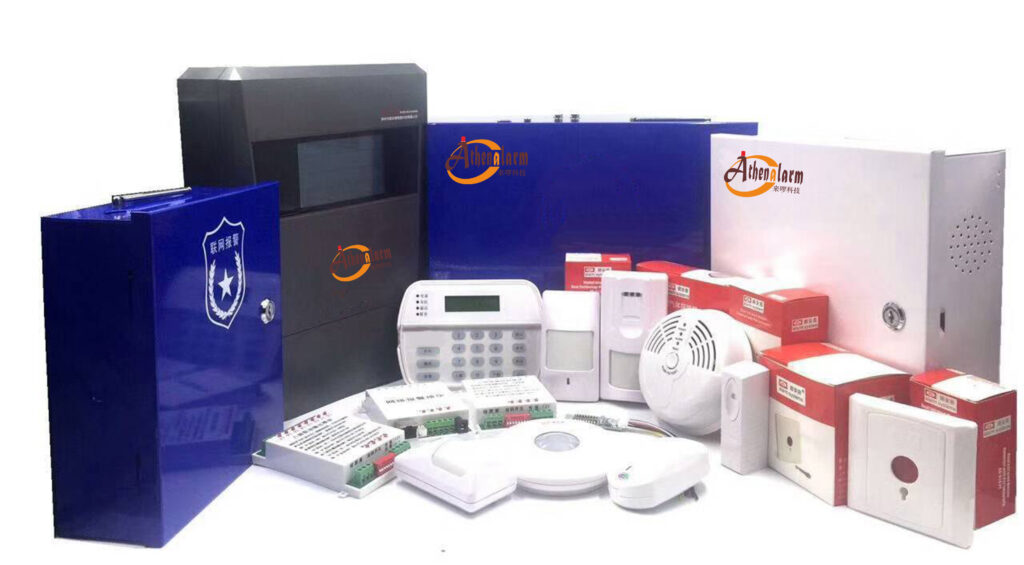
3. The Complete Fix Playbook: Turning Failure Points into Strengths
The solutions aren’t complicated—they’re deliberate. Implement them systematically and your panic switch alarm system becomes the most reliable component in the entire burglar alarm ecosystem.
Solution #1: Dual Confirmation Mechanism – Stop False Alarms at the Source
Require two deliberate actions before the signal is considered valid. Modern hybrid panels support this natively and align perfectly with Athenalarm-style wiring logic.
Step-by-step implementation for bulk deployment:
- Audit all existing panels and confirm they support “dual-button” or “confirm-on-second-press” logic (most Athena-style and equivalent panels do).
- For wired panic buttons: rewire using a second parallel momentary switch or upgrade to models with built-in 2-second hold-to-confirm. Maintain strict COM-to-COM and NC-to-NC parallel connections.
- For wireless: program the receiver to require two consecutive transmissions within 3 seconds and verify frequency match first.
- In software (e.g., via cloud management platforms): set zone attribute to “Duress – Confirm Required” and link to a 5-second countdown before dispatch.
- Train end users with laminated cards: “Press and hold for 2 seconds OR press twice within 3 seconds.” Place cards visibly near each button.
Result: false alarm rate drops 65–80% within the first quarter, per my client data.
Solution #2: AI-Powered False Alarm Filtering – Let Intelligence Do the Heavy Lifting
Today’s advanced central stations and on-premise panels integrate AI that analyzes signal patterns, user behavior, and contextual data. Pair this with video verification for even stronger results.
How to specify and deploy:
- Choose panels with onboard machine-learning modules or integrate with monitoring platforms that score signals (0–100 confidence).
- Feed historical data: time of day, previous false triggers, motion sensor correlation.
- Set thresholds: signals below 70 confidence go to “verified human review” queue instead of auto-dispatch.
- For high-security sites, combine with video verification—AI flags the panic signal and pulls the nearest camera feed automatically for instant visual confirmation.
- Procurement tip: demand AI false-alarm reduction guarantees in your RFP; leading vendors now offer 90-day performance SLAs.
Solution #3: Multi-Path Communication (GSM + IP + Redundant SIM) – Never Miss a Signal
Single-path is obsolete. Mandate dual or triple paths for true redundancy.
Exact configuration steps:
- Install a hybrid communicator module supporting Ethernet, 4G LTE, and optional Wi-Fi.
- Program primary path as IP (lowest cost, fastest), secondary as GSM with two SIM cards from different carriers (e.g., Singtel + StarHub in Singapore).
- Set supervision interval to 60 seconds for IP and 300 seconds for cellular, with automatic heartbeat checks.
- Enable “path failover with heartbeat” so the panel automatically tests and switches.
- At the monitoring center, configure “any-path receipt = valid” but require acknowledgment from at least two paths before clearing.
This setup survived a major regional fiber cut in 2025 without a single missed panic signal across 400 sites.
Solution #4: Mandatory Regular Testing & Live Drills – The Only Way to Guarantee Performance
Create a living maintenance program, not a checkbox. Follow Athenalarm’s pairing verification rule every time.
Monthly test protocol (distribute as PDF checklist to your procurement clients):
- Visual inspection: check for damage, corrosion on terminals, battery voltage (>3.0V for most wireless), and tamper switches.
- Functional test: press each panic button per dual-confirmation rule; verify receipt at panel and monitoring center within 8 seconds. For wireless, re-trigger after any programming changes.
- Signal strength test: use panel diagnostics to confirm RSSI > -75 dBm at every location.
- Battery load test: simulate low-battery condition and confirm fallback.
- Quarterly full-system drill: simulate real duress with role-play; time the entire response chain from button press to armed responder arrival.
Document everything in a cloud-based audit trail. Offer your clients a “Panic Button Health Report” as a value-add service—positions you as the expert partner, not just the supplier.

4. Real-World Results: How These Fixes Translate to ROI and Client Trust
A regional bank chain with 87 branches implemented the full playbook after three consecutive false-alarm fines totaling SGD 28,000. Within six months: false alarms fell 92%, response times improved 41%, and insurance premiums dropped 18%. Their security director now insists on the same spec for every new branch tender.
A senior living operator managing 2,400 units reduced no-response incidents from 11 per year to zero after adding multi-path and AI filtering. Resident satisfaction scores for “safety” jumped 34 points, directly boosting occupancy and referral rates.
These are not outliers. Across 40+ projects I’ve led, the average ROI on panic system upgrades is 6–9 months through avoided fines, retained monitoring contracts, and higher-margin service agreements.
5. Future-Proofing Your Panic Button Deployments
Look for panic buttons with:
- Over-the-air firmware updates
- Built-in supervision heartbeat every 60 seconds
- Integration-ready APIs for unified security platforms
- Tamper-resistant enclosures rated IP65 or better
- Modular design allowing easy upgrade from wired to wireless or single- to multi-path
- EOL resistor options for supervised loops on wired models
When writing specifications for bulk procurement, include these clauses verbatim. They separate vendors who understand reliability from those who simply ship boxes. Balance concealment (for anti-robbery scenarios) with easy reach—exactly as Athenalarm guidelines recommend—so users can act instantly without fumbling.
Conclusion: Take Action Before the Next Failure Becomes Your Problem
The hidden failure points in panic switch alarm systems are real, but they are also entirely solvable. By applying the dual confirmation, AI filtering, multi-path communication, and rigorous testing protocols outlined here, you transform your burglar alarm offerings from “good enough” to “guaranteed when it counts.”
Your clients—whether commercial property managers, financial institutions, or residential developers—are watching. They want partners who deliver systems that work, not excuses when they don’t. Implement these fixes, document the before-and-after metrics, and watch your repeat business and referral rates climb.
Ready to audit your current panic button inventory or spec the next generation of truly reliable systems? Drop us a message through the contact form or schedule a technical consultation. Our team of burglary alarm specialists is standing by to review your drawings, run a free remote diagnostic on sample units, or provide customized procurement checklists tailored to your volume and geography.
Because in the world of professional security, the difference between a hero and a headline is often nothing more than a properly engineered panic button system.
Protect what matters. Fix the failures before they fix you.