
In the high-stakes world of burglar alarm systems, every second counts. Imagine a security guard patrolling a sprawling factory floor at 2 a.m. when an intruder appears. Or a teacher in a crowded campus hallway sensing danger during a lockdown drill. In both cases, reaching a fixed desk-mounted panic button could mean precious minutes lost—minutes that turn a manageable incident into a crisis. Traditional wired panic buttons, bolted under counters or at fixed stations, have long been the backbone of intrusion alarm setups. But they tether responders to one spot, limit coverage in large facilities, and slow down emergency activation when personnel are mobile.
Enter wireless panic button systems—the game-changing evolution in burglar alarm technology. These portable, wearable panic buttons and panic switch alarm systems shift the paradigm from “desk-bound” to “anywhere, anytime.” By leveraging RF, LoRaWAN, and IoT connectivity, they slash response times, expand coverage across factories, campuses, warehouses, and parks, and empower every staff member with instant, silent alerts. As a senior expert in the anti-theft alarm industry with deep experience in anfield security deployments, I’ve seen firsthand how these systems don’t just improve speed—they transform entire security operations.
This practical guide cuts through the hype. It delivers actionable, step-by-step instructions for security decision-makers, technical installers, operations managers, and procurement teams who buy burglar alarm solutions in bulk. You’ll learn exactly how wireless panic button systems work, why they outperform fixed alternatives, and—most importantly—how to deploy them in your existing burglar alarm infrastructure without downtime or guesswork. By the end, you’ll have a clear roadmap to implement these systems, measure real ROI, and future-proof your security response.
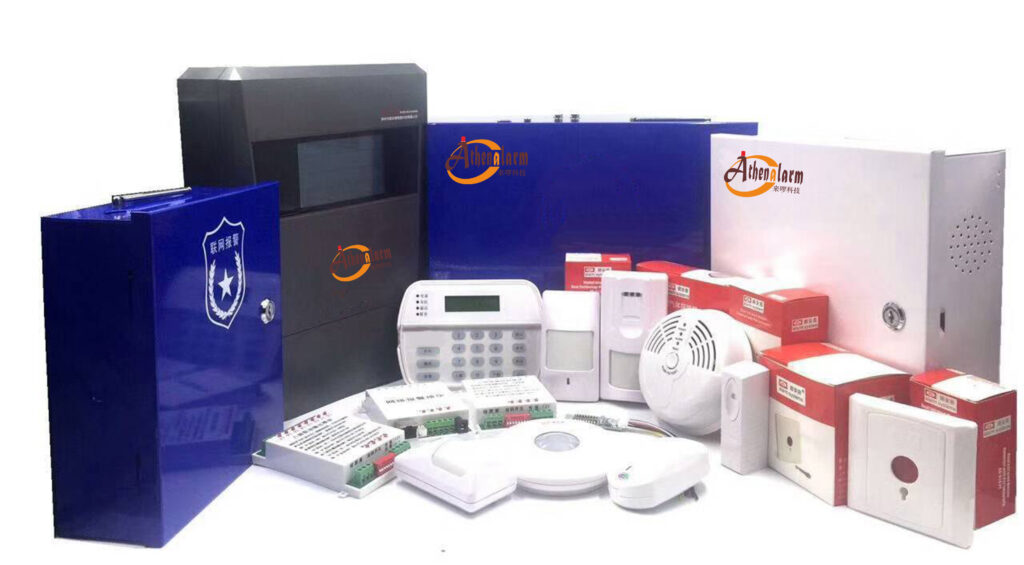
Why Fixed Panic Buttons Fall Short in Modern Burglar Alarm Deployments
Traditional panic buttons in burglar alarm systems come in three basic forms: manual press types (key-reset or auto-reset), pull-cord switches, and IP-integrated units for intercom setups. They connect via wired NO/NC/COM terminals to the alarm control panel. When pressed, they trigger a signal that routes through the panel to sirens, lights, or a central monitoring station.
The problem? Location dependency. In a 50,000-square-foot warehouse or multi-building campus, staff might be 200 meters from the nearest fixed button. Response delays stack up: locating the button, reaching it safely, pressing it, and waiting for the panel to process and notify responders. Industry data shows traditional fixed systems can take 4–5 minutes or more from incident start to first response in large sites—time during which threats escalate.
Wired installations add further pain points for bulk buyers. Running cable through walls, ceilings, or outdoor conduits is labor-intensive, costly, and disruptive. Expansion means more wiring. Tampering risk is high—professional thieves know exactly where fixed buttons sit. And in dynamic environments like construction sites or schools, fixed buttons simply can’t follow personnel.
These limitations explain why security professionals are moving en masse to wireless panic button systems and wearable panic switches. The shift isn’t theoretical; it’s driven by real operational needs: faster deployment, zero cabling in many cases, and the ability to alert from anywhere within coverage. A panic button is fundamentally a control switch that connects or disconnects a low-current circuit to activate electrical equipment in emergencies—whether it’s a manual press, a pull-cord that triggers a buzzer and flashing light on some models, or an IP version for seamless intercom integration. In anti-robbery scenarios at banks or shops, or even bedside use in homes, these devices provide that critical immediate trigger. But when fixed in place, they simply can’t keep pace with today’s mobile workforces.
How Wireless Panic Button Systems Work: RF, LoRa, IoT, and the Technology Behind Lightning-Fast Response
Wireless panic button systems integrate seamlessly with modern burglar alarm control panels. Instead of physical wires, they transmit signals via radio frequencies. Basic RF models operate on 433MHz or 868MHz bands with ranges of 100–500 meters line-of-sight. Advanced LoRaWAN and IoT variants push that to 5 km or more in urban settings and even farther in open areas, with exceptional wall/floor penetration.
Here’s the core mechanism, explained simply but technically:
- Activation: Press the button (or pull a cord on hybrid models). Most units feature dual alarms—silent for discreet staff alerts and audible for immediate deterrence. Portable versions are especially valuable for frail patients, children, elderly individuals, or lone workers who need to send help signals anytime, anywhere.
- Signal Transmission: The device sends a coded packet (including device ID, location if GPS-enabled, and battery status) to a gateway or directly to the alarm control panel. LoRaWAN uses chirp spread spectrum for long-range, low-power reliability—even in noisy RF environments. The process is straightforward: press to send the signal, the alarm control panel receives it, the panel forwards the alarm signal, and the receiver (or monitoring center) gets the alert instantly.
- Panel Processing: The burglar alarm control panel receives the signal, verifies it against enrolled zones, and triggers programmed responses: sirens, strobe lights, door locks, CCTV pop-up views, SMS/app notifications to responders, or direct dial to central station monitoring.
- Response Escalation: IoT integration routes alerts to mobile apps, dashboards, or even automated 911 calls with precise location data. Wearable units often include fall detection or man-down sensors for automatic activation.
Battery life is impressive—many LoRa models last 3–5 years on a single charge or replaceable cell. Magnetic charging and IP67 weatherproofing make them suitable for outdoor or industrial use. Unlike older wireless systems prone to interference, modern protocols include encryption, anti-jamming, and heartbeat supervision to ensure the burglar alarm remains trustworthy 24/7.
Compared to fixed wired buttons, wireless versions reduce deployment time from weeks to hours. No trenching, no conduit. And scalability is effortless: add 50 wearable panic buttons to a campus burglar alarm with a few gateway placements and simple pairing. For wireless models, the connection happens by adding the device through the alarm control panel’s programming menu and triggering the button once to pair—always double-check that the working frequency matches your panel exactly to avoid enrollment failures.

Fixed vs. Wearable: Side-by-Side Comparison That Proves the Speed Advantage
Let’s break it down with real metrics security buyers care about:
- Mobility & Coverage: Fixed = zero. You’re stuck at the desk or wall station. Wearable panic buttons clip to belts, hang as necklaces, or fit in pockets—following staff across entire sites. LoRa gateways create blanket coverage for parks, factories, or multi-acre campuses with just 2–4 units.
- Response Time: Fixed systems average 3–5 minutes in large facilities (time to reach button + signal processing). Wireless wearable units deliver alerts in under 10 seconds. One hospital deployment cut average response from 4.5 minutes to 38 seconds—an 86% improvement. Monitored wireless systems let staff activate before an incident peaks, giving responders a critical head start.
- Installation & Scalability: Fixed requires professional electricians and site downtime. Wireless: peel-and-stick or magnetic mount, app-based pairing. Bulk procurement? Add devices in minutes without rewiring the entire burglar alarm.
- Reliability: Wired wins on power failures if backed up, but wireless units include long-life batteries and cellular/IoT fallbacks. LoRaWAN’s deep penetration beats Wi-Fi in thick-walled industrial buildings.
- Cost Over Time: Initial wired install is cheaper per button but explodes with labor and future expansion. Wireless pays for itself through faster deployment, lower maintenance, and reduced incident costs.
Wearable panic buttons also add discreet operation—critical in retail, healthcare, or education where announcing an emergency could escalate danger. In high-risk workplaces, this quick manual trigger can evacuate personnel or summon help without drawing extra attention from intruders.
Real-World Wins: Wireless Panic Buttons in Factories, Campuses, and High-Risk Sites
Consider a mid-sized manufacturing plant with 300 workers across three buildings. Before upgrade, a lone night-shift technician 400 meters from the nearest fixed panic button faced a 6-minute delay during an equipment sabotage attempt. After deploying LoRa-enabled wearable panic switch alarm systems, the alert reached security and local responders in 8 seconds. Damage was contained; insurance claims dropped 40%.
On university campuses, fixed buttons in classrooms leave outdoor paths and dorms vulnerable. Wireless units distributed to staff and paired with existing burglar alarm panels enable “Code Red” lockdowns, speaker announcements, and door auto-locking—all from a staff member’s belt clip.
Hospitals and elderly care facilities use them for vulnerable patients and lone workers. One press sends GPS coordinates plus a silent alert, integrating with nurse-call systems already tied to the main alarm panel. The same portable design helps children or seniors at home send instant alerts to family or monitoring centers.
These aren’t edge cases. Across industries, facilities report 30–50% reductions in injury rates and response times when switching to mobile panic buttons. Whether preventing theft in shops or protecting lone workers on construction sites, wireless panic button systems deliver the speed and flexibility fixed units simply cannot match.
Step-by-Step: How to Deploy Wireless Panic Button Systems in Your Existing Burglar Alarm
Here’s the exact playbook procurement and technical teams use for successful rollouts. Follow it and avoid common pitfalls that trip up even experienced installers.
Phase 1: Needs Assessment (1–2 days)
Map your facility: identify high-risk zones, staff movement patterns, and current burglar alarm panel model. Calculate required coverage—use free LoRa planning tools or hire an RF survey. Budget for 1 gateway per 2–5 km² depending on obstacles. List must-have features: GPS, man-down, integration with existing zones. For home or small-business anti-theft setups, note any concealed placement needs to deter tampering.
Phase 2: System Selection (Procurement Decision)
Prioritize LoRaWAN or hybrid RF/IoT for range. Look for:
- Compatibility with your alarm panel (most support wireless zones via receivers).
- EN50131 or equivalent certification for professional burglar alarm use.
- Battery life ≥3 years, tamper alerts, and encryption.
- Bulk pricing—many suppliers discount at 50+ units.
Request demos. Test range in your environment. Always verify frequency compatibility upfront to prevent pairing headaches later.
Phase 3: Installation (2–4 hours per 20 devices)
- Install gateways: mount high (ceiling or rooftop) with power and Ethernet backhaul to the alarm panel.
- For hybrid wired-wireless panels: add a wireless receiver module to the main board.
- Enroll devices: On most panels, enter programming mode → “Add wireless zone” → press each panic button to transmit its ID. Match frequency if using older RF (rare with LoRa). Trigger the button immediately after adding to confirm successful connection.
- Mount buttons: Wearables—clip or lanyard. Fixed backups—screw or adhesive in strategic spots. For construction sites, place them prominently; for home anti-theft, keep them concealed yet within easy reach.
- Wire any auxiliary outputs if needed (e.g., to strobe relays using NO/NC from reference designs). For any remaining wired units, connect in parallel: link all COM ports together and all NC ports together if your panel uses normally closed mode.
Phase 4: Configuration & Integration
Program zones: set as 24-hour panic, silent or audible per policy. Link to mobile app for push notifications with live location. Integrate with CCTV (trigger preset cameras) and access control (unlock escape routes). Set supervision intervals—panel should flag missing heartbeats. Test pull-cord hybrids separately to ensure the buzzer and light activate as expected.
Phase 5: Testing & Training (Critical for Reliability)
- Walk-test every device from farthest points. Verify signal strength and response time.
- Simulate 10–20 activations; time from press to siren/app alert.
- Train staff: 15-minute sessions on “press and move to safety.” Include monthly drills. Emphasize discreet activation in high-risk situations to avoid escalating threats.
- Document: create a response protocol matrix (who gets alerted, escalation steps).
Phase 6: Go-Live & Monitoring
Activate monitoring contract if not already in place. Set alerts for low battery or tamper. Schedule quarterly audits.
Troubleshooting tips: Weak signals? Add repeaters or reposition gateways. False alarms? Adjust debounce timing in panel software. Battery drain? Check for extreme temperatures. Frequency mismatch during enrollment is a top beginner error—always confirm panel settings first. For wired backups, double-check NO/NC/COM polarity against your panel’s alarm mode to prevent silent failures.
Total rollout for a 10,000 m² site: under one week, minimal disruption.

Advanced Features That Maximize Your Burglar Alarm ROI
Modern systems go beyond basic alerts. GPS tracking pinpoints the exact responder in real time. IoT dashboards log every activation for post-incident review—spot patterns, refine training. AI integrations predict high-risk times and auto-adjust coverage. Cloud backups ensure operation even if the on-site panel fails.
For bulk buyers, centralized management platforms let you monitor 50 sites from one dashboard—perfect for chain retailers or campus networks.
Overcoming Challenges and Ensuring Long-Term Success
Common concerns: signal jamming (use frequency-hopping protocols), battery management (automated low-battery alerts), and regulatory compliance (check local burglar alarm standards). Mitigate with redundant gateways and annual maintenance contracts. Installation precautions matter—concealed placement protects against thieves in homes, while prominent positioning aids quick access on job sites.
Measure success: track mean time to respond (target <30 seconds), incident resolution rate, and staff confidence surveys. Most clients see payback in under 12 months through reduced losses and insurance discounts.
The Future: 5G, AI, and Beyond
Next-generation panic switch alarm systems will fuse 5G for ultra-low latency video confirmation and AI for predictive alerts. But today’s LoRa/IoT wireless panic button systems already deliver transformative speed.
Ready to Make the Switch?
Wireless panic button systems aren’t a luxury upgrade—they’re the new standard for any serious burglar alarm deployment that values speed, coverage, and staff safety. By moving from fixed desks to mobile alerts, you’ll cut response times dramatically, protect more people, and strengthen your overall intrusion detection strategy.
Security leaders: if you manage facilities with 50+ staff or multiple buildings, now is the time to act. Evaluate your current burglar alarm setup against the steps above. For personalized recommendations, bulk pricing, or a no-obligation site survey, reach out to experienced providers who specialize in these exact systems. Your team—and your bottom line—will thank you.
Start today. One press could save everything tomorrow.