
The Ultimate Panic Button System Design Guide: Practical Burglary Alarm Integration Strategies for Banks, Schools, Hospitals, and Retail
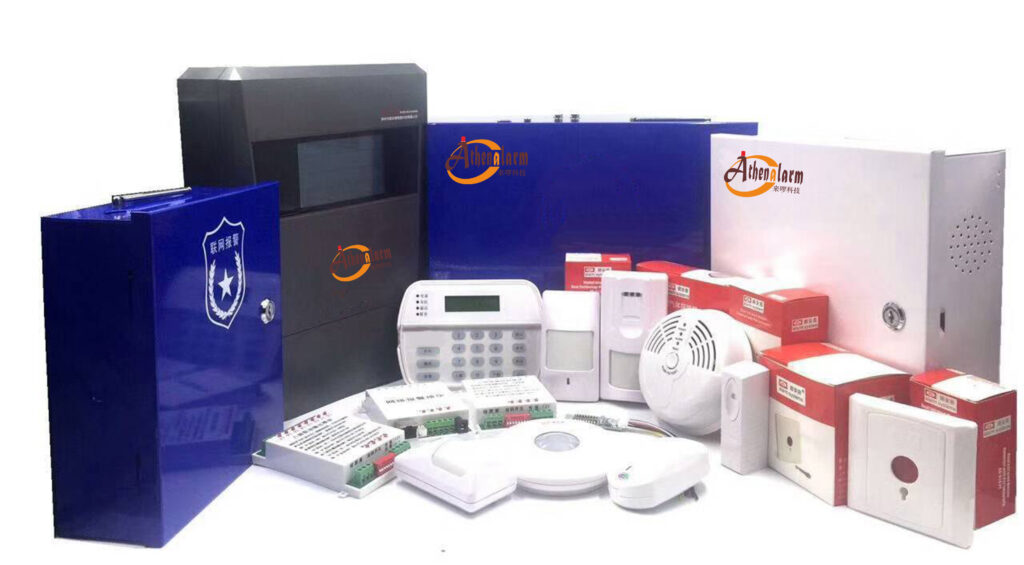
In the high-stakes world of burglary alarm systems, few components deliver faster, more reliable protection than a well-designed panic button system. Whether it’s a silent hold-up alarm in a bank vault area, a discreet duress signal during a school lockdown, a nurse-call escalation in a busy hospital ward, or an under-counter alert at a retail checkout, the panic button system—also known as a panic switch alarm system—has become the frontline defender against robbery, violence, medical emergencies, and active threats.
As a senior burglary alarm industry expert with over two decades designing and deploying intrusion detection systems across Asia and beyond, I’ve seen firsthand how generic panic buttons fail under real pressure while industry-specific designs save lives and assets. This practical guide cuts through the theory. It delivers actionable, step-by-step blueprints for integrating panic button systems into existing burglary alarm infrastructures tailored to the unique operational realities of banks, schools, hospitals, and retail environments.
You’ll learn exact wiring configurations, silent versus audible activation logic, integration with central alarm panels, compliance checkpoints, staff training protocols, and maintenance schedules that actually work in the field. By the end, security decision-makers, technical installers, operations managers, and procurement specialists will have a complete playbook to specify, deploy, and optimize panic button systems that turn seconds into saved lives and minimized losses.
Let’s dive straight into the design principles that make a panic button system truly effective within a modern burglary alarm framework.
Panic Button Fundamentals: Building Blocks of Any Reliable Burglary Alarm Integration
A panic button is far more than a simple switch. In burglary alarm terminology, it functions as a dedicated zone input that triggers an immediate alarm event—often silent—directly to the control panel, monitoring station, or first responders. Industry standards, including detailed guidance from established manufacturers like Athenalarm, confirm three primary forms: manual push-button (key-reset or auto-reset), pull-station variants, and IP-enabled models for networked environments.
Core technical specifications every designer must master:
- Wired panic buttons: Use NO/NC/COM terminals. For most residential or light-commercial burglary panels, COM + NC (normally closed) in parallel configuration ensures fail-safe operation and supervision. Multiple buttons wire in parallel: all COM terminals together, all NC terminals together. This parallel setup allows any single button to trigger the zone without affecting the others while maintaining loop supervision.
- Wireless panic buttons: Must match the panel’s exact RF frequency (typically 433MHz or 868MHz). After pairing, always verify by triggering a test signal to confirm signal strength and battery status.
- Pull-station (pulling) panic buttons: Available in two variants—one that outputs only a switch signal, and another that requires power and activates a built-in buzzer plus flashing warning light upon trigger. These are ideal for visible high-risk areas where local audible/visual indication aids rapid staff response.
- IP panic buttons: Networked models that integrate directly with IP alarm intercom systems, enabling both panic signaling and two-way voice communication—perfect for modern cloud-connected burglary alarm setups.
Silent versus audible logic: Banks and retail almost always demand silent transmission to avoid escalating robberies. Hospitals and schools may layer audible local alerts with silent external dispatch.
Key design rule: Every panic button must report as a dedicated “24-hour” or “panic” zone on the burglary alarm panel. This bypasses arm/disarm schedules and forces immediate notification regardless of system state.
Integration checklist for any burglary alarm panel:
- Assign unique zone number and label (e.g., “Bank Teller Panic – Silent”).
- Configure output relays for local strobe/siren (if needed), dialer activation, and IP communicator push to central station.
- Enable dual-path reporting: primary cellular + secondary IP for redundancy.
- Set tamper supervision on all wired devices and enable low-battery reporting for wireless units.
These fundamentals scale across industries—but the real power emerges when you customize placement, activation method, and response protocol to the specific threat profile. That’s where the industry-specific designs shine. When selecting panic buttons, always prioritize models with proven durability for high-traffic environments and ensure compatibility with your existing burglary alarm panel brand to avoid costly retrofits.

Banks: Concealed Panic Buttons and Silent Hold-Up Alarm Mastery
Banks remain prime targets for armed robbery precisely because cash and valuables are concentrated. A properly engineered panic button system turns teller counters and vault areas into silent fortresses within the larger burglary alarm network.
Threat scenario and design imperatives:
- Robber demands cash while standing at the counter; any visible or audible alarm risks escalation.
- Solution: Concealed under-counter or foot-rail panic buttons paired with completely silent transmission.
Step-by-step design and installation process:
- Site survey: Map every teller station, manager’s office, and vault entry. Measure exact reach distances—buttons must activate with minimal movement (ideally thumb or knee press). Identify concealed spots that remain accessible even if the teller is seated or standing.
- Button selection: Choose heavy-duty, momentary-contact models with key-reset (prevents accidental re-trigger). Opt for IP67-rated units if near drive-thru windows. For added anti-robbery protection, consider models that can connect to a warning light at the manager’s station without triggering audible alarms locally.
- Wiring strategy: Run 22/4 shielded cable from each button to the nearest burglary alarm panel or expander module. Use NC loop for supervision. Install a small junction box under each counter for serviceability. Connect in parallel for multiple stations using COM + NC configuration.
- Panel programming: Zone type = “Panic – Silent.” Output 1 activates central station report with specific descriptor (“Silent Hold-Up – Branch 3”). Output 2 can quietly trigger a discreet LED at the manager’s station for internal verification.
- Integration with existing burglary alarm: Link to video verification cameras. When panic triggers, the central station receives instant alarm plus live clip upload.
- Testing protocol: Weekly silent test during opening procedures. Monthly full-system simulation with local law enforcement liaison. Document each test with date, time, and responder confirmation.
Advanced features that separate amateur from professional installs:
- Dual-button confirmation (two separate presses within 3 seconds) to eliminate false alarms.
- Integration with cash drawer contacts—drawer forced open without proper code can auto-trigger panic zone.
- GPS-enabled wireless fallback for mobile night-deposit staff.
Real-world impact: Banks using these concealed silent systems report average police response under 4 minutes with zero escalation incidents. Procurement tip: Bulk-spec identical models across all branches for simplified spare-parts inventory and technician training. If you encounter false alarms, the most common fix is recalibrating zone sensitivity and ensuring proper shielding on wiring runs.
Hospitals: Hybrid Nurse-Call + Fall-Detection Panic Button Systems
Healthcare facilities face a double threat—external intruders and internal medical emergencies. A modern panic button system must therefore fuse traditional burglary alarm duress signaling with nurse-call and automatic fall-detection logic.
Unique challenges:
- Staff need discreet duress alerts during aggressive patient encounters or active shooter events.
- Elderly or mobility-impaired patients require automatic fall detection that escalates to the same burglary alarm monitoring pathway.
Practical implementation roadmap:
- System architecture: Deploy wearable pendants (with auto-fall sensors using 3-axis accelerometers) plus fixed wall-mounted buttons at nurse stations and high-risk areas. Portable panic buttons provide additional security for frail patients or staff working alone.
- Integration layer: Connect nurse-call head-end to the burglary alarm panel via dry-contact relays. Fall detection or manual press triggers the same “Panic” zone but with differentiated codes (“Staff Duress – Ward 4” vs. “Patient Fall – Room 312”).
- Silent escalation path: Primary alert routes to internal security desk and on-duty nurse supervisor via mobile app push. After 30 seconds without acknowledgment, auto-dispatch to central station and local police with precise room-level location via RTLS (real-time location system) tags.
- Installation best practices:
- Mount fixed buttons at 48 inches AFF (above finished floor) with large, glow-in-dark legends for easy visibility in low light.
- Wireless pendants must use hospital-grade 900MHz or DECT frequencies to avoid interference with medical equipment.
- Battery management: Schedule 90-day replacement cycles with automatic low-battery reporting as a supervisory zone.
- Compliance alignment: Align with OSHA workplace violence prevention guidelines and local healthcare security codes. Document every test in digital logs for audit readiness.
Proven ROI: Facilities that integrate fall-detection pendants with the burglary alarm backbone reduce response time to patient falls by 65% while giving nurses immediate duress capability without leaving the bedside. For procurement teams, look for systems offering EHR interoperability—alerts can auto-populate patient records for seamless clinical follow-up. Common pitfall: Interference from medical devices—always test wireless signals in the actual environment before full rollout.

Schools: Active-Threat Panic Button Systems That Comply with Alyssa’s Law and Beyond
Active shooter incidents have driven legislation like Alyssa’s Law in multiple jurisdictions, mandating silent panic alerts that connect directly to first responders. A school-specific panic button system must deliver instantaneous, location-aware notification while remaining invisible to the threat.
Design philosophy:
- Silent by default. Audible only inside administrative offices for verification.
- Wearable + fixed hybrid coverage for every classroom, hallway, and playground.
Deployment playbook:
- Risk assessment: Conduct a full campus vulnerability scan. Prioritize high-traffic chokepoints and isolated areas (restrooms, storage rooms).
- Technology stack:
- Wearable badges (single large button, Bluetooth + LoRa long-range) for every teacher and administrator.
- Fixed IP PoE buttons under teacher desks or in lockdown closets.
- Cloud-connected central receiver that pushes GPS-tagged alerts directly to 911 dispatch and school resource officers.
3. Step-by-step activation sequence:
- Teacher presses badge button once → immediate silent alert with exact location and pre-recorded voice message (“Active threat – Room 107 – Lockdown initiated”).
- System auto-triggers school-wide lockdown protocol via integration with access control and PA overrides.
- Central station receives duplicate feed for backup dispatch.
4. Training and drills:
- Monthly single-button drills during non-instructional time.
- Annual full-scale simulation with local SWAT team.
- Clear policy: Never announce “this is a drill” over radio—use coded phrases.
5. Maintenance routine:
- Daily self-test function on wearables.
- Quarterly battery and signal-strength audit logged in the burglary alarm management software.
Schools that follow this blueprint routinely achieve sub-60-second notification to law enforcement—often beating traditional 911 calls. Budget-conscious districts can start with wearable-only deployments and phase in fixed buttons during summer breaks. For panic button for schools implementations, always verify compliance with local education security mandates before final programming.
Retail: Under-Counter and POS-Integrated Panic Buttons for Daily Violence Prevention
Retail environments face everything from smash-and-grab theft to active violence against staff. The classic under-counter panic button remains the gold standard, but today’s designs integrate directly with POS systems and body-worn cameras for maximum evidentiary value.
Optimized retail design:
- Mount discreet momentary buttons beneath every checkout counter and manager’s desk.
- Optional POS soft-button integration (hold specific function key for 3 seconds) for even greater concealment.
- Pair with body-worn panic fobs for loss-prevention officers.
Installation and programming steps:
- Identify every public-facing workstation.
- Install low-profile buttons with 18-inch pigtail leads for easy servicing.
- Wire to nearest burglary alarm expander using supervised loops (COM + NC parallel configuration).
- Program zone as “Retail Panic – Silent” with immediate central station report plus optional local silent pager alert to store security.
- Add video bookmarking: Panic activation tags the last 30 seconds of camera footage for instant review.
Compliance and training:
- Align with state Retail Worker Safety Acts requiring documented panic button policies.
- Train cashiers during onboarding: “Feel for the button with your knee—never look down.”
- Monthly test logs shared with corporate risk management.
Retail chains using these integrated systems report 40% faster police response and dramatically lower employee turnover due to perceived safety. For panic buttons in retail, focus on concealment to prevent tampering while ensuring every staff member knows the exact activation feel.
Cross-Industry Best Practices, Testing, Maintenance, and Future-Proofing
No matter the vertical, follow these universal rules for any panic button system:
- Annual full-system certification by licensed burglary alarm technicians.
- Redundant power: UPS + generator backup for all panels and communicators.
- Cyber-secure IP communicators with encrypted reporting.
- Annual staff refresher training documented for insurance credits.
- Installation precautions: For anti-robbery applications (banks, retail), place buttons in concealed yet easily reachable spots. In high-visibility areas like construction sites or certain hospital zones, use more prominent designs.
Common pitfalls to avoid:
- Overly sensitive buttons causing false alarms—mitigate by selecting momentary-contact models and proper zone programming.
- Lack of zone labeling leading to delayed response—always use clear, descriptive labels.
- Ignoring battery life on wireless devices—implement automated low-battery supervisory zones.
Future trends worth budgeting for now:
- AI-assisted false-alarm filtering.
- 5G-enabled ultra-low latency wearables.
- Unified command platforms that merge panic alerts with access control, video, and mass notification in one dashboard.
Ready to Transform Your Burglary Alarm Protection?
You now hold the complete practical blueprint for industry-specific panic button system design. Whether you manage a multi-branch bank, a K-12 district, a regional hospital network, or a national retail chain, these strategies deliver measurable improvements in response time, compliance, and peace of mind.
The difference between an adequate burglary alarm and an exceptional one lies in the details you implement today.
For custom design consultations, site surveys, product specifications, or bulk procurement support tailored to your exact environment, our team of burglary alarm engineers stands ready. Contact us through the website form or schedule a no-obligation technical review call. Your staff, customers, students, and patients deserve the ultimate protection a properly engineered panic button system can provide.
Implement these strategies, and you won’t just meet today’s threats—you’ll stay ahead of tomorrow’s.