
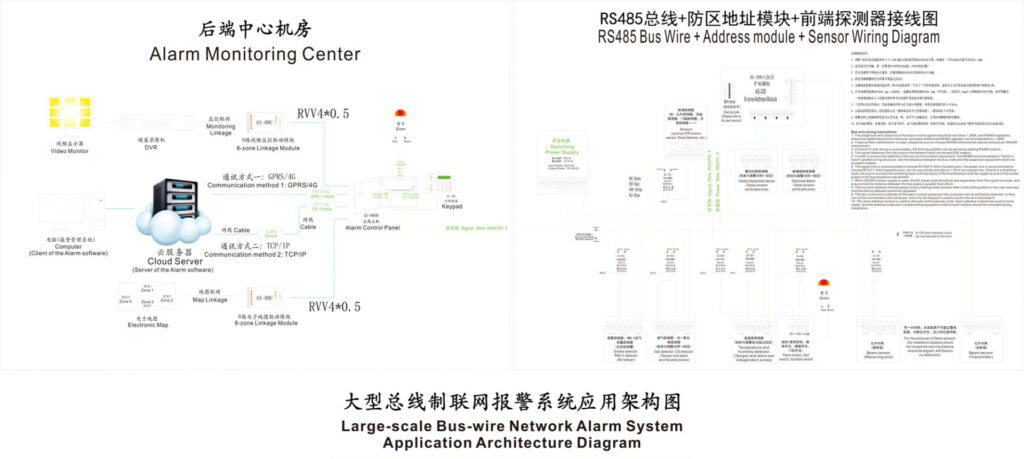
In large-scale intrusion alarm systems, wireless sensors form the backbone of reliable perimeter and interior protection. Yet for engineers and integrators deploying hundreds or thousands of wireless PIR detectors, magnetic contacts, glass-break sensors, and outdoor beam detectors, one issue consistently drives up operational costs and risks: battery life. Poor wireless sensor power management leads to frequent site visits, system downtime during replacements, and potential security gaps when batteries fail unexpectedly.
This guide delivers proven, field-tested strategies for battery life optimization in large-scale deployments. Drawing from real-world intruder alarm installations compliant with EN 50131 standards, it focuses on practical techniques that extend sensor life from 12–18 months to 4–7 years while maintaining Grade 2 or higher detection performance and tamper resistance.
Why Wireless Sensor Power Management Matters in Intrusion Alarms
Large anti-theft alarm networks—such as those protecting warehouses, industrial campuses, or multi-building facilities—can include 500–2,000+ wireless sensors. Each sensor must remain vigilant 24/7, yet most of its time is spent idle. Traditional always-on or high-frequency polling designs drain batteries rapidly.
Industry data shows battery maintenance accounts for up to 60% of ongoing wireless intrusion alarm costs. In addition, EN 50131-6 power supply requirements mandate reliable backup operation (minimum 12 hours for Grade 2 systems, up to 24+ hours for Grade 3/4), making efficient primary battery usage non-negotiable. Optimized wireless sensor power management directly reduces truck rolls, enhances system availability, and ensures compliance without compromising detection speed or false-alarm immunity.
Key Challenges in Large-Scale Deployments
- Scale and Accessibility: Sensors placed in ceilings, perimeters, or remote outdoor zones make battery swaps labor-intensive and disruptive.
- Event-Driven vs. Continuous Operation: Intrusion detectors must respond instantly to movement or tampering, yet constant RF listening wastes energy.
- Protocol and Environment Trade-offs: Mesh networks increase hop-related power draw; long-range links (e.g., outdoor perimeter) demand ultra-low transmit power.
- Tamper and Supervision Requirements: Frequent supervision signals (required by EN 50131) must be balanced against battery drain.
- Variable Conditions: Temperature swings, RF interference, and high-traffic zones accelerate consumption.
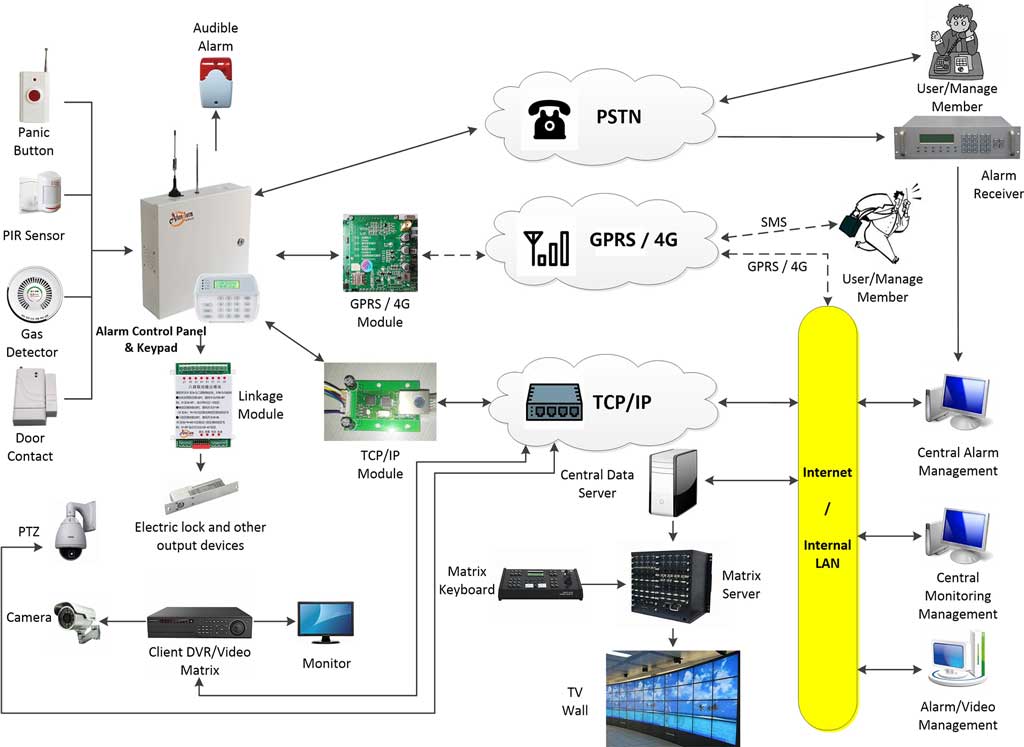
Proven Strategies for Battery Life Optimization
Effective wireless sensor power management combines hardware selection, protocol tuning, and intelligent configuration. Here are the core approaches used in high-reliability intrusion alarm deployments:
- Adopt Event-Driven Detection Architecture
Modern wireless intrusion sensors excel in deep-sleep modes, waking only on physical events (PIR trigger, reed switch change, or tamper). Avoid polling-based designs. In practice, configure sensors to transmit only on alarm, supervision (once every 10–60 minutes, per EN 50131), or low-battery alerts. This single change routinely delivers 3–5× battery extension. - Select Low-Power Protocols Optimized for Security
- Zigbee (IEEE 802.15.4-based mesh): Ideal for dense indoor clusters. End devices sleep almost indefinitely; routers handle mesh traffic. Typical current draw in sleep: <2 µA.
- Z-Wave: Strong encryption and native battery reporting; excellent for mixed residential-commercial Grade 2 systems.
- LoRa / proprietary sub-GHz (e.g., Jeweller or similar long-range protocols): Best for large perimeters or campus-wide deployments. Achieves 5–10 year life on AA or CR123 batteries with infrequent transmissions and adaptive spreading factors.
Choose sub-GHz bands where possible—they consume significantly less power than 2.4 GHz for equivalent range while offering better penetration through walls and reduced interference.
- Implement Intelligent Duty Cycling and Adaptive Transmission
Configure control panels to dynamically adjust supervision intervals based on risk level (e.g., shorter at night or in high-value zones). Enable firmware features that reduce transmit power when RSSI is strong. Many modern panels allow zone-specific power profiles. - Choose High-Quality Batteries and Monitoring
Use lithium thionyl chloride (Li-SOCl₂) or lithium manganese dioxide cells rated for wide temperature and low self-discharge. Integrate real-time battery voltage telemetry into the central monitoring station. Set multi-stage alerts: early warning at 30% remaining, urgent at 10%. This predictive approach prevents surprise failures. - Leverage Energy Harvesting Where Feasible
For outdoor perimeter sensors or high-traffic indoor zones, supplement with small solar panels or kinetic harvesters. In tested deployments, hybrid power reduced primary battery drain by 40–70% in suitable environments.
Step-by-Step Implementation Guide for Integrators
Follow these steps to optimize any large-scale wireless intrusion alarm deployment:
- Conduct a Power Audit
Map all sensors, measure current draw in sleep/transmit modes using a multimeter or manufacturer data sheets, and calculate theoretical life under your expected event rate. Identify high-consumption outliers. - Select and Deploy Hardware
Choose EN 50131-certified wireless devices with documented low-power modes. Prefer systems offering over-the-air firmware updates for ongoing efficiency gains. - Configure the Control Panel
- Set global supervision interval to the maximum allowed by risk assessment (typically 10–60 minutes).
- Enable event-only reporting for PIR and contact sensors.
- Activate low-battery and tamper supervision with prioritized notifications.
- Group sensors into power-efficient zones (e.g., separate high-traffic daytime zones from overnight perimeters).
- Tune RF Parameters
Reduce transmit power to the lowest level that maintains reliable link margin. In mesh networks, minimize router count by strategic placement of mains-powered repeaters where possible. - Test and Baseline
Deploy a pilot cluster of 20–50 sensors for 30 days. Monitor actual vs. predicted battery drain. Adjust and scale. - Establish Ongoing Maintenance
Use the central station’s battery dashboard for proactive replacements. Schedule annual firmware reviews. Document all changes for compliance audits.
These steps typically require only 1–2 hours of additional configuration time but yield years of reduced maintenance.
Real-World Deployment Case Study
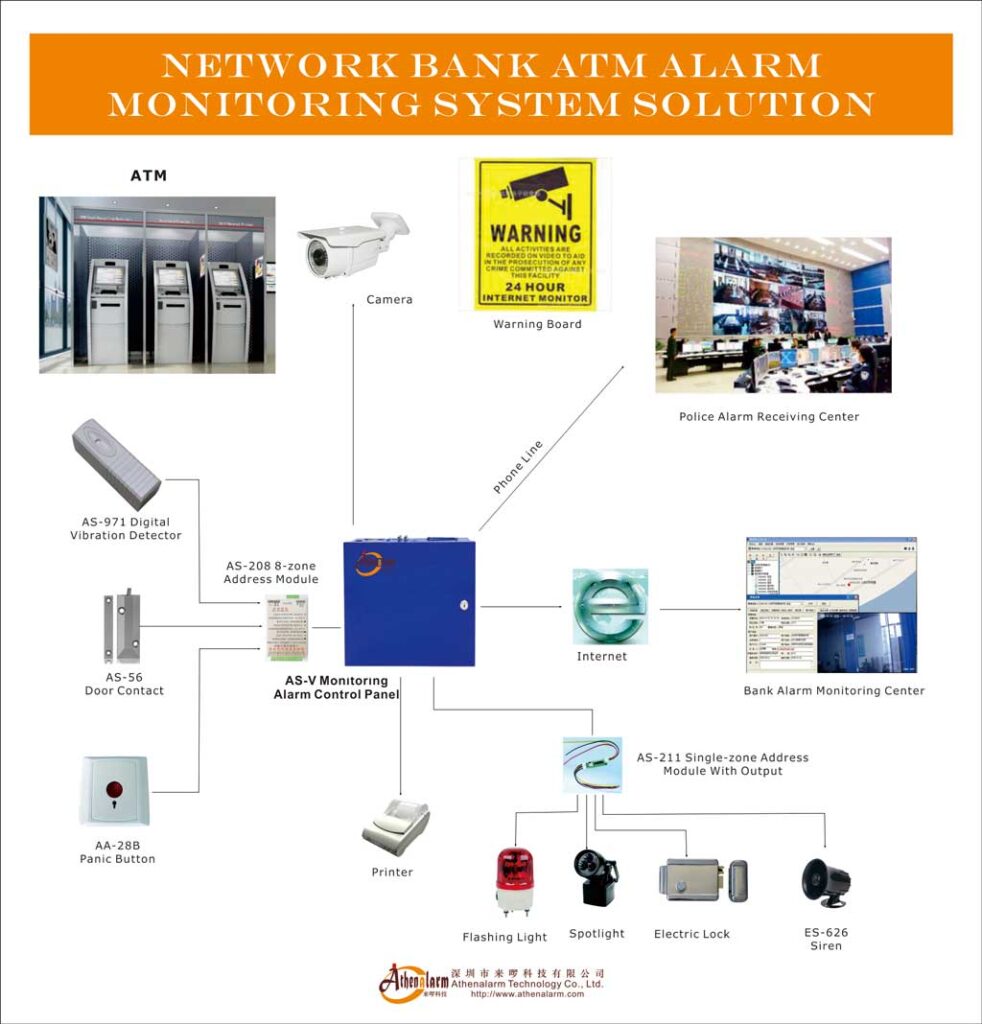
A 120,000 sq ft logistics warehouse deployed 850 wireless sensors (PIR, door contacts, and outdoor beams) using a sub-GHz proprietary protocol. Initial configuration yielded ~14-month average battery life, requiring quarterly maintenance crews. After applying the above optimizations—event-driven mode, adaptive supervision, Li-SOCl₂ batteries, and centralized voltage monitoring—battery life extended to 5.2 years. Annual maintenance costs dropped 68%, false alarms from low batteries fell to zero, and the system maintained full EN 50131 Grade 2 compliance. The integrator reported ROI on the optimization effort within four months.
Monitoring, Compliance, and Future-Proofing
Always integrate battery health into your central monitoring platform. EN 50131-6-compliant systems require clear fault signaling for power issues. Regular firmware updates from reputable manufacturers often include power-management enhancements. For evolving threats, select platforms with secure over-the-air updates that do not increase energy footprint.
Conclusion: Reliable Protection Through Smart Power Management
Wireless sensor power management is no longer a nice-to-have—it is a core requirement for cost-effective, high-uptime intrusion alarm systems. By focusing on event-driven design, protocol selection, intelligent configuration, and predictive monitoring, engineers and integrators can achieve dramatic battery life optimization in large-scale deployments while meeting stringent security standards like EN 50131.
Implement these strategies today and turn your largest operational headache into a competitive advantage: fewer service calls, lower total cost of ownership, and intrusion detection that stays online when it matters most. For site-specific audits or protocol comparisons, consult your system manufacturer’s engineering support—practical optimization always starts with accurate deployment data.