

In modern intrusion alarm systems, the control panel is not just a signal processor—it is a data system. Every arming action, alarm trigger, fault condition, and user operation is recorded, stored, and later retrieved through the panel’s internal memory and event log. For engineers and technicians, misunderstanding this internal architecture is a frequent source of troubleshooting delays, data loss, and compliance failures.
This guide provides a deep technical explanation of alarm panel memory design, focusing on alarm event log structure and memory storage logic in control panels. The goal is not theory alone, but practical knowledge you can apply in real installations, maintenance, diagnostics, and audits.
Why Alarm Panel Memory Architecture Matters in Real Systems
Event logs are often treated as a “background function” until something goes wrong. In reality, they are critical to:
- Post-alarm forensic analysis
- False alarm root-cause investigation
- Maintenance diagnostics and preventive servicing
- Regulatory and insurance compliance
- Central monitoring dispute resolution
When memory architecture is poorly understood, common problems arise: missing events, overwritten history, corrupted logs after power loss, or inconsistent timestamps. All of these can compromise system credibility.
Internal Memory Types Used in Alarm Control Panels
Most professional-grade alarm panels use multiple memory technologies, each optimized for a specific purpose.
Non-Volatile Memory (NVM)
Non-volatile memory retains data when power is lost. Typical implementations include:
- EEPROM – used for installer programming data and system parameters
- Flash memory – used for firmware, configuration blocks, and event logs
This is where the alarm event log structure permanently resides until overwritten or cleared.
Volatile Memory (RAM)
RAM is used for:
- Real-time event buffering
- Temporary system states
- Communication queues
RAM data is lost during power failure, which is why confirmed events are quickly committed to non-volatile storage.
Practical Insight
If an alarm panel loses events during power instability, the root cause is often not “memory failure,” but delayed commit logic between RAM buffers and flash storage.
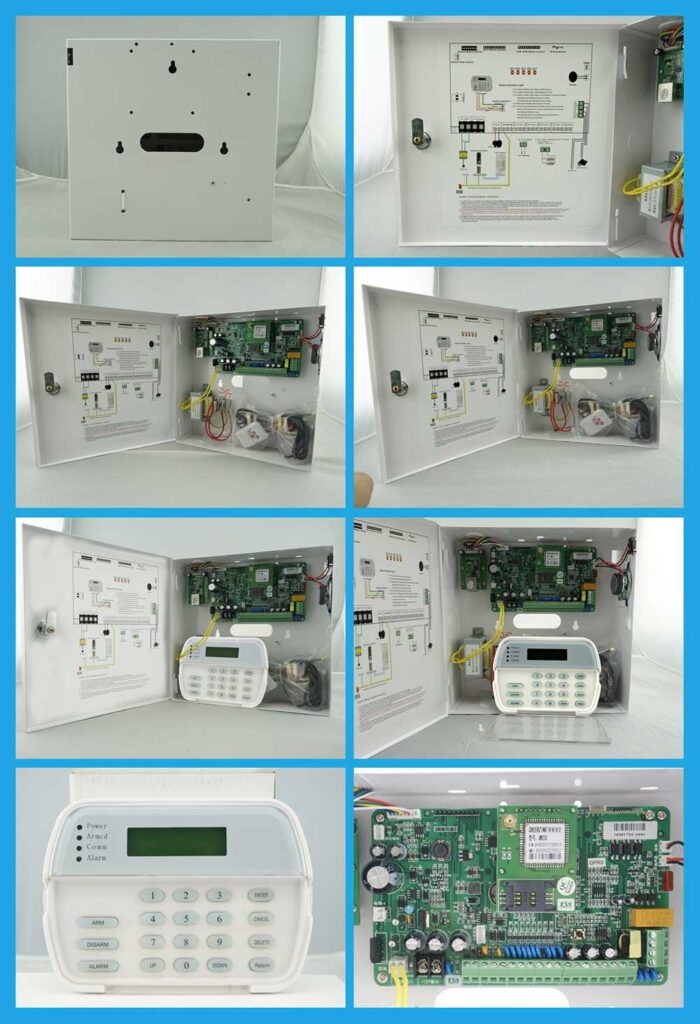
Logical Segmentation of Alarm Panel Memory
Professional alarm panels do not store data randomly. Memory is logically segmented to isolate functions and prevent cross-corruption.
Typical memory segmentation includes:
- Firmware region (protected, read-only)
- Installer configuration area
- User database (codes, partitions, schedules)
- Event log buffer
- Diagnostic and service records
This separation ensures that a corrupted event log does not erase zone definitions or access credentials.
From a technician’s perspective, this explains why clearing the event log does not reset system programming.
Understanding the Alarm Event Log Structure
The alarm event log structure is a structured dataset optimized for reliability and compact storage.
Each event record typically contains:
- Event timestamp (panel RTC-based)
- Event type or code
- Zone or device identifier
- User ID (if applicable)
- System partition or area
- Status flags (restore, trouble, supervision)
To conserve memory, these fields are encoded in binary or hexadecimal formats rather than plain text.
Event Coding Standards
Most panels follow standardized event code frameworks such as:
- SIA DC-05
- Contact ID formats (internally mapped)
Understanding these codes allows technicians to interpret raw logs even when GUI tools are unavailable.

Memory Storage Logic in Control Panels: How Events Are Written
FIFO-Based Log Management
Most intrusion panels use First-In, First-Out (FIFO) logic for event storage. Once the log buffer reaches capacity:
- The oldest event is overwritten
- The system continues operating without interruption
This design prevents system lockups but introduces a critical limitation: historical data loss.
Typical Event Log Capacities
Depending on the model and manufacturer, panels commonly store:
- 250 to 1,000 events in entry-level systems
- 2,000+ events in commercial-grade panels
High-traffic systems, such as retail or multi-tenant buildings, can overwrite logs in days if not managed.
Step-by-Step: Accessing and Managing Event Logs on a Control Panel
The following generalized procedure applies to most professional alarm panels. Always confirm model-specific commands in official documentation.
Step 1: Enter Installer or Service Mode
Use the installer code or authorized service credentials via keypad or software interface.
Step 2: Navigate to Event Log Menu
Select options labeled “Event History,” “System Log,” or “Panel Memory.”
Step 3: Filter and Review Events
Most panels allow filtering by:
- Date and time
- Event type (alarm, trouble, restore)
- Zone or user
This helps isolate issues like repeated false alarms or intermittent tamper signals.
Step 4: Export or Back Up Logs
Where supported:
- Export via USB or serial interface
- Download through panel software
- Sync with monitoring platform
Always back up logs before clearing them.
Step 5: Clear or Rotate Logs
Clear only after confirming data retention requirements. Some systems allow partial clearing or archival rotation.
Common Event Log Problems and Their Root Causes
Missing or Incomplete Event Records
Common causes include:
- Low backup battery voltage
- Flash memory wear
- Sudden power loss during write cycles
Solution: Verify power stability and replace aging batteries before blaming memory hardware.
Incorrect Timestamps
Usually caused by:
- Unset or drifting real-time clock
- Prolonged power loss without RTC backup
Always verify time synchronization during commissioning.
Inaccessible Event Logs
Often linked to:
- Firmware mismatch
- Corrupted index tables
A controlled reboot or firmware update usually restores access without data loss.

Best Practices for Optimizing Alarm Panel Memory Performance
- Schedule periodic event log reviews in high-activity systems
- Export logs before reaching capacity in FIFO-based designs
- Maintain stable power and battery health
- Update firmware to improve memory handling logic
- Educate end users on basic log interpretation to reduce service calls
According to industry data, disciplined event log management significantly improves false alarm diagnostics and reduces unnecessary dispatches.
Compliance and Standards Considerations
Reliable event logging is not optional in professional systems. Industry standards that reference memory and event records include:
- UL 681 – installation and classification of burglary alarm systems
- NFPA 731 – premises security system installation
- SIA DC-05 – digital communication and event coding
Failure to retain accurate logs can affect certification, insurance claims, and liability assessments.
Conclusion
A clear understanding of alarm panel memory architecture and event log storage logic is essential for engineers and technicians working with intrusion detection systems. The alarm event log is not just a history list—it is a diagnostic tool, compliance record, and system integrity indicator.
By mastering how control panels store, structure, and manage event data, professionals can troubleshoot faster, design more reliable systems, and deliver higher long-term value to end users and monitoring partners.
References
- Security Industry Association (SIA). SIA DC-05 Digital Communication Standard
- Underwriters Laboratories (UL). UL 681: Burglar and Holdup Alarm Systems
- National Fire Protection Association (NFPA). NFPA 731: Standard for the Installation of Premises Security Systems
- Manufacturer Technical Documentation (Honeywell, Bosch, DSC, Texecom control panels)