

Executive Perspective: Why the Central Alarm Control Center Hub Is the Real Brain of Modern Intrusion Alarm Systems
In today’s commercial and industrial security landscape, intrusion threats are no longer isolated events. They are coordinated, adaptive, and often designed to exploit operational gaps rather than technical weaknesses. From organized retail crime to targeted facility intrusions, attackers understand one simple truth: if alarms are fragmented, slow to verify, or poorly managed, response fails.
As a long-time practitioner in the intrusion alarm industry, I can state this clearly and without marketing exaggeration: the central alarm control center hub is the single most decisive factor in whether an intrusion alarm system actually protects a business or merely records its failure.
This article is written for professional buyers and decision-makers—security directors, system integrators, procurement leaders, and operations managers—who are responsible for deploying intrusion alarm systems at scale. The focus is not theory. It is execution, operational control, and measurable risk reduction, centered entirely on the central alarm control center hub.
1. Defining the Central Alarm Control Center Hub (Beyond the Textbook Definition)
A central alarm control center hub is not simply a room with screens, nor is it just a software platform that aggregates alarms. In a properly engineered intrusion alarm ecosystem, the hub is:
- The decision engine that validates, prioritizes, and escalates intrusion events
- The integration core connecting intrusion panels, sensors, video, access control, audio deterrence, and external response agencies
- The operational authority that governs alarm workflows, response logic, and compliance reporting
In practical terms, the central alarm control center hub is where intrusion alarms become action, not noise. To expand on this, consider that the hub also serves as a data repository for historical event logs, enabling pattern recognition over time to predict and preempt potential vulnerabilities. For instance, if recurring alarms occur in specific zones during certain hours, the hub can flag these for proactive maintenance or enhanced monitoring, turning reactive security into a predictive shield.
2. Why Fragmented Alarm Management Fails Commercial Security
Before explaining how to build an effective hub, it is critical to understand why many intrusion alarm deployments fail despite heavy investment.
2.1 Alarm Flooding and Operator Paralysis
Distributed intrusion panels generating unfiltered alarms create alert fatigue. Operators hesitate. Response slows. Intruders exploit delay. To make this more concrete, imagine a large warehouse with dozens of sensors; without central filtering, an operator might face 50+ alerts in a single shift from benign causes like environmental changes, leading to critical delays in spotting real threats. Studies from industry bodies like the Security Industry Association show that unmanaged alert volumes can increase response times by up to 300%, giving intruders precious minutes to act.
2.2 Lack of Contextual Verification
An alarm without video, audio, or zone intelligence is a guess. Law enforcement response degrades rapidly when false dispatches accumulate. Adding depth here, without context, a simple motion sensor trigger could be a stray animal or an actual burglar—leading to wasted resources and eroded trust with responders. In jurisdictions requiring verified response policies, such as those in parts of California and Texas, unverified alarms can result in fines or non-response from police, amplifying risks.
2.3 Inconsistent Response Protocols
Without a central hub enforcing SOPs, response depends on individual judgment—an unacceptable risk for enterprise-grade intrusion protection. This inconsistency often stems from shift changes or varying operator experience, where one might call authorities immediately while another waits, potentially allowing intrusions to escalate.
The central alarm control center hub solves these problems by design—when engineered correctly. It standardizes processes across teams, ensuring every alert follows a predefined path, reducing human error and enhancing overall system reliability.

3. Core Functional Architecture of a Central Alarm Control Center Hub
A professional-grade central alarm control center hub consists of five tightly integrated layers, each building on the last to create a seamless intrusion defense mechanism:
3.1 Alarm Ingestion Layer
- Intrusion panels (wired, wireless, hybrid)
- Perimeter sensors (PIR, microwave, beam, fence)
- Glass break and shock sensors
This layer must support high-availability signal reception, redundancy, and encrypted transport. To ensure robustness, incorporate dual-path communication (e.g., cellular backup alongside IP) to prevent single-point failures during power outages or network disruptions. For operation, set up ingestion by first configuring panel protocols like SIA or Contact ID, then testing signal latency to confirm under 5-second delivery times.
3.2 Correlation and Intelligence Layer
Here, raw alarms are transformed into verified events:
- Zone correlation
- Time-based logic
- Multi-sensor confirmation
- AI-assisted anomaly detection (when appropriate)
Expanding on AI use, integrate machine learning models trained on historical data to distinguish between false positives (e.g., wind-triggered fence sensors) and genuine threats. However, caution is key: over-reliance on AI without human oversight can lead to missed nuances, so always include override options. A practical step is to calibrate AI thresholds during initial setup by feeding it sample data from your site’s environment.
3.3 Operator Control Interface
A central alarm control center hub lives or dies by usability:
- Clear alarm prioritization
- One-click access to video and audio
- Scripted response guidance
To enhance usability, design interfaces with customizable dashboards that highlight high-priority zones via color-coding (red for critical, yellow for moderate). Operators should be able to drill down into events with minimal clicks—ideally, a single interface pane showing maps, live feeds, and action buttons. Common pitfalls include cluttered screens; avoid them by conducting user testing sessions to refine layouts.
3.4 Response Orchestration Layer
- Automated voice deterrence triggers
- Guard dispatch workflows
- Law enforcement escalation
- Customer notification
This layer automates sequences, such as triggering strobe lights and sirens upon verification. For detailed operation: Upon an alert, the hub runs a checklist—verify via camera, issue audio warning (“Intruder detected—leave now”), then escalate to dispatch if unresolved. Integrate APIs with services like RapidSOS for faster emergency routing.
3.5 Audit, Compliance, and Analytics Layer
- Alarm history
- Response time metrics
- False alarm analysis
- Regulatory reporting
This includes generating reports compliant with standards like UL 827 or EN 50518. Use analytics to spot trends, such as frequent false alarms from a faulty sensor, and automate alerts for maintenance. A key error to avoid: neglecting data retention policies, which could violate GDPR or HIPAA in sensitive sites—always set purge schedules based on legal requirements.
4. Designing a Central Alarm Control Center Hub for Intrusion-First Security
4.1 Start With Intrusion Scenarios, Not Products
Every effective hub design begins with scenario mapping:
- Forced entry during closed hours
- Insider intrusion during business hours
- Perimeter breach escalation
- Multi-site coordinated intrusion
Design the hub logic to defeat these scenarios before selecting hardware or software. To execute this, convene a cross-functional team (security, IT, operations) to brainstorm site-specific risks, then map them to hub features. For example, for insider threats, integrate badge access logs with alarm data to flag unauthorized zone entries.
4.2 Centralization vs. Federated Hubs
- Single enterprise hub: Best for retail chains, logistics, campuses
- Regional hubs: Suitable for global enterprises with latency or regulatory constraints
The key principle: decision authority must be centralized, even if signal reception is distributed. In federated setups, use cloud-based synchronization to ensure real-time data sharing, but test for latency issues in remote areas. A common mistake is underestimating bandwidth needs; calculate peak loads (e.g., 100 alarms/minute) and provision accordingly.
4.3 Incorporating Emerging Technologies
To future-proof designs, integrate IoT-enabled sensors for real-time environmental data (e.g., temperature, humidity) that can contextualize alarms. Also, consider drone integration for rapid site verification in large perimeters, where the hub dispatches and monitors drone feeds automatically.
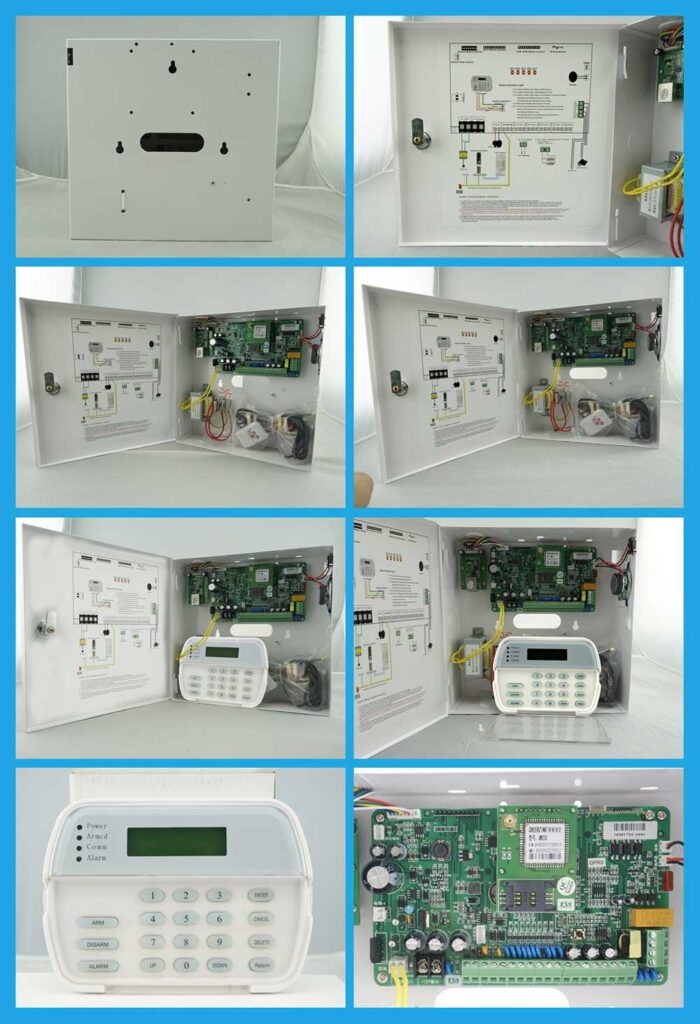
5. Step-by-Step Deployment of a Central Alarm Control Center Hub
Deployment requires meticulous planning to avoid disruptions. Here’s an expanded guide with detailed steps:
Step 1: Intrusion Risk Assessment
- Asset criticality mapping: Identify high-value areas like server rooms or inventory storage.
- Threat probability analysis: Use tools like vulnerability scanners to rate risks.
- Response time requirements: Set benchmarks, e.g., under 60 seconds for verification.
Conduct on-site audits, interviewing staff about past incidents to inform priorities.
Step 2: Alarm Signal Standardization
- Normalize panel outputs: Convert all signals to a common format like JSON over MQTT.
- Define zone naming conventions: Use descriptive labels, e.g., “Warehouse_Door_1_North”.
- Establish alarm severity taxonomy: Categorize as Low (maintenance), Medium (potential), High (immediate threat).
Test standardization by simulating alarms and verifying hub ingestion.
Step 3: Hub Platform Selection
Choose platforms proven in intrusion-heavy environments, not consumer-grade monitoring software. Evaluate options like Honeywell’s Pro-Watch or Genetec’s Security Center based on scalability, integration ease, and vendor support. Request demos focused on intrusion scenarios, and check for open APIs to avoid lock-in.
Step 4: SOP Engineering
Document precise actions for every alarm class:
- Verify: Cross-check with at least two sources (e.g., video + sensor).
- Deter: Activate on-site measures like lights or announcements.
- Escalate: Notify authorities with pre-filled incident details.
- Document: Log all steps with timestamps and operator notes.
Review SOPs quarterly to incorporate lessons from incidents.
Step 5: Operator Training and Certification
Operators are part of the system. Train them like security professionals, not call-center staff. Use role-playing simulations covering high-stress scenarios, and require certifications from bodies like ASIS International. Ongoing training should include refresher courses every six months to address evolving threats.
Step 6: Live Simulation Testing
Run intrusion drills monthly. Measure and refine. For example, stage a mock perimeter breach: Time the hub’s detection, operator response, and resolution. Analyze gaps, such as slow video loading, and adjust configurations accordingly.
Step 7: Post-Deployment Monitoring and Optimization
After go-live, monitor system health daily. Use hub analytics to tweak thresholds, and schedule annual audits to ensure compliance with evolving standards.
6. Integrating Intrusion Panels Into the Central Alarm Control Center Hub
A hub is only as strong as its panel integration strategy.
Best Practices:
- Use IP-based panels with encrypted communication (e.g., AES-256).
- Enable event buffering during network outages to store and forward alerts.
- Implement heartbeat monitoring: Panels send periodic signals; hub alerts on misses.
Avoid vendor lock-in whenever possible. Open protocols like ONVIF or PSIA preserve long-term operational control. For integration steps: 1) Inventory existing panels; 2) Install middleware if protocols mismatch; 3) Test end-to-end by triggering sample alarms; 4) Monitor for conflicts, resolving via firmware updates.
A frequent error is skipping compatibility checks, leading to partial integrations—always verify full feature support before rollout.

7. Alarm Verification: Turning Intrusion Signals Into Court-Defensible Evidence
Verified response is now a requirement, not an advantage, especially in areas with strict false alarm ordinances.
Verification Methods:
- Video verification: Use high-res cameras linked to zones for visual confirmation.
- Audio challenge: Two-way audio to interact with potential intruders.
- Multi-zone confirmation: Require triggers from adjacent sensors before escalation.
A central alarm control center hub must enforce verification logic automatically, not optionally. For operation: Configure rules like “If PIR triggers, pull camera feed; if human detected, escalate.” Key pitfall: Poor lighting affecting video—mitigate with IR cameras and regular lens cleaning.
To build court-defensible evidence, ensure all logs include timestamps, operator actions, and media captures, stored securely for at least 30 days or per legal mandates.
8. Central Alarm Control Center Hub and False Alarm Reduction Strategy
False alarms destroy credibility and budgets, often costing $50-200 per dispatch in fines alone.
Hub-Driven Reduction Techniques:
- Cross-sensor correlation: Ignore isolated triggers unless corroborated.
- Adaptive sensitivity profiles: Lower thresholds during high-activity periods.
- Time-of-day logic: Suppress non-critical alerts outside business hours.
Well-designed hubs routinely reduce false dispatches by 60–80%. Add environmental integration: Link weather data to adjust for wind or rain-induced falses. Steps for implementation: 1) Analyze historical data for patterns; 2) Set rules in hub software; 3) Test in low-risk periods; 4) Monitor reduction metrics weekly.
Avoid over-tuning, which might miss real events—balance with periodic reviews.
9. Cybersecurity and Resilience of the Central Alarm Control Center Hub
Intrusion hubs are high-value cyber targets, with attacks potentially disabling entire systems.
Mandatory Controls:
- Network segmentation: Isolate hub traffic via VLANs.
- Role-based access: Limit privileges, e.g., operators can’t alter configs.
- Continuous log monitoring: Use SIEM tools for anomaly alerts.
- Offline failover capability: Maintain local backups for critical functions.
A compromised hub is worse than no hub at all. Additional measures: Regular penetration testing, multi-factor authentication, and firmware updates. For resilience, design redundant power supplies and geographically diverse data centers. Common mistake: Ignoring insider threats—enforce strict access logs and audits.
10. Scaling the Hub for Multi-Site and Enterprise Intrusion Operations
Enterprise buyers must think beyond today’s footprint.
Scalability Considerations:
- Multi-tenant architecture: Support isolated data for different divisions.
- Hierarchical alarm routing: Local hubs filter before escalating to central.
- Site-specific SOP overlays: Customize rules per location while maintaining core standards.
The hub should scale without rewriting procedures. For large-scale: Use cloud-hybrid models for elasticity, handling spikes from events like holidays. Steps: 1) Assess growth projections; 2) Choose modular platforms; 3) Pilot scaling in one region; 4) Roll out with training.
11. Operational KPIs That Actually Matter
Forget vanity metrics. Track these to gauge true effectiveness:
- Alarm-to-verification time: Target under 30 seconds.
- Alarm-to-deterrence time: Aim for 45 seconds max.
- Alarm-to-dispatch time: Under 2 minutes for high-priority.
- Incident outcome classification: Categorize as resolved, loss incurred, etc.
Add: False alarm rate (target <5%) and system uptime (>99.9%). Use dashboards for real-time tracking, and tie KPIs to operator incentives for better performance.
12. Procurement Guidance for Security Buyers
When evaluating vendors, demand answers to these questions:
- How does your hub prioritize intrusion alarms under load?
- How do you enforce SOP consistency?
- How do you prove response performance?
If answers are vague, walk away. Expand your due diligence: Request case studies from similar industries, site visits to operational hubs, and third-party audits. Budget wisely—expect 20-30% of total system cost for the hub. Negotiate SLAs for uptime and support response.
13. Common Deployment Mistakes (And How to Avoid Them)
- Treating the hub as IT infrastructure instead of security command: Avoid by involving security pros from day one.
- Undertraining operators: Counter with mandatory simulations and certifications.
- Ignoring intrusion-specific workflows: Tailor designs to alarms, not general monitoring.
Experience shows these mistakes repeatedly undermine otherwise strong systems. Another frequent error: Skipping backup power testing—ensure generators kick in seamlessly during drills. Also, over-customizing early can lead to complexity; start simple and iterate.
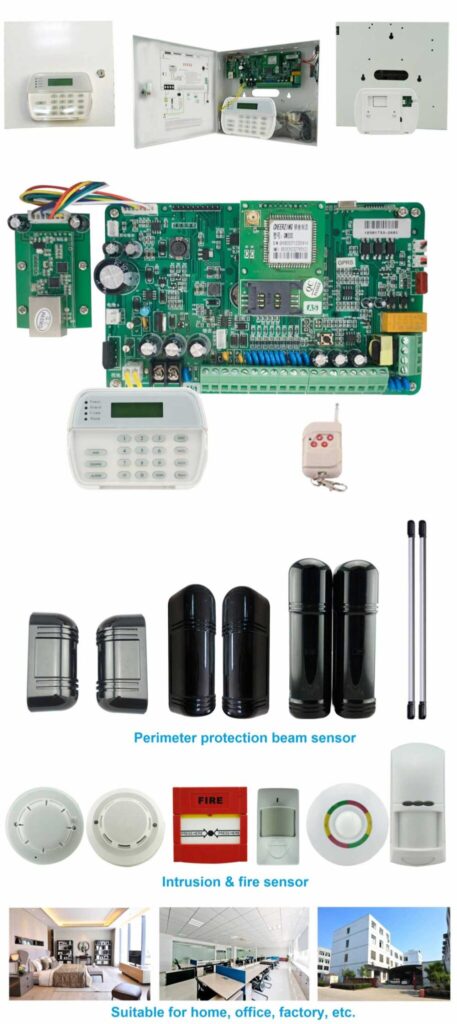
14. The Business Case: ROI of a Proper Central Alarm Control Center Hub
A well-executed hub:
- Reduces theft losses by centralizing rapid response.
- Cuts false dispatch costs through verification.
- Improves insurance positioning with documented compliance.
- Enhances brand trust via reliable protection.
Protection and profitability are not opposites. Quantify ROI: For a mid-sized retailer, a hub might save $100K+ annually in losses and fines. Calculate by comparing pre/post-deployment metrics, factoring in setup costs (typically $50K-500K depending on scale) against savings.
15. Maintenance and Upgrades: Keeping Your Hub Effective Long-Term
No hub stays optimal without ongoing care. Schedule quarterly maintenance: Check hardware for wear, update software patches, and recalibrate sensors. For upgrades, assess every 3-5 years against new threats like AI-driven attacks. Steps: 1) Inventory components; 2) Test functionality; 3) Apply updates in staging environments; 4) Retrain staff on changes. Budget 10-15% of initial cost annually for this.
16. Case Studies: Real-World Applications of Central Alarm Control Center Hubs
To illustrate impact, consider a national retail chain that reduced shrinkage by 45% after implementing a centralized hub with AI verification—false alarms dropped from 200/month to 40. Another example: A manufacturing plant integrated access controls, preventing insider thefts worth $200K annually. These demonstrate how tailored hubs deliver tangible results.
17. Future Trends in Central Alarm Control Center Hubs
Looking ahead, expect deeper AI for predictive analytics, 5G for faster signals, and blockchain for tamper-proof logs. Prepare by choosing flexible platforms. However, trends like these must enhance, not complicate, core intrusion stopping.
18. Final Expert Insight: Central Alarm Control Center Hub as a Competitive Advantage
In mature security markets, hardware parity is common. Operational mastery is rare.
Organizations that invest in a professionally designed, intrusion-focused central alarm control center hub consistently outperform peers in loss prevention, response credibility, and resilience.
If your intrusion alarms do not flow through a disciplined, authoritative hub, you do not have a system—you have components.
And components do not stop intruders.